
Mô tả
Smartcode Product Slider for WooCommerce turns the default WooCommerce product image gallery into an auto-rotating slider, without replacing WooCommerce’s own gallery or requiring any theme changes. Is a lightweight plugin that only adds 3.8KB JavaScript file to your website.
Features
- Automatically cycles through product gallery images on a timer.
- Adds Previous / Next controls to browse thumbnails, with keyboard support (Enter / Space).
- Only a configurable number of thumbnails are shown at a time; the thumbnail strip slides to keep the active thumbnail in view.
- Autoplay pauses when the visitor hovers the main product image, and resumes when they move away.
- For variable products, autoplay stops automatically as soon as the customer selects a full attribute combination, so it doesn’t fight with their choice.
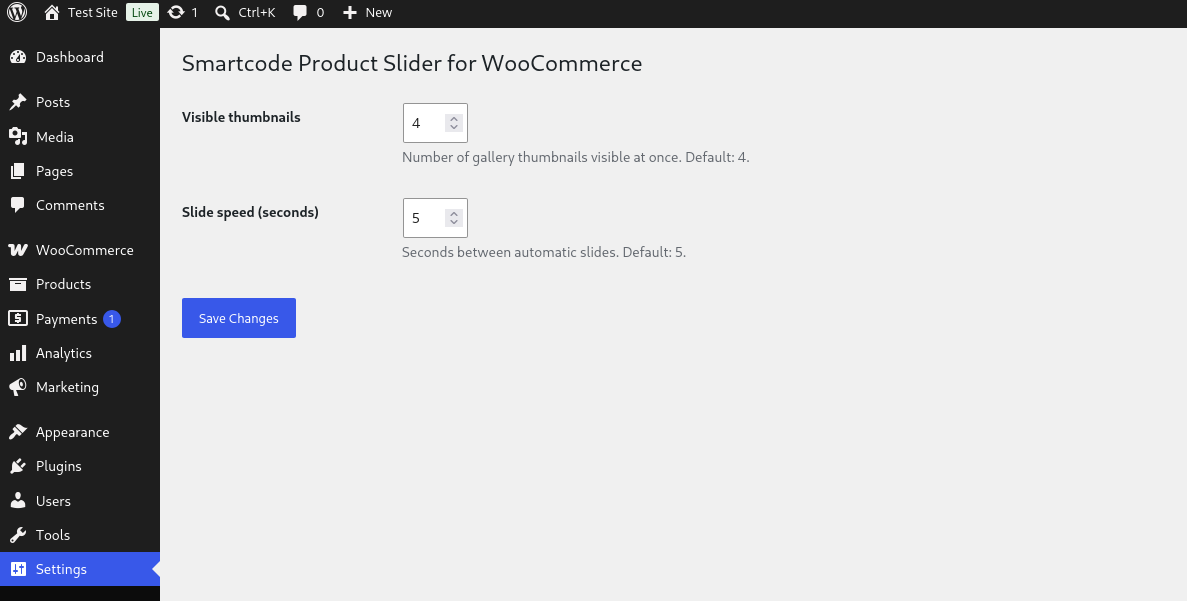
- Number of visible thumbnails (default: 4) and slide speed (default: 5 seconds) are configurable from Settings Gallery Slider for Woocommerce.
- No external JavaScript libraries or frameworks — a single lightweight, dependency-free script.
Requirements
This plugin requires WooCommerce to be installed and active, and only affects single product pages that have a gallery with more than one image.
Ảnh màn hình

Cài đặt
- Upload the plugin files to the
/wp-content/plugins/smartcode-product-sliderdirectory, or install the plugin through the WordPress plugins screen directly. - Activate the plugin through the ‘Plugins’ screen in WordPress.
- Make sure WooCommerce is installed and active.
- Optionally, go to Settings Gallery Slider for WooCommerce to change the number of visible thumbnails or the slide speed.
Hỏi đáp
-
Does this work without WooCommerce?
-
No. The plugin looks for WooCommerce’s product gallery markup on the page; without WooCommerce active there is nothing for it to slide.
-
Does it work with products that only have one image?
-
Yes, it simply does nothing in that case — there’s no gallery to slide.
-
Why does the slider stop when I pick a product variation?
-
This is intentional. Once a shopper selects a full attribute combination on a variable product, the slider stops so it doesn’t rotate away from the image they just selected.
-
Can I change how many thumbnails are visible, or how fast it slides?
-
Yes. Go to Settings Gallery Slider for WooCommerce in your WordPress admin to set the number of visible thumbnails (1-10) and the slide delay in seconds (1-60).
Đánh giá

Người đóng góp & Lập trình viên
“Smartcode Product Slider for WooCommerce” là mã nguồn mở. Những người sau đã đóng góp vào plugin này.
Những người đóng góp
Dịch “Smartcode Product Slider for WooCommerce” sang ngôn ngữ của bạn.
Muốn tham gia phát triển?
Duyệt code, check out SVN repository, hoặc theo dõi nhật ký phát triển qua RSS.
Nhật ký thay đổi
1.0.0
Initial public release.