

Mô tả
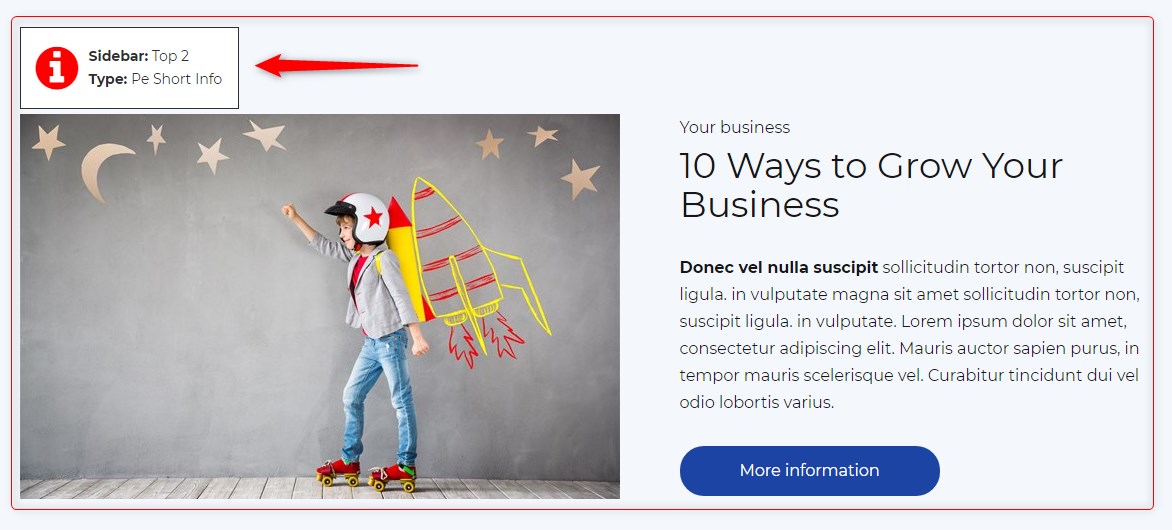
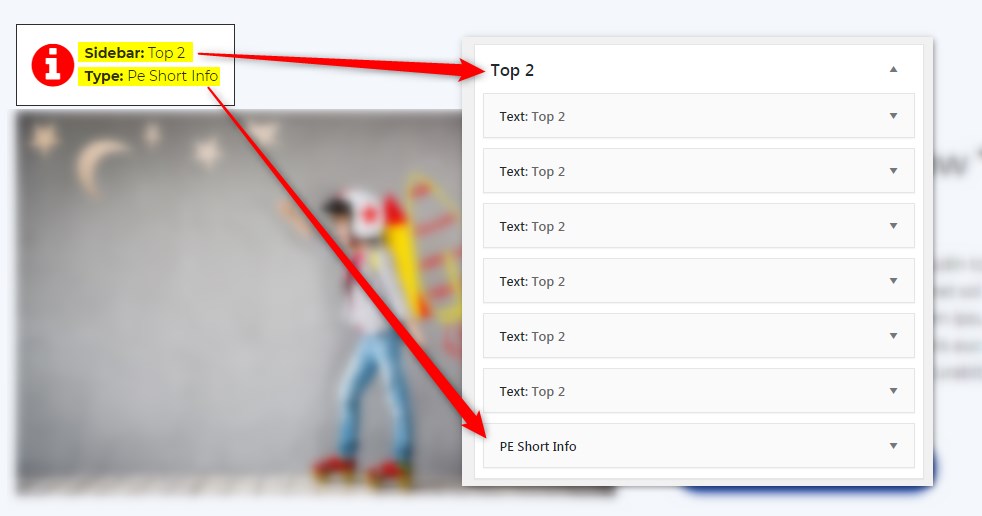
Get info about visible sidebars and widgets types and easily find them in the dashboard in Appearance -> Widgets
Ảnh màn hình
Cài đặt
- In your admin panel, go to Plugins -> Add New and click the Upload Plugin button.
- Click Choose File, then select the plugin ZIP file. Click Install Now.
- Click Activate to activate the plugin.
Đánh giá
Không có đánh giá nào cho plugin này.
Người đóng góp & Lập trình viên
“PE Theme Elements Info – get info about sidebars and widgets types” là mã nguồn mở. Những người sau đã đóng góp vào plugin này.
Những người đóng góp
Dịch “PE Theme Elements Info – get info about sidebars and widgets types” sang ngôn ngữ của bạn.
Muốn tham gia phát triển?
Duyệt code, check out SVN repository, hoặc theo dõi nhật ký phát triển qua RSS.
Nhật ký thay đổi
1.10
- Added information about menus
- Fixed possible incorrect widget names in sidebars
- By default information about widgets or menus on the page will be displayed only for logged-in administrators