

Mô tả
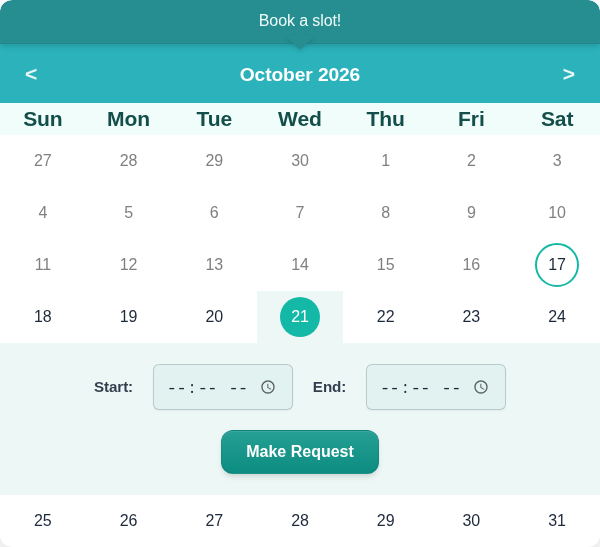
KN Booking is a lightweight appointment booking plugin built for salons, barbershops and other small appointment-based businesses. Clients pick a date and time on a calendar, you approve or decline the request, and everyone gets an automatic email. No account with an external service, no bloat.
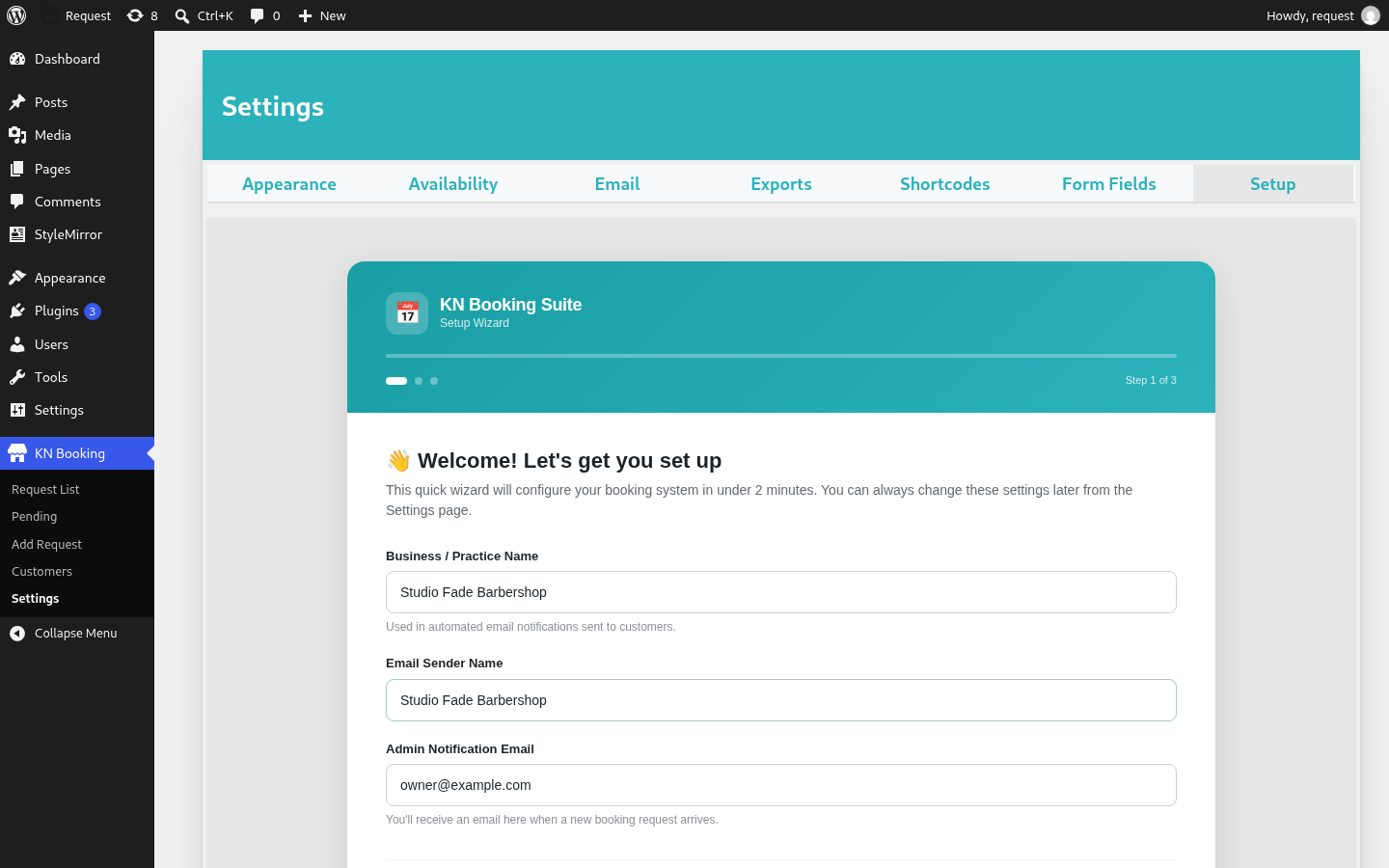
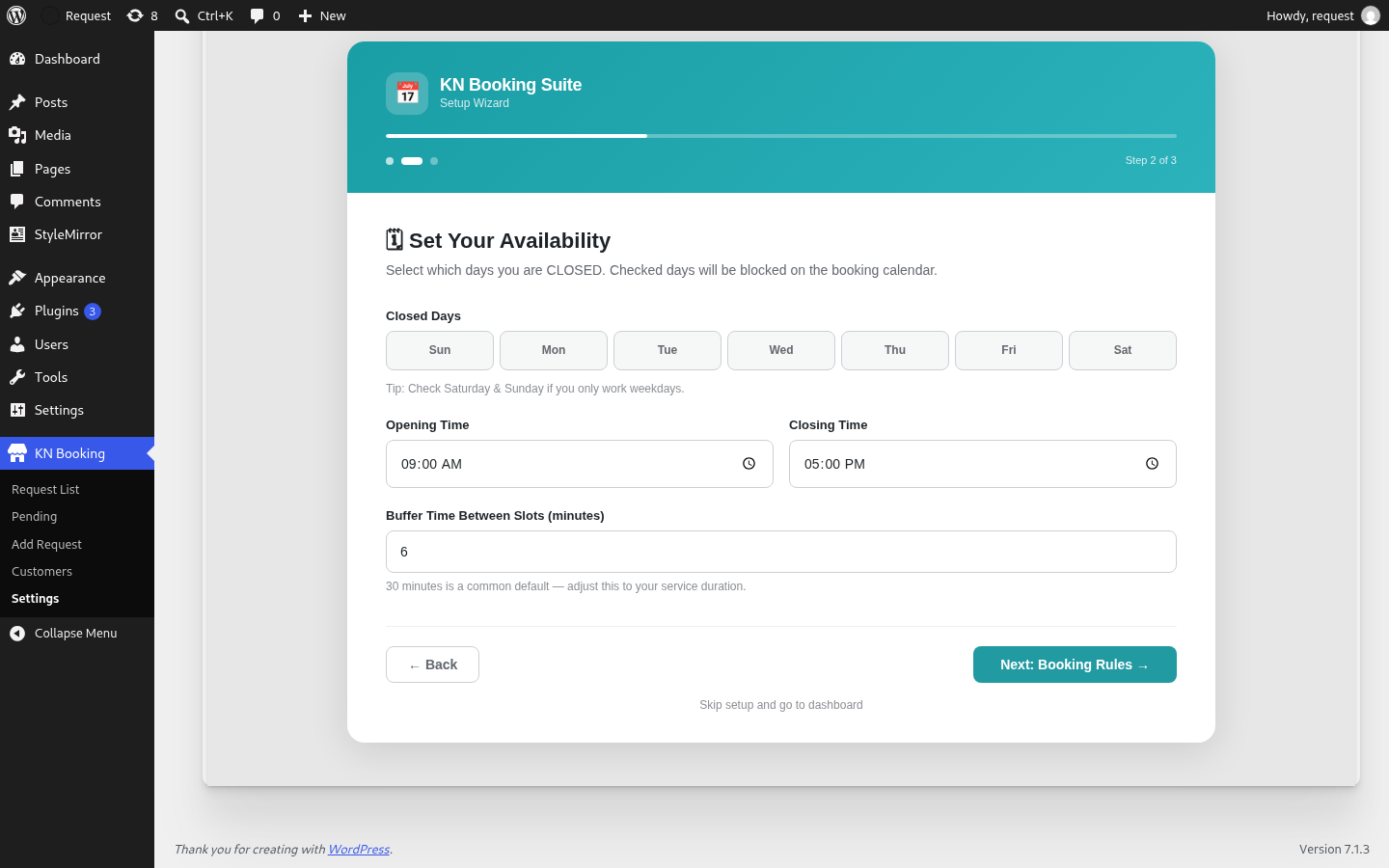
A built-in setup wizard (Settings > Setup) gets you running in about two minutes: enter your business details, choose your open days and hours, and set your booking rules. Then add the [kn_booking] shortcode to any page.
Free Features:
- Interactive calendar with availability management
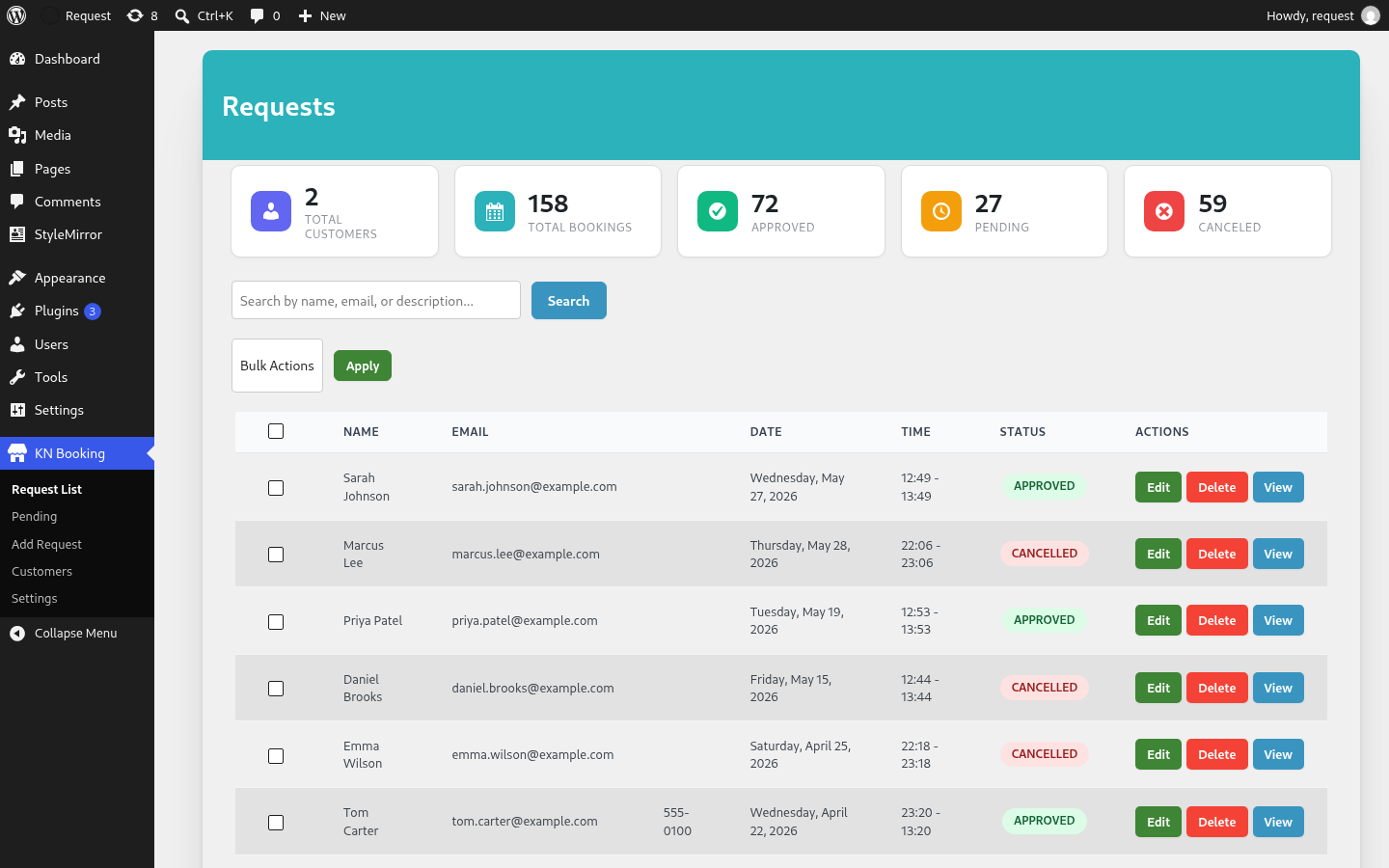
- Booking request management (approve, cancel, delete)
- Automated email notifications (new request, approval, cancellation)
- Customizable booking form with dynamic fields
- Customer profile page for users to view and manage their bookings
- Booking Calendar and Booking Profile blocks for the block editor
- Configurable availability hours and blocked dates
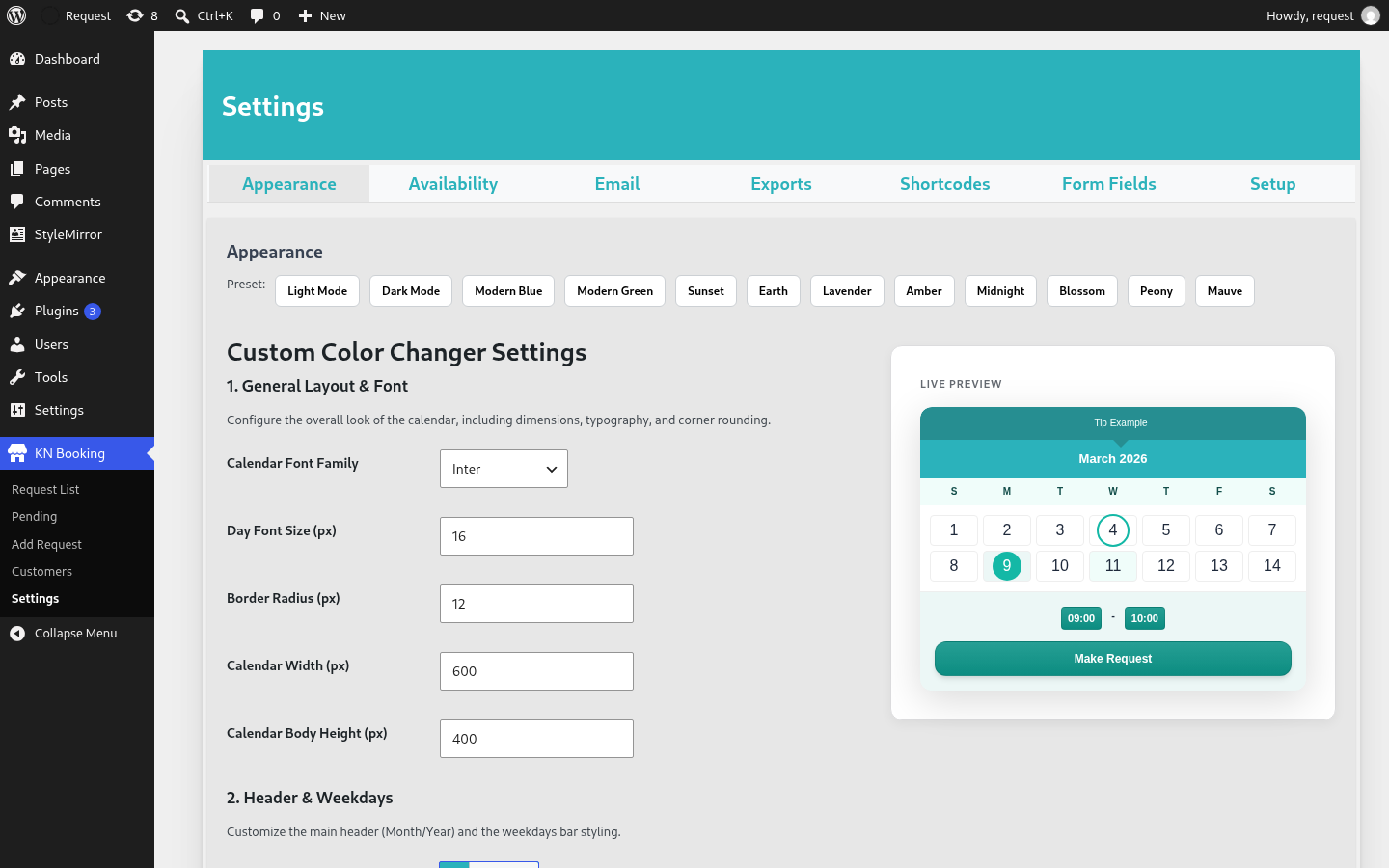
- Color presets and calendar theming options
- CSV export of booking data
- Guest and logged-in user booking support
Pro Add-on Features (sold separately):
- WooCommerce payment integration
- AI-powered booking analysis (OpenAI)
- Add to Google Calendar button
- Additional premium features
Blocks and Shortcodes
Both are also available as blocks in the block editor: search for “Booking Calendar” and “Booking Profile”.
[kn_booking]
Place this shortcode on any page to display the booking calendar.
[kn_profile]
Place this shortcode on a page to allow logged-in users to view and manage their own bookings.
External Services
This plugin connects to external services only when the optional Pro add-on is installed and the user explicitly triggers the corresponding feature:
OpenAI API
The KN Booking Suite Pro add-on optionally connects to the OpenAI API to power the AI-assisted booking analysis feature. This feature is only triggered when an admin explicitly clicks “Analyze” on a booking in the dashboard.
- What data is sent: A summary of the booking (date, time, and description/notes) is sent to the OpenAI API.
- When: Only when an admin manually triggers the AI analysis action.
- Why: To generate a contextual response or summary about the booking.
This service is provided by OpenAI, L.L.C.:
* OpenAI Terms of Use
* OpenAI Privacy Policy
Ảnh màn hình
Khối
Plugin này cung cấp 2 khối.
- Booking Profile Let logged-in customers view and manage their bookings.
- Booking Calendar Display the appointment booking calendar and request form.
Cài đặt
From your WordPress dashboard:
- Visit Plugins > Add New
- Search for “KN Booking”
- Install and activate the plugin
- Open KN Booking > Settings > Setup and follow the three-step wizard (business info, availability, booking rules)
- Add the
[kn_booking]shortcode to any page to display the booking calendar
Hỏi đáp
-
Does this plugin require WooCommerce?
-
No. KN Booking Suite works as a completely standalone booking system. WooCommerce is only required if you use the KN Booking Suite Pro add-on to collect payments via checkout.
-
Can customers manage their own bookings?
-
Yes. Use the
[kn_profile]shortcode on any page to let logged-in users view upcoming and past bookings, and optionally edit or cancel them based on your settings. -
Is this suitable for a salon or barbershop?
-
Yes. Set your open days and hours, a buffer time between appointments and a daily booking limit, and choose whether requests are approved automatically or manually. Clients can book as guests or logged-in users.
-
How do I run the setup wizard again?
-
Go to KN Booking > Settings > Setup. You can run it as often as you like; it pre-fills your saved values.
-
Is the plugin translatable?
-
Yes. KN Booking Suite is fully internationalized and ready for translation using the
knvinny-booking-suitetext domain.
Đánh giá
Không có đánh giá nào cho plugin này.
Người đóng góp & Lập trình viên
“KN Booking – Appointment Booking Calendar” là mã nguồn mở. Những người sau đã đóng góp vào plugin này.
Những người đóng góp
Dịch “KN Booking – Appointment Booking Calendar” sang ngôn ngữ của bạn.
Muốn tham gia phát triển?
Duyệt code, check out SVN repository, hoặc theo dõi nhật ký phát triển qua RSS.
Nhật ký thay đổi
1.1.5
- New: Booking Calendar and Booking Profile blocks for the block editor.
- Fixed: CSS and JS now use the plugin version for cache busting, so updates load immediately.
1.1.4
- New: Setup wizard under Settings > Setup, shown automatically after activation.
- New: “Get started” card on the Requests page until setup is finished.
- Fixed: Admin footer appearing beside the Requests list instead of below it.
- Updated listing name and description.
1.1.3
- Resolved PHP 8.1+ deprecation warnings in
wp_kses_post()by ensuring inputs are cast to strings. - Improved null-safety for admin pagination and user profile status rendering.
1.1.2
- Shortened the plugin description.
1.1.1
- Resolved issue where Phone Number and Additional Notes fields were displayed by default on new installs.
- Ensured custom field labels have default text values to prevent empty labels.
- Updated settings UI to use [kn_booking] and [kn_profile] shortcodes.
1.1.0
- Branding: Published as KN Booking Suite on WordPress.org.
- Prefixing: Standardized all internal options, AJAX actions, and hooks with
swiftbook_prefix. - CSS: Refactored all UI components to use the
swiftbook-class naming convention. - Refactor: Standardized backend controllers and menu callbacks.
- Pro features decoupled: Google Calendar, WooCommerce payments, and AI analysis moved to the Pro add-on.
1.0.1
- Security: Added capability checks to all admin AJAX handlers.
- Code quality: Proper output escaping throughout admin templates.
- Updated: Tested up to WordPress 6.7.
1.0.0
- Initial release.