

Mô tả
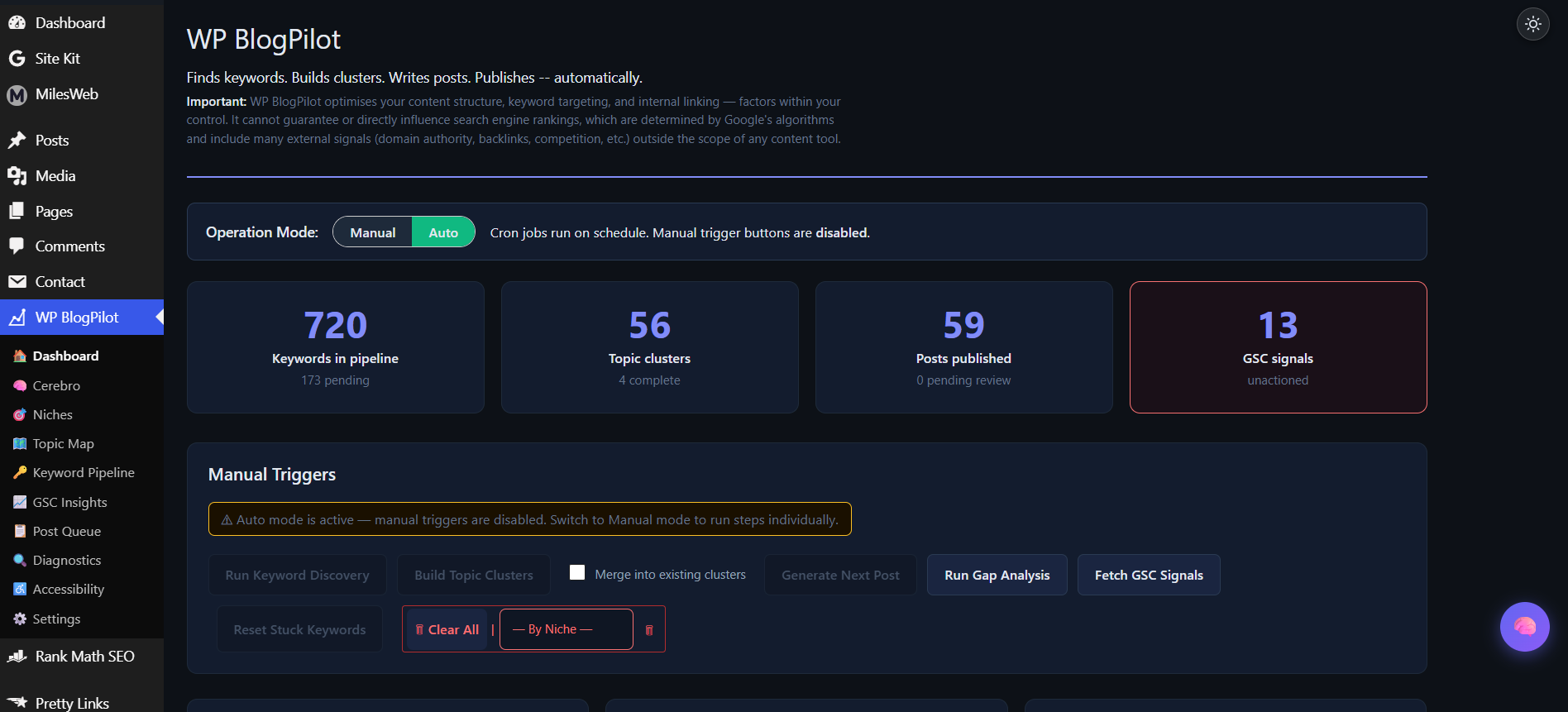
BlogPilot is a content strategy and autoblogging plugin for WordPress. It discovers keywords, groups them into topic clusters, writes full posts across 15 content genres using your own Anthropic (Claude) API key, and publishes them on a schedule.
What it does
Every screen and feature in this plugin is available on all plans; nothing is locked, hidden, or disabled locally. Features marked (Pro) are ones whose work is performed by the hosted BlogPilot API, and the API applies your plan’s limits to them. When a request exceeds your plan the API declines it and the plugin displays that message.
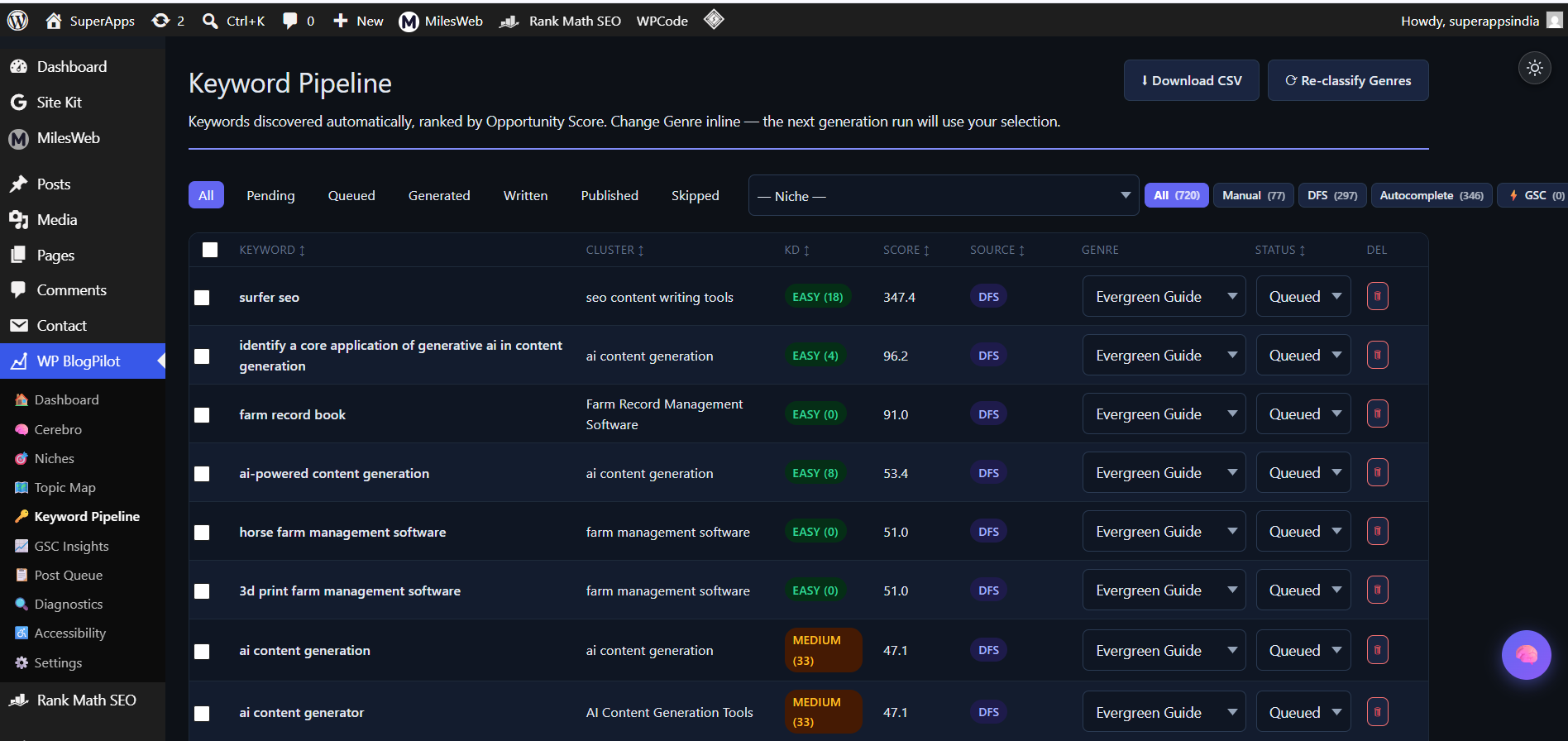
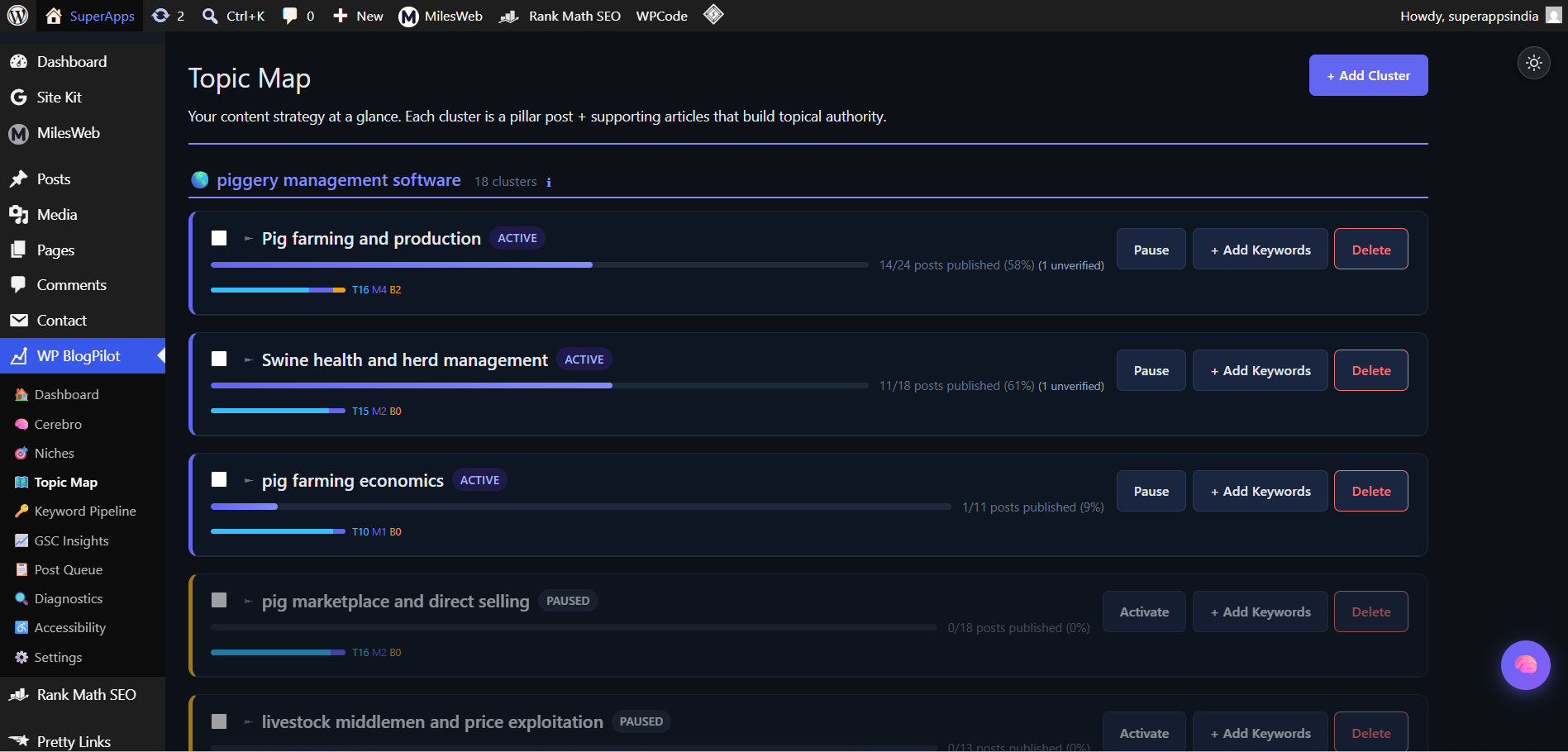
- Keyword Discovery — finds keywords using DataForSEO search volume and difficulty data (optional), Google autocomplete suggestions, and an intent-aware genre classifier, then groups related keywords into topic clusters.
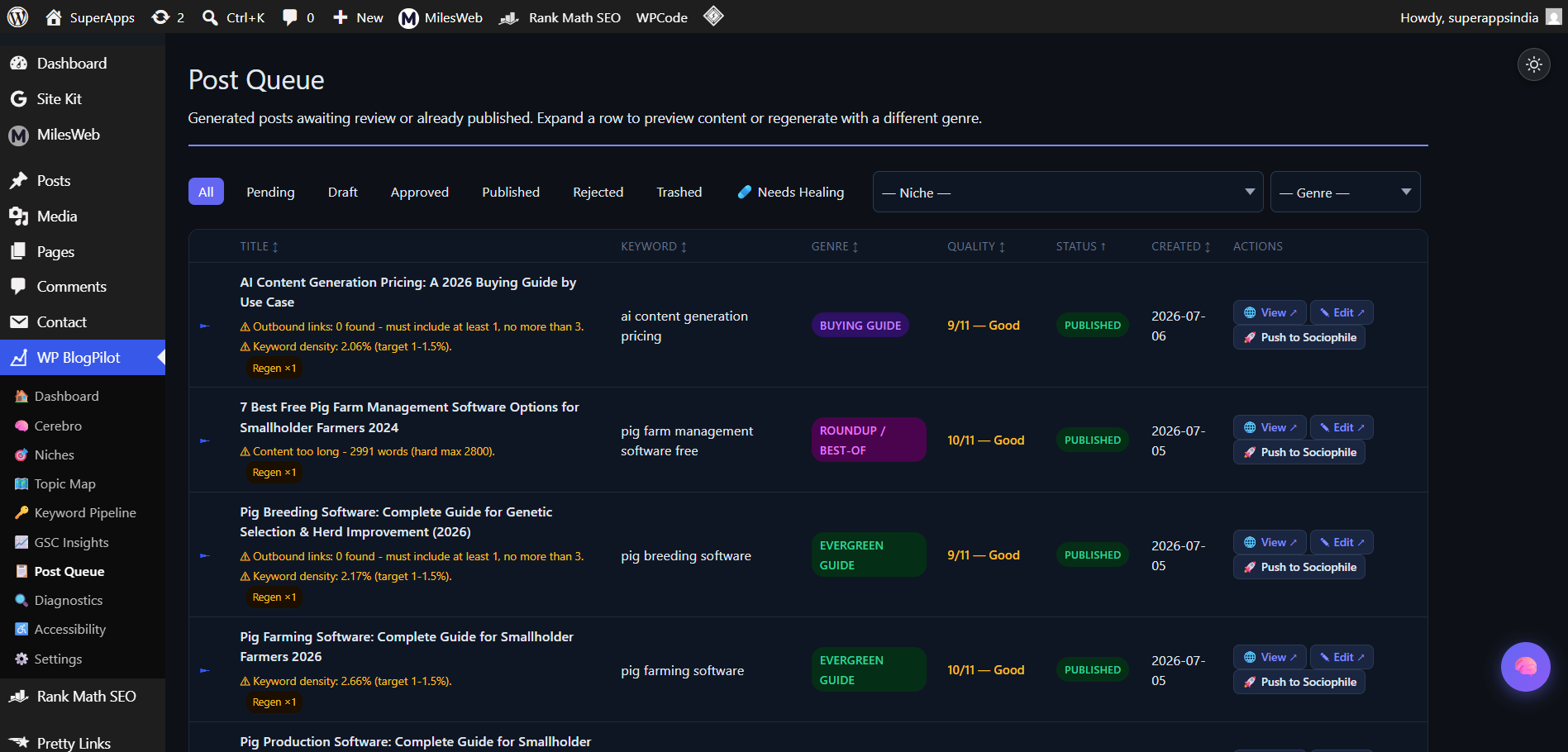
- AI Content Generation — writes full posts (title, body, meta description, featured image) across 15 content genres using your own Anthropic API key, and can publish on a recurring schedule.
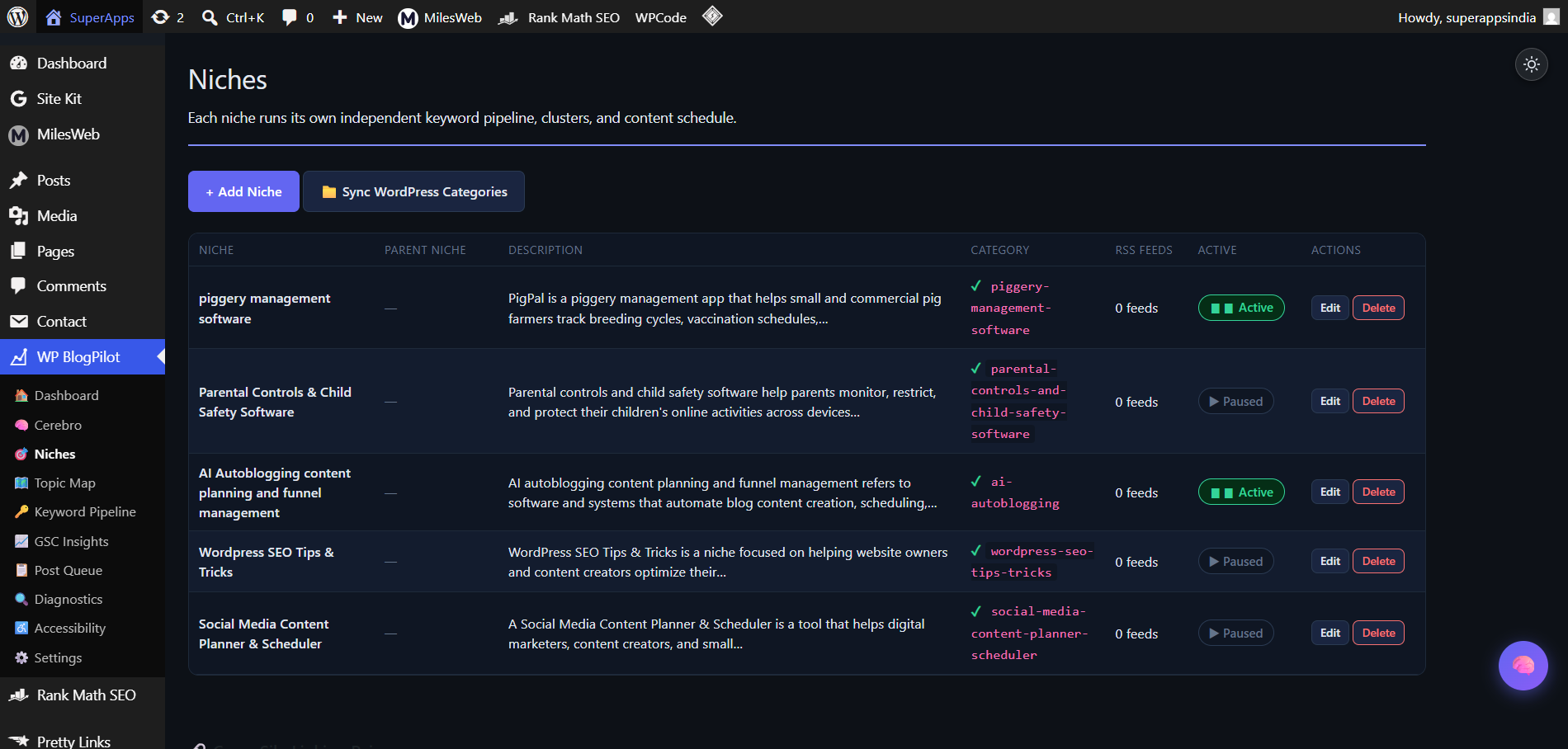
- Multi-Niche Support — create and manage as many independent content niches on one WordPress install as you like, each with its own keywords, publishing queue, and schedule. Keyword discovery and content generation for a niche run through the BlogPilot API, and the free plan’s API quota covers one niche (Pro removes that limit).
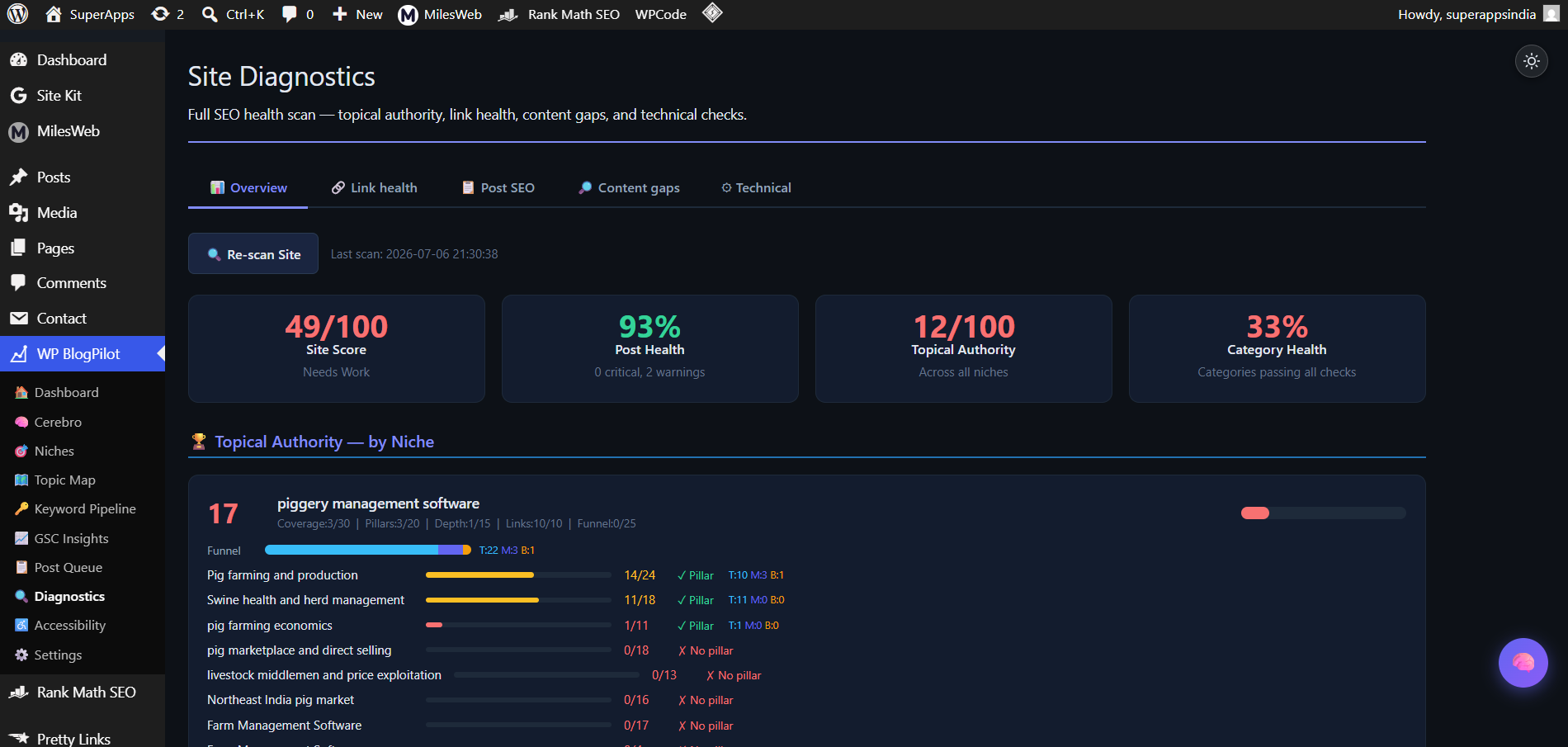
- Site Diagnostics — link health, technical checks, and content-gap analysis run locally and work on every plan; the AI-scored 12-point post SEO audit and one-click AI repairs run through the BlogPilot API (Pro).
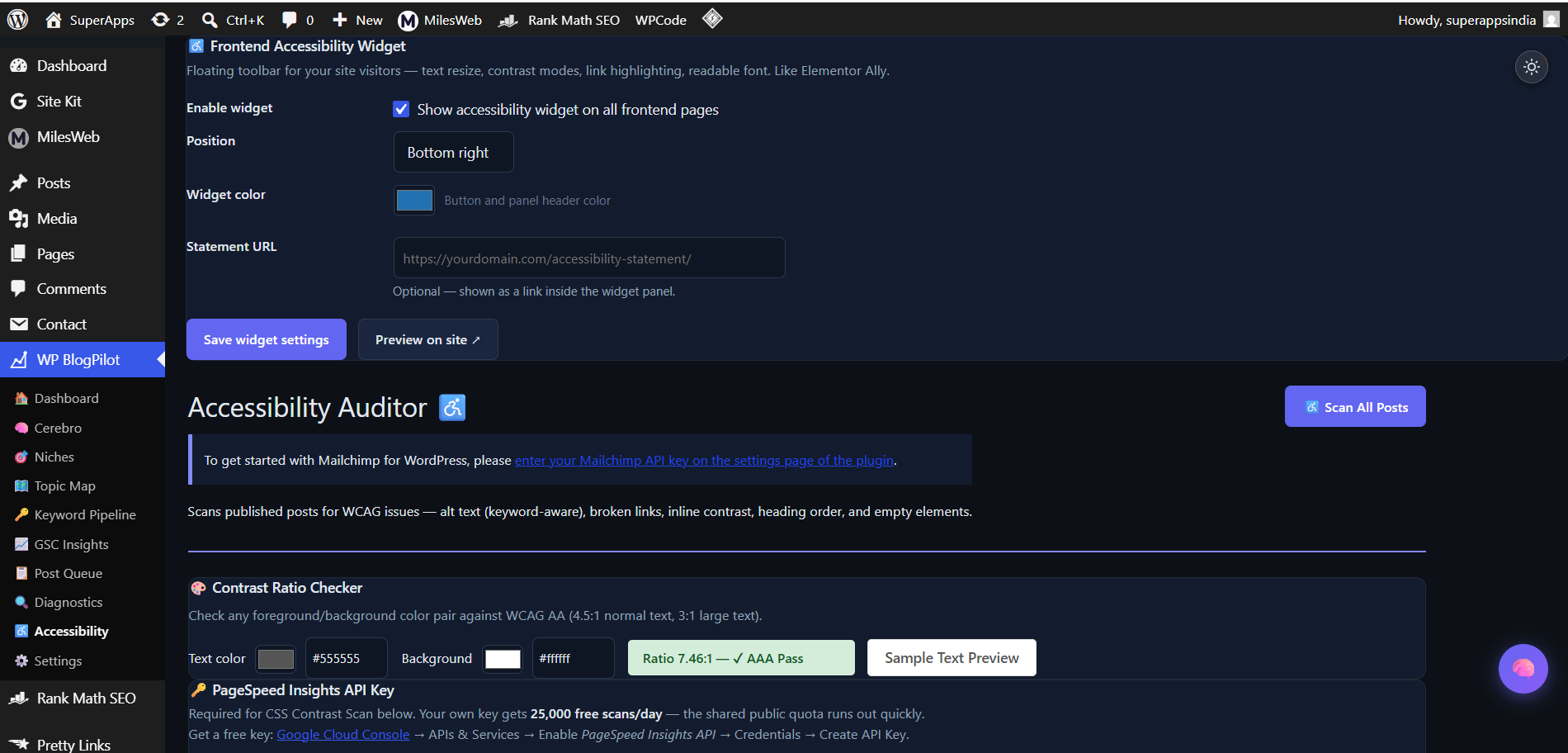
- Accessibility Auditor — runs a live Google PageSpeed Insights accessibility scan from your browser and can inject a one-click CSS fix for common contrast issues, helping you work toward WCAG 2.1 AA conformance.
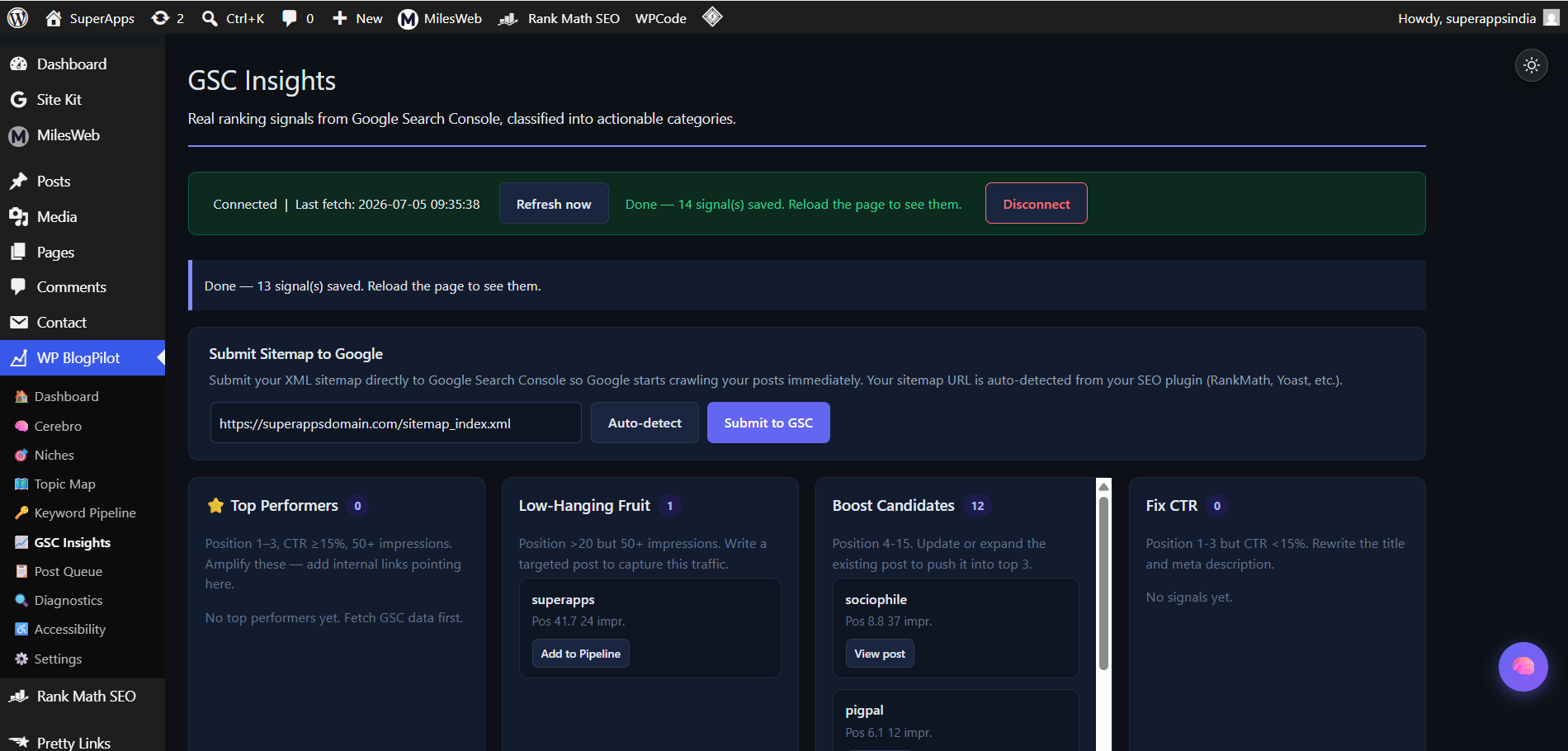
- Google Search Console Integration — connects your own GSC property (via OAuth) and surfaces posts that are close to ranking, underperforming on click-through rate, or already ranking well. Available on every plan.
- Cerebro (Pro) — a conversational assistant inside the WordPress admin that reads your site’s diagnostics and GSC data and suggests (and can execute) next actions.
How the AI features work
Keyword research, clustering, content generation, and diagnostics scoring run through the BlogPilot API, a hosted service operated by this plugin’s developer, using your own Anthropic API key for the actual writing. The plugin sends the data each feature needs (for example, a list of keywords, or post metadata for scoring) to the API and applies the result locally in WordPress. No keyword, cluster, niche, or post content is permanently stored by the API — only license, site registration, encrypted API key, and usage-count records are kept, for as long as your license or trial is active. See the “External services” section below for details.
The free plan includes API quota for 1 content niche and 15 AI-generated posts per month at no cost, with no time limit. The quota is applied by the API, not by the plugin: you can create any number of niches locally, and the API reports the limit when you run discovery or generation for a niche beyond your plan. A paid Pro plan (billed via Paddle, a merchant-of-record payment provider) removes those limits and unlocks the remaining hosted features: Cerebro and the AI post SEO audit and repairs. A 14-day trial of the full Pro feature set starts when you click the Start Free Trial button shown on the plugin’s admin pages.
External services
This plugin relies on the external services listed below. None of them are contacted silently: each is called only after you enter the relevant credentials or explicitly enable or connect the feature. For every service, this section states what it is, what it is used for, and what data is sent and when.
BlogPilot API (operated by the plugin developer)
The hosted service that runs keyword discovery, clustering, genre classification, content generation, diagnostics scoring, AI post repairs, CTA and voice generation, social-media derivatives, featured-image sourcing, and Cerebro chat.
Data sent and when: when you click Start Free Trial or activate a license key, your site URL and license key are sent to register the site. When you run one of the features above, the plugin sends only the data that feature needs — for example the niche description and keyword list for discovery, post titles and content snippets for diagnostics and repairs, or writing samples for voice analysis — plus your third-party API keys (stored encrypted) when you push credentials. Content is processed per request and is not retained; only license, site-registration, encrypted-key, and usage-count records are stored.
Terms of Service | Privacy Policy
Anthropic (Claude) API
The AI model behind all text generation, called by the BlogPilot API using your own Anthropic key. The plugin also contacts api.anthropic.com directly from your server in exactly two cases: to validate the API key you type into Settings, and to list available models for the connection-status display.
Data sent and when: prompts built from your keywords, post titles, excerpts, and niche settings whenever an AI feature runs; the API key itself during validation.
Terms | Privacy
DataForSEO (optional)
Supplies keyword search volume and difficulty data for discovery and scoring.
Data sent and when: keyword strings, sent when discovery or keyword scoring runs, and only if you have entered your own DataForSEO credentials.
Terms | Privacy
Google Autocomplete (suggestqueries.google.com)
Free fallback source of keyword suggestions when DataForSEO is not connected.
Data sent and when: seed keyword strings, sent when keyword discovery runs.
Terms | Privacy
Google News RSS
Supplies headlines used by the news and app-update content genres and for trending context.
Data sent and when: the niche topic string, sent when those genres generate a post.
Terms | Privacy
Google PageSpeed Insights
Powers the accessibility audit.
Data sent and when: the public URL of the page being audited, sent when you click Scan.
Terms | Privacy
Google Search Console (optional, Pro)
Surfaces ranking opportunities for your own verified property.
Data sent and when: OAuth tokens and query requests for your property, sent when you connect GSC and when signal fetches run.
Terms | Privacy
Pixabay, Pexels, Unsplash (optional)
Stock featured-image sources.
Data sent and when: an image search term derived from the post keyword, sent (via the BlogPilot API) when a featured image is sourced, and only for providers whose API key you have entered.
Pixabay: Terms | Privacy
Pexels: Terms | Privacy
Unsplash: Terms | Privacy
OpenAI (gpt-image-1, optional)
AI featured-image generation when selected as the image provider.
Data sent and when: the image prompt for the post, sent when a featured image is generated, using your own OpenAI key.
Terms | Privacy
Paddle
Merchant-of-record payment processing when you buy a Pro plan. Checkout happens on Paddle’s hosted page; the plugin never handles or stores card details.
Data sent and when: your purchase details, provided by you directly to Paddle at checkout.
Buyer Terms | Privacy
Sociophile (optional; operated by the plugin developer)
Sociophile is a social-media scheduling service run by this plugin’s developer at sociophile.superappsdomain.com. BlogPilot can turn a published post into scheduled social posts there, so you do not have to rewrite each article for every network by hand. It is entirely optional and is contacted only after you switch on Settings > Social > “Push derivatives to Sociophile” and supply your workspace URL and ingest key; with that switch off, nothing is ever sent.
Data sent and when — there are two separate transmissions, both triggered by publishing a post:
-
Scheduled social posts. When a BlogPilot post is published (or when you click “Push to Sociophile” on the post queue), the plugin sends the post’s title, permalink, the niche or product name, a generated batch identifier, and the generated social-post text for each platform and funnel stage you selected, together with the time each should be posted. This is sent through the BlogPilot API, which holds your workspace address and ingest key, and is forwarded from there to your Sociophile workspace.
-
Conversion signal. If the published post was written from a keyword that Sociophile itself supplied (Sociophile can send your best-performing social posts back to BlogPilot as keyword ideas), the plugin then makes a second, direct call to your workspace at {your Sociophile URL}/api/ingest/signal-converted, authenticated with your ingest key. That call carries only the batch identifier, the post’s URL and title, and the internal ID numbers of the keywords involved, so Sociophile can mark those suggestions as acted upon. No post content is included. The request is fire-and-forget: BlogPilot does not wait for or read a reply.
Sociophile also sends data to your site rather than the other way round: if you connect it, it calls this site’s /wp-json/bpv2/v1/social-signals endpoint to deliver those keyword suggestions. That endpoint rejects any request without your ingest key.
Terms & Conditions | Privacy Policy | Data deletion
Telegram Bot API (optional)
Pipeline notifications to your own Telegram bot and chat.
Data sent and when: notification text (post counts, publish events, alerts), sent when those events fire, and only if you have entered your own bot token and chat ID.
Terms | Privacy
Internet Archive (Wayback Machine)
Used by the broken-link repair action: when a link in one of your posts no longer resolves, the plugin asks the Wayback Machine whether an archived snapshot of that address exists so it can be offered as a replacement.
Data sent and when: the single broken URL being repaired, sent to archive.org only at the moment you click the repair action for that link. Nothing is sent during a normal scan.
Terms | Privacy
Websites you link to, and RSS feeds you configure (not a single service)
Two features make requests to third-party addresses that you choose, rather than to a fixed service:
1. The link-health and post-audit scans send a HEAD request to each external link found in your own published posts, to check whether it still works. Only the address itself is requested; no personal data is sent.
2. The RSS-driven content genres fetch the feed URLs you enter for a niche. Only the feed address is requested, when generation runs for that niche.
Because these addresses are supplied by you, their operators and privacy terms vary; each request goes only to the address concerned.
Ảnh màn hình
Cài đặt
- Upload the plugin files to
/wp-content/plugins/blogpilot, or install it directly through the WordPress admin under Plugins > Add New. - Activate the plugin through the ‘Plugins’ screen in WordPress.
- Go to BlogPilot > Settings and complete onboarding: add your Anthropic API key, create your first niche, and (optionally) connect DataForSEO and Google Search Console.
- Use Keyword Discovery to find and queue keywords, then generate your first post.
Hỏi đáp
-
Do I need my own API keys?
-
Yes — you’ll need your own Anthropic (Claude) API key for content generation. DataForSEO, Google Search Console, and stock-image provider keys are optional; without them the plugin falls back to Google autocomplete for keyword ideas and simply skips the features that need them.
-
Is there a free plan?
-
Yes. The free plan’s BlogPilot API quota covers 1 content niche and 15 AI-generated posts per month, with no time limit and no credit card required. All of the plugin’s own screens and tools are available on the free plan without restriction. A 14-day trial of the full Pro feature set starts when you click the Start Free Trial button.
-
What does Pro cost, and who processes payment?
-
Current Pro pricing is shown at https://superappsdomain.com/apps/blogpilot-wordpress-plugin/. Payment is processed by Paddle as merchant of record — this plugin never sees or stores your card details.
-
Does this plugin guarantee my content will rank, or that my site is accessibility-compliant?
-
No. It’s a research, drafting, and auditing tool to help you find and fix issues. Search rankings depend on many factors outside any plugin’s control, and full accessibility conformance requires human review in addition to automated checks.
-
Where is my data stored?
-
Your posts, keywords, clusters, and niches are stored in your own WordPress database, the same as any other content. The BlogPilot API processes requests to generate results but does not retain your content afterward.
Đánh giá
Không có đánh giá nào cho plugin này.
Người đóng góp & Lập trình viên
“BlogPilot” là mã nguồn mở. Những người sau đã đóng góp vào plugin này.
Những người đóng góp
Dịch “BlogPilot” sang ngôn ngữ của bạn.
Muốn tham gia phát triển?
Duyệt code, check out SVN repository, hoặc theo dõi nhật ký phát triển qua RSS.
Nhật ký thay đổi
2.0.195
- Admin screens now use the standard light WordPress background by default; dark mode is opt-in via the toggle.
- Fixed low-contrast text on several admin panels in light mode.
- Factual-integrity findings are now advisory: posts are no longer held or regenerated for them, and carry a review warning instead.
- Post Queue content warnings are collapsed behind a one-line summary.
- Fixed the “HELD FROM AUTO-PUBLISH” notice remaining on a row after it was approved and published.
2.0.193
- Changed: Prioritised actions now lists every ranked opportunity on screen instead of the top 25.
2.0.192
- Added: Download CSV on GSC Insights – Prioritised actions. Exports the full ranked opportunity list with score, priority, query, URL, position, impressions, CTR, signal type, recommended action and reasoning.
- Changed: the opportunity ranking now scores up to 100 signals instead of 25.
2.0.191
- Added: a post held back from auto-publishing now says so in the Post Queue. The first quality flag names exactly which required check failed – featured image alt text, keyword density or factual integrity – so no held post is a mystery.
- Fixed: the keyword density flag quoted the per-genre target rather than the band actually enforced, so a rejected post could be shown a figure it had already met.
- Fixed: the featured image alt text flag described a condition the check no longer tests.
2.0.190
- Changed: in auto mode a post that fails the alt text, keyword density or factual integrity check is now regenerated (up to two attempts) before being held for review, so scheduled publishing keeps flowing instead of stalling.
- Fixed: a post held for review no longer consumes that day’s post quota, so the posts-per-day setting delivers the rate you configured.
- Fixed: a held post now leaves the queued state, preventing the same keyword being picked again on the next run and creating duplicate queue entries.
2.0.189
- Changed: the enforced keyword-density band is now 1.5%-2.0% for every genre that uses density. The band is deliberately higher than the raw target because BlogPilot counts grammatical variants of the keyword while RankMath counts only the exact phrase, so RankMath reports a lower figure than BlogPilot measures. Genres set to 0 density are unchanged and remain exempt.
- Fixed: the density trimmer no longer rewrites text inside HTML tags, so image alt attributes, link titles and URLs are left intact.
- Fixed: the featured-image alt check now requires a real focus keyword. It previously fell back to the image keywords and then the post title, neither of which is ever empty, so it passed unconditionally.
- Added: auto-published posts are checked at publish time against the real image attachment. A missing alt text returns the post to the queue as a draft instead of publishing it. Manual approvals are never blocked.
- Added: a factual-integrity check that holds back auto-publishing when a post contains unsourced statistics, uncited attributions, unsupported product claims, software version numbers or unfalsifiable guarantees. News and RSS posts are exempt. The check never blocks the queue if the service is unavailable.
2.0.188
- Fixed: keyword density now has an enforced 1.5% ceiling. An over-optimised post is trimmed back under the ceiling before it is returned, instead of merely being flagged by the quality gate.
- Fixed: the featured image alt text is now always written from the post focus keyword (falling back to the title). Previously an empty focus keyword skipped the write entirely and the image kept the alt text built from the AI image search term.
- Fixed: auto-publish is now blocked when the alt text or keyword density check fails, no matter how high the overall quality score is. Such posts wait in the Post Queue for review. Checks that do not apply to a genre still count as passing.
2.0.187
- Security: no SQL statement anywhere in the plugin is built from a variable. Every table name is a bound %i identifier placeholder (88 statements across 13 files) and the last conditional WHERE fragments were replaced with neutral-value conditions.
- Security: SMTP password now sanitised with sanitize_text_field().
- Fixed: the REST tick endpoint no longer defines the global DOING_CRON constant; it uses a plugin-scoped BPV2_DOING_TICK marker instead.
- Narrowed 194 blanket PHPCS suppressions to 18, all on statements that build a %d placeholder list or run DDL.
2.0.184
- Fixed bulk keyword deletion.
2.0.183
- Fixed list filtering on the keyword pipeline and post queue screens.
2.0.182
- Cleared the remaining input-sanitisation and prepared-statement warnings.
2.0.181
- Admin JavaScript now ships as enqueued files, with values passed through wp_localize_script.
- List filters and the Search Console OAuth callback are nonce-verified.
- Removed the fal.ai image provider; AI images use OpenAI or Gemini.
2.0.178
- Search Console signals can now be scored and prioritised by the BlogPilot API.
2.0.177
- Cross-silo link placement is now performed by the BlogPilot API.
2.0.176
- Google Search Console insights and the Cerebro keyword-import tools are available on every plan.
2.0.175
- Corrected identifier placeholder usage in prepared statements.
2.0.174
- Cross-silo linking (niche pairs) is available on every plan.
- All database queries now use $wpdb->prepare(), including identifier placeholders for table names.
- Removed all output buffering from admin screens and all set_time_limit() calls.
- Minimum WordPress version is now 6.2.
2.0.173
- Plugin folder, main file and text domain aligned to the plugin slug.
2.0.172
- Corrected the plugin’s home page URL.
2.0.171
- Corrected the plugin’s home page URL and removed a donate link that pointed to a page that no longer exists.
- Documented the Internet Archive (Wayback Machine) lookup used by broken-link repair, plus the link-health and RSS requests that go to addresses you supply, in the External services section.
2.0.170
- Plugin author shown as SuperApps.
2.0.169
- Corrected a text domain that did not match the one declared in the plugin header.
2.0.168
- Fixed two code-quality annotations that were being printed on the Post Queue and Settings screens instead of staying in the source.
- Light mode: admin panels, key fields and code blocks that were written with fixed dark colours now switch to light backgrounds with readable text.
2.0.167
- Resolved every error reported by the WordPress Plugin Check plugin.
- The twenty-three repeated “add this column if missing” migrations in the database class were replaced by a single ensure_column() helper, so the schema upgrade path is now defined in one place instead of sixty lines of near-identical code.
- Database calls that build a statement around a table name are now annotated for the code sniffer at the exact lines it inspects, with a stated reason for each.
- Output escaping moved to the point of output in the cron notice, the theme-toggle icons, the queue pagination counter and the subscriber admin screen. Four upgrade prompts were being passed to echo although they print their own markup and return nothing; they are now called directly.
- date() replaced with gmdate() or wp_date(), strip_tags() with wp_strip_all_tags(), and unlink() with wp_delete_file().
- Every sanitised value read from a request now passes through wp_unslash() first. SMTP settings are read with explicit isset() guards.
- Read-only list filters on admin screens are annotated to record that they select what is displayed and change nothing.
2.0.166
- Niches are no longer restricted by plan in the plugin: the “Add Niche” button is available to everyone and any number of niches can be created and configured locally. Plan limits on keyword discovery and content generation are applied by the BlogPilot API.
- The accessibility contrast fix no longer accepts CSS. The scan result offers a colour picker, the plugin composes the rule from the validated element and colour, and the result is printed through wp_add_inline_style() instead of being written into the theme’s Additional CSS. Applied fixes are listed on the Accessibility screen and can be removed individually.
- The Google Search Console OAuth callback now verifies a single-use state token issued when the connection is started, in addition to the capability check.
- Nonces printed into inline JavaScript are escaped with esc_js().
- All remaining inline CSS moved into enqueued stylesheets: admin/assets/bpv2-views.css, assets/css/bpv2-frontend.css and assets/css/bpv2-a11y-widget.css. No style or script tags are printed by the plugin.
- Expanded the Sociophile entry under External services to cover both transmissions, including the conversion-signal call, with its own terms and privacy links.
- Removed two unused files that were never loaded (an admin template and a superseded integration class), and the unused locked-overlay helpers.
- Rewrote the remaining database queries that built a WHERE clause and prepared it in one call: every value is now bound with $wpdb->prepare() at the point its fragment is appended. Queries whose only interpolation is a table name carry an explanatory phpcs:ignore.
- Escaping moved to the output position in the trial notices and the subscriber confirmation pages, rather than being applied when the variable was assigned.
- Superglobal reads that were passed straight to array or string functions now go through wp_unslash() and a sanitiser first.
- Upgrade prompts no longer describe features that are not plan-restricted; they name the hosted API quota instead. Removed an unreachable settings description referring to a checkbox retired in 2.0.121.
2.0.165
- All AI-assisted repair and analysis prompts now run on the BlogPilot API; the plugin no longer builds AI prompts locally.
- Free-plan usage limits are now enforced by the BlogPilot API service, not by code in the plugin; several locally-implemented features (genre filter, pillar toggle, link health, content gaps, accessibility scan, Telegram notifications, discovery settings, auto mode, voice/story tools) are available on every plan.
- Removed unused legacy licensing code; billing is via Paddle only.
- Security hardening: sanitised nonce handling, recursive sanitisation of decoded JSON payloads, wp_json_encode everywhere, escaped template output, sanitize_callback on all registered settings.
- All admin and front-end inline JavaScript now ships through wp_add_inline_script.
- Replaced deprecated get_page_by_title() with WP_Query.
- Expanded the External services disclosure in this readme.
2.0.164
- Front-end search, subscribe and modal scripts moved into an enqueued JavaScript file.
- Keyword pipeline queries rewritten as fully prepared statements.
- Text domain aligned with the plugin slug.
2.0.150
- Prior release.