

Mô tả
WordPress has no unified user administration console. To see who is online, keep a login audit trail, force-logout a compromised account, or disable a departed contractor without deleting their content, you normally need four or five single-purpose plugins.
ITX UserOps replaces that whole stack with one fast, cohesive console — the kind of user administration Microsoft 365 or Google Workspace admins get out of the box.
Learn more at itxuserops.com.
Unified user dashboard
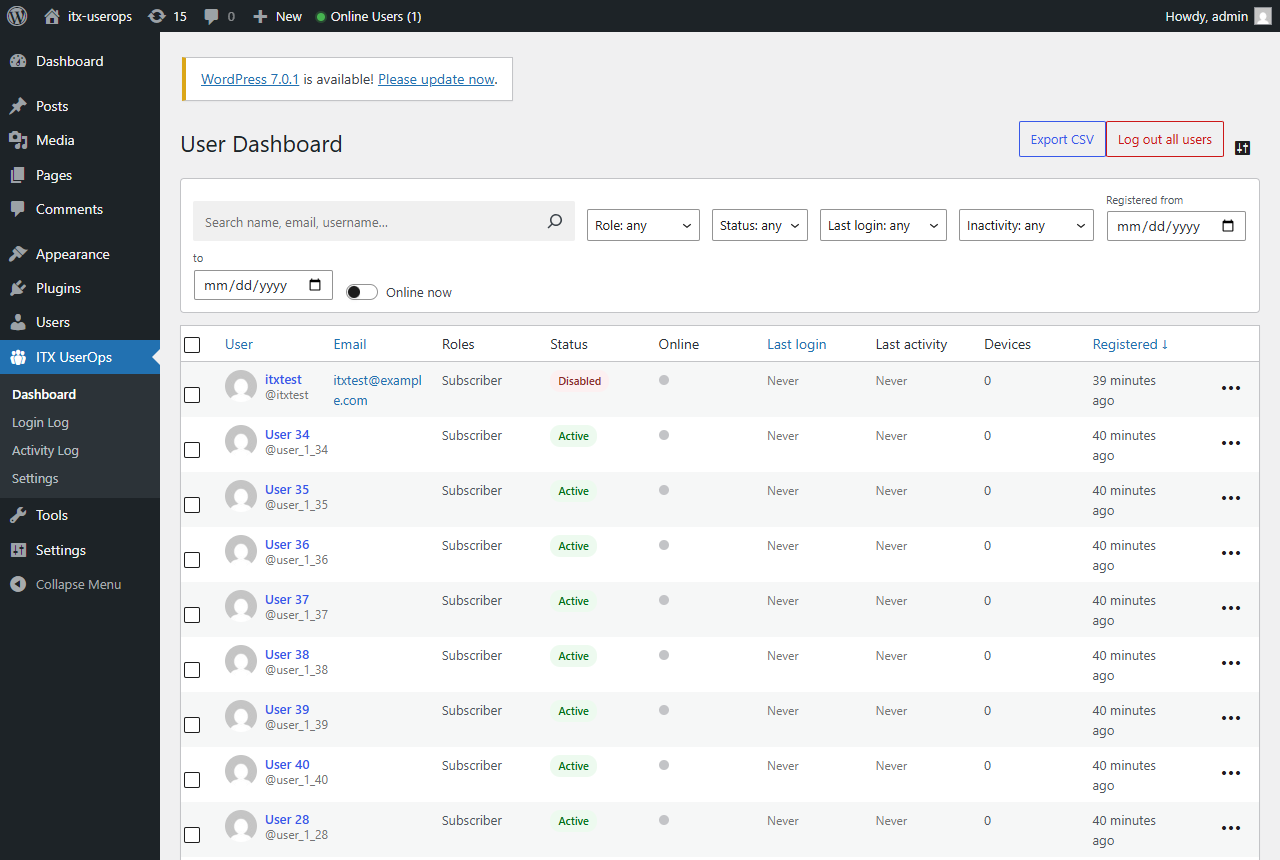
- Every user in one table: online-now indicator, last login, last activity, active sessions, role, status, registered date, post count
- Server-side search, sorting and pagination — stays fast at 100,000+ users
- Quick filters that combine: role, status, online now, last login (today / 7 / 30 / 90 days / never), registered date range, inactive 30/60/90 days
- Toggleable columns, per-admin
Disable users without deleting them
- One click disables an account: the user can no longer log in on any channel — wp-login, XML-RPC, REST, application passwords — and every active session is destroyed instantly
- Content, comments and history stay intact
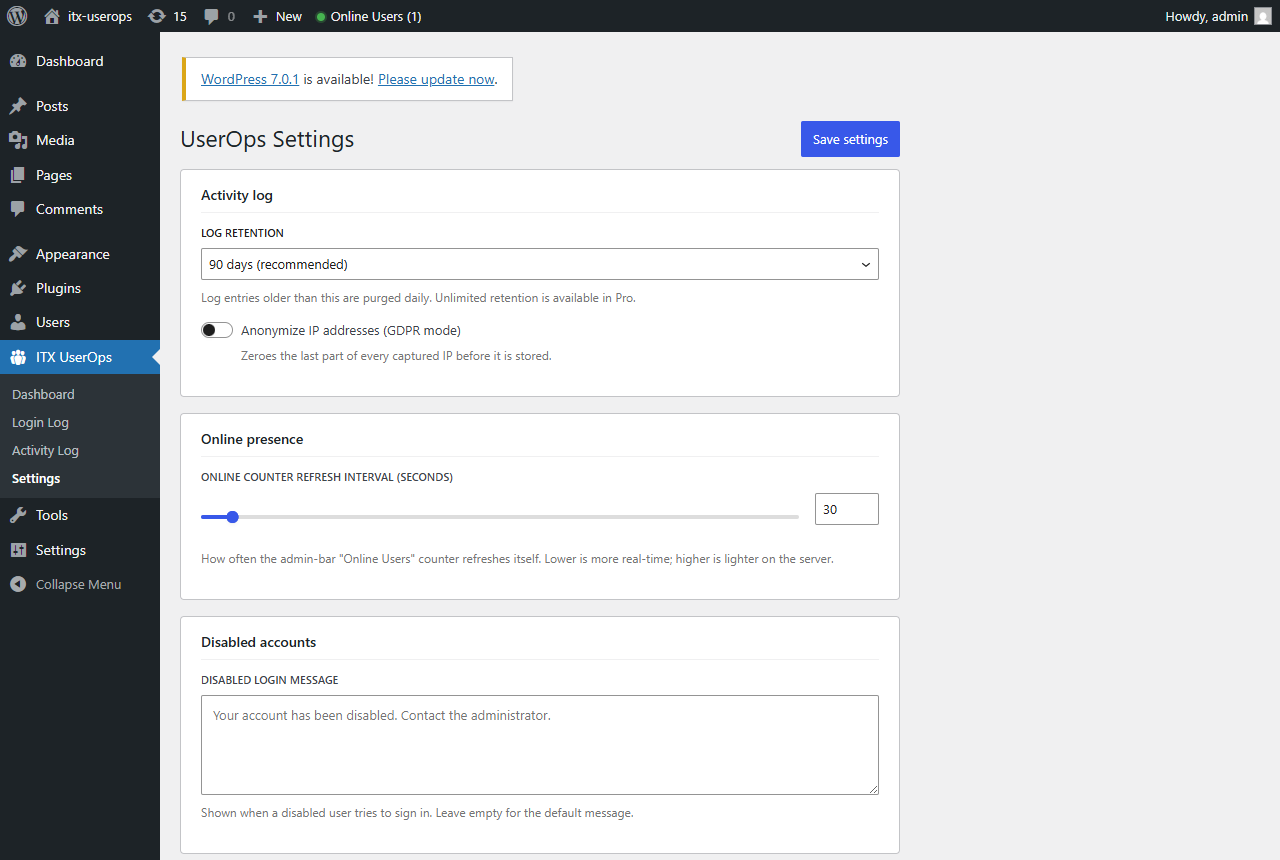
- Customizable \”account disabled\” message
- Safety rails: you can never disable yourself or the last administrator
Session management
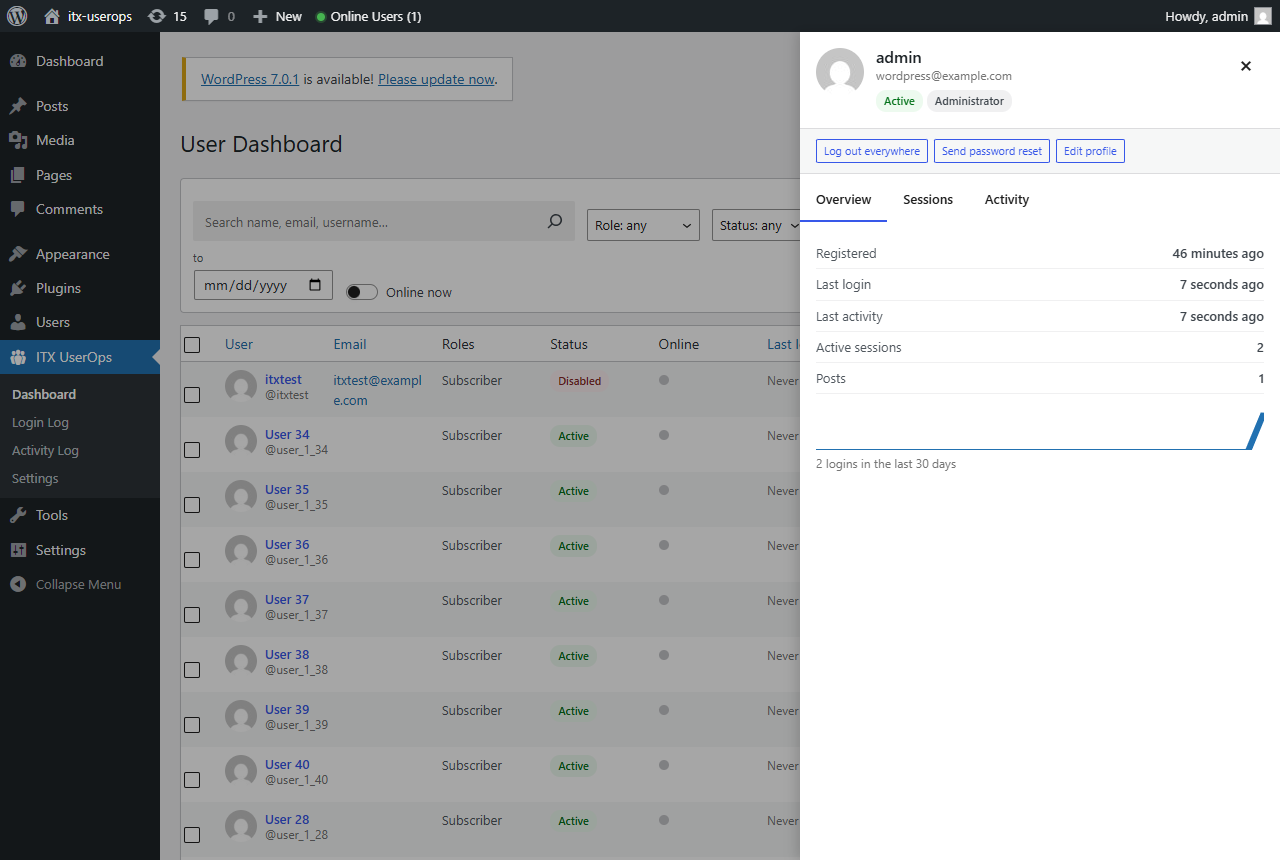
- See every active session per user: browser, OS, device, IP, signed-in time, last activity
- Terminate any single session, log a user out everywhere, or log all users out (your own session survives)
Login & user audit log
- Dedicated Login Log: every sign-in attempt — success, failed or blocked — with user, IP, device and user agent
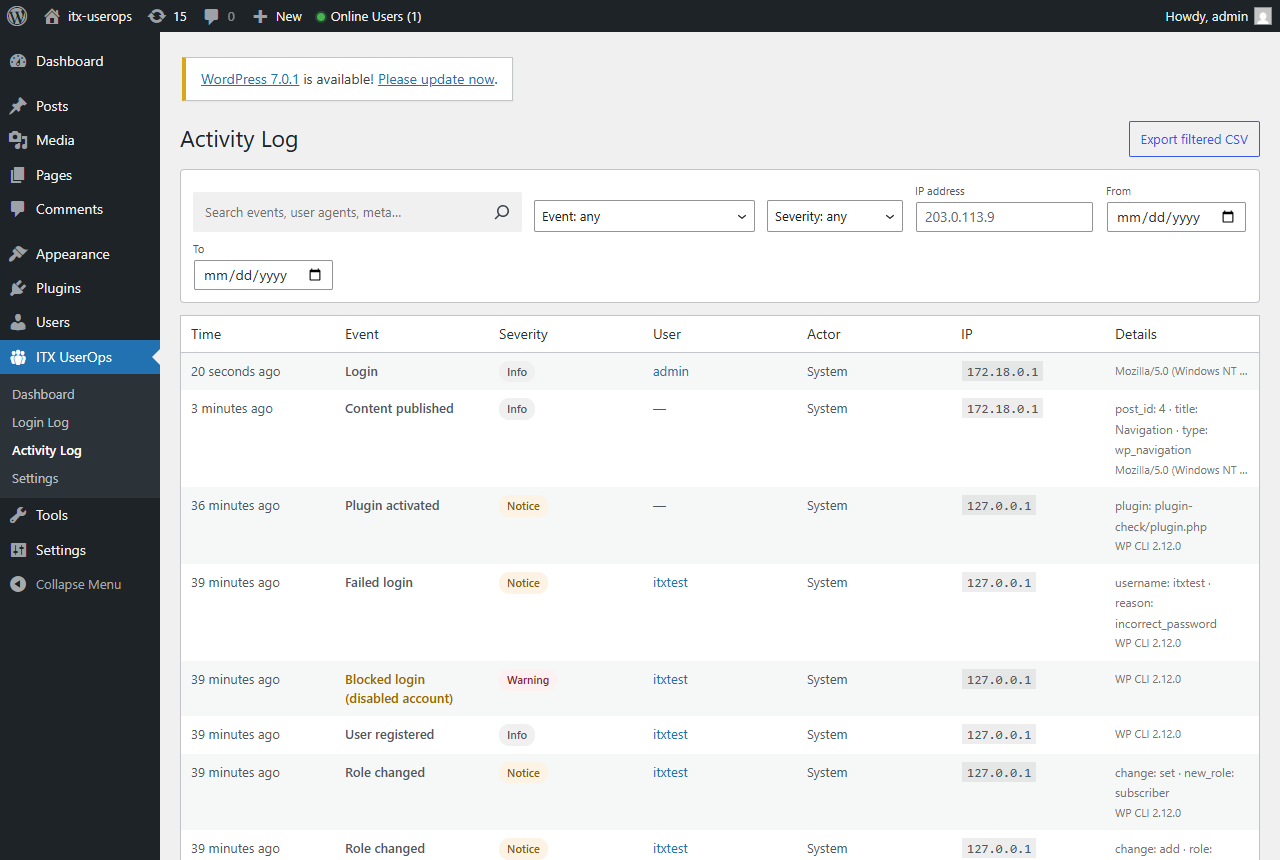
- Records logins, failed logins (with attempted username), logouts, blocked logins, registrations, deletions, role changes, password changes/resets, email and profile changes, application passwords, and bulk actions
- Site visibility: content published/updated/trashed/deleted (with author and actor), plugin activations/deactivations, theme switches and WordPress core updates
- Filter by event, user, actor, IP, severity and date; full-text search; CSV export
- Configurable retention (30 days up to keep-forever) with daily auto-purge
- GDPR mode: anonymize stored IP addresses
- Brute-force flood protection: failed-login noise is aggregated, never table-flooding
Per-user profile drawer
- Click any user for an Entra-ID-style panel: overview with 30-day login sparkline, live session list, and that user\’s complete activity trail — without leaving the page
Bulk actions
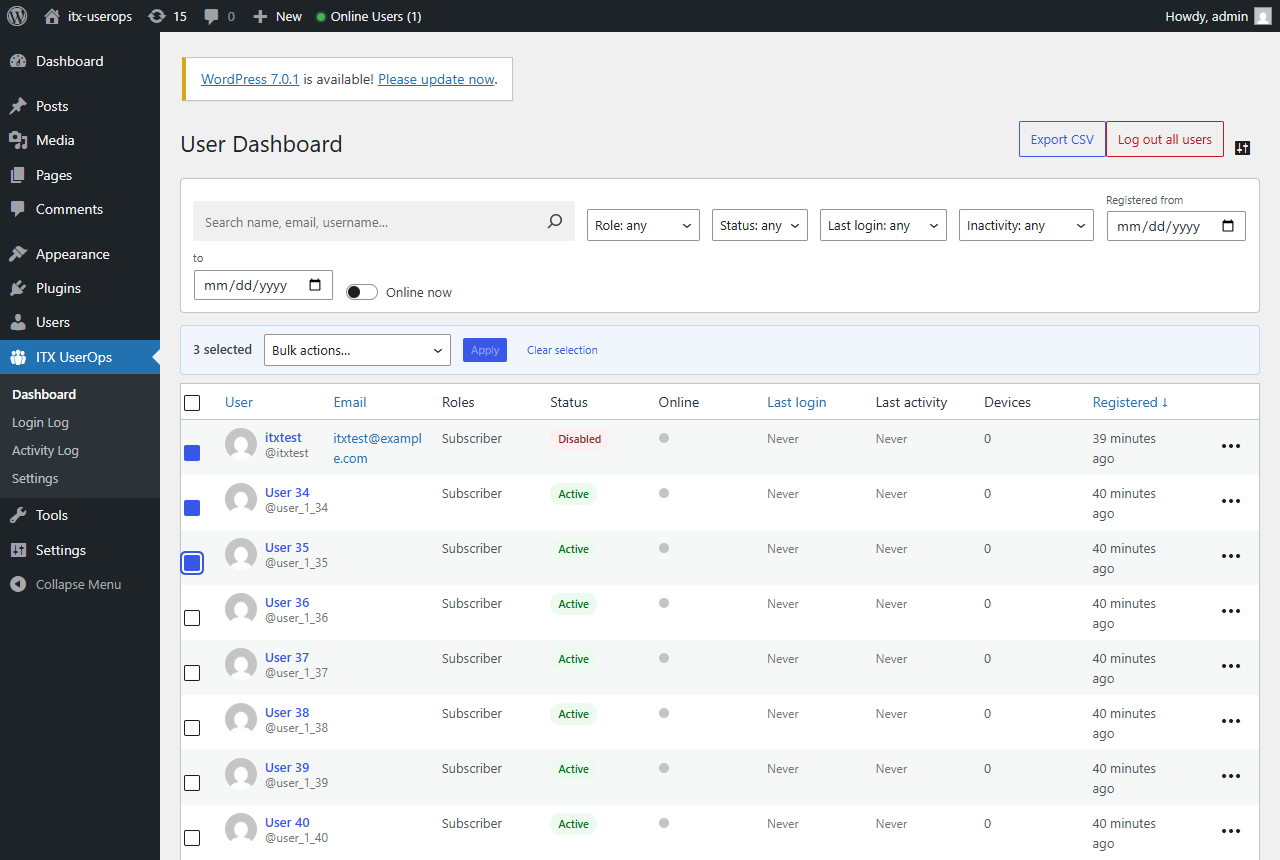
- Multi-select users change role, disable, enable, log out, send password reset, delete with content reassignment, export to CSV
- Runs in batches with a progress bar — no timeouts on large sites
Extras
- Live \”online users\” count in the admin bar and a user-overview dashboard widget
- Online status and a UserOps details link right in the native Users screen
Performance
Built to a strict budget: front-end requests incur at most one throttled database write per user per minute — no admin-ajax polling, no autoloaded bloat.
Ảnh màn hình
Cài đặt
Upload the itx-userops folder to /wp-content/plugins/, or install through the Plugins screen.
Activate the plugin through the Plugins menu.
Go to wp-admin -> ITX UserOps.
Hỏi đáp
-
How do I disable a WordPress user without deleting them?
-
Open ITX UserOps Dashboard, find the user, and choose \”Disable account\” from the row menu. They immediately lose access on every login channel while their content and history remain untouched. Re-enable them any time.
-
How do I log out all WordPress users at once?
-
ITX UserOps Dashboard \”Log out all users\”. Every session on the site is destroyed except your current one.
-
How can I see who is currently online?
-
The dashboard\’s \”Online\” column shows a live indicator for every user with activity in the last 5 minutes, and the \”Online now\” filter lists exactly who is connected.
-
Does it slow down my site?
-
No. Visitors trigger zero extra queries. Logged-in users trigger at most one tiny indexed write per minute. All heavy lifting happens only on the plugin\’s own admin pages.
-
Is it GDPR friendly?
-
Yes. Enable \”Anonymize IP addresses\” and the last octet of every captured IP is zeroed before storage. Log retention is capped and auto-purged, and uninstalling can remove every trace of plugin data.
-
Does it work on multisite?
-
Yes — each subsite gets its own dashboard, log and settings. Subsite admins cannot disable super admins.
-
Where is the audit log stored?
-
In its own indexed database table — not in wp_options or postmeta — so a busy log never slows down the rest of your site.
Đánh giá

Người đóng góp & Lập trình viên
“ITX UserOps — User Management, Login Activity, Sessions & Audit Log” là mã nguồn mở. Những người sau đã đóng góp vào plugin này.
Những người đóng góp
Dịch “ITX UserOps — User Management, Login Activity, Sessions & Audit Log” sang ngôn ngữ của bạn.
Muốn tham gia phát triển?
Duyệt code, check out SVN repository, hoặc theo dõi nhật ký phát triển qua RSS.
Nhật ký thay đổi
1.0.0
- Initial release: unified user dashboard, enable/disable accounts, device-grouped session management, activity & login audit log, profile drawer, bulk actions with CSV export, admin-bar online counter, user-overview dashboard widget, and native Users-screen integration.