
Mô tả
PaymentSpring is a credit card processing gateway with a developer friendly API. This plugin is officially supported by PaymentSpring and will allow you to send credit card data in a secure manner from a Gravity Forms form.
This plugin will not work if Gravity Forms is not installed. You will need to purchase your own gravity forms license.
PaymentSpring API keys are required. You can obtain your own by registering for a free PaymentSpring test account.
Ảnh màn hình
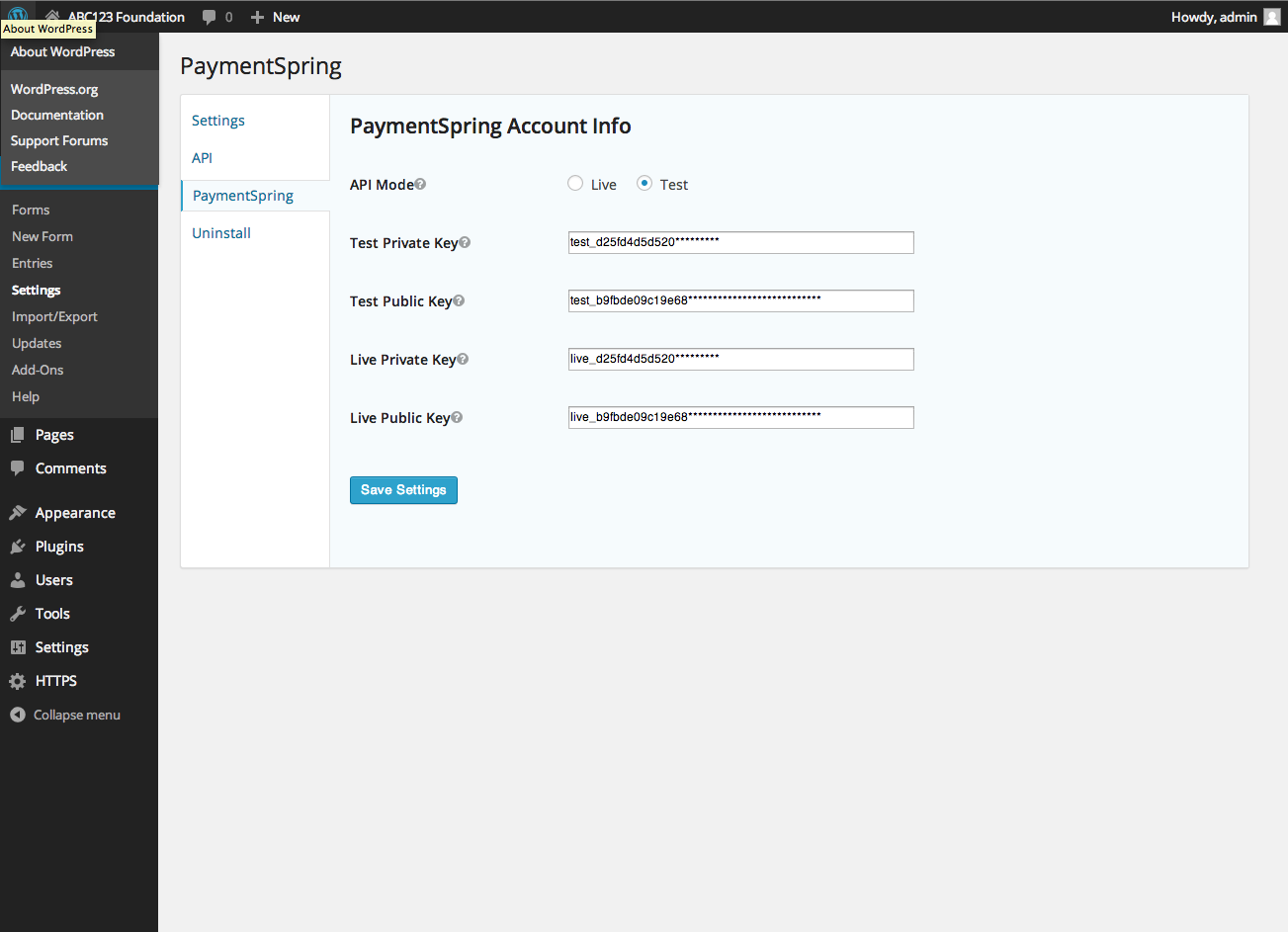


Cài đặt
- Make sure that Gravity Forms is installed and activated
- Upload the
paymentspring-gravity-formsfolder to the/wp-content/plugins/directory - Activate the plugin through the ‘Plugins’ menu in WordPress.
- Add your PaymentSpring API keys to the PaymentSpring section on the Settings page (Forms->Settings).
- Create a form, add the ‘Credit Card’ field that appears under ‘Pricing Fields.’
- Click the downwards pointing arrow inside that Credit Card field. Select ‘Use With PaymentSpring’
- Inside the above credit card field map the amount field to a field that represents the amount you want to charge.
- Inside the above credit card field, under the advanced tab, select Force SSL.
Hỏi đáp
- How do I get support?
-
This plugin is officially supported by PaymentSpring. If you’re having a problem send us an e-mail at support@paymentspring.com
- Do I need to have SSL?
-
Yes, we require any page that has a credit card field be encrypted by SSL
Đánh giá
Không có đánh giá nào cho plugin này.
Người đóng góp & Lập trình viên
“PaymentSpring Gravity Forms Add-On” là mã nguồn mở. Những người sau đã đóng góp vào plugin này.
Những người đóng góp

Dịch “PaymentSpring Gravity Forms Add-On” sang ngôn ngữ của bạn.
Muốn tham gia phát triển?
Duyệt code, check out SVN repository, hoặc theo dõi nhật ký phát triển qua RSS.
Nhật ký thay đổi
1.0.0
- Initial release
1.0.1
- Update to form conditionals