

Mô tả
MaskMyAdmin is a lightweight WordPress plugin designed to enhance your login page security by:
– Replacing the default wp-admin and wp-login.php URLs with a custom login path of your choice
– Enforcing IP-based access controls for the WordPress dashboard and login screen
– Preventing unauthorized access or brute-force attempts by obscuring default login endpoints
Designed for site owners and developers who want to hide their admin panel from bots, attackers, or curious users.
Whether you’re running a blog, WooCommerce store, or enterprise WordPress install — MaskMyAdmin gives you a simple, intuitive way to lock down your admin entry points.
Features:
* Change wp-admin login path to a custom one (e.g., /secure-login)
* Optional IP-based whitelist — restrict dashboard access to specific IPs only
* Redirect blocked attempts to a custom page or homepage
* Progressive brute-force lockout (15 min 1 hour 24 hours)
* Activity log for login attempts and settings changes
* Email notifications for blocked IPs, failed logins, and settings changes
* Configurable proxy/CDN header for accurate IP detection (Cloudflare, Nginx, etc.)
* WP-CLI commands for emergency recovery and management
* Emergency disable via wp-config.php constant
* Defense-in-depth .htaccess rules for Apache servers (PHP handles all server types)
* Lightweight and fast — minimal performance impact
* Clean uninstall — all data removed when plugin is deleted
Ảnh màn hình
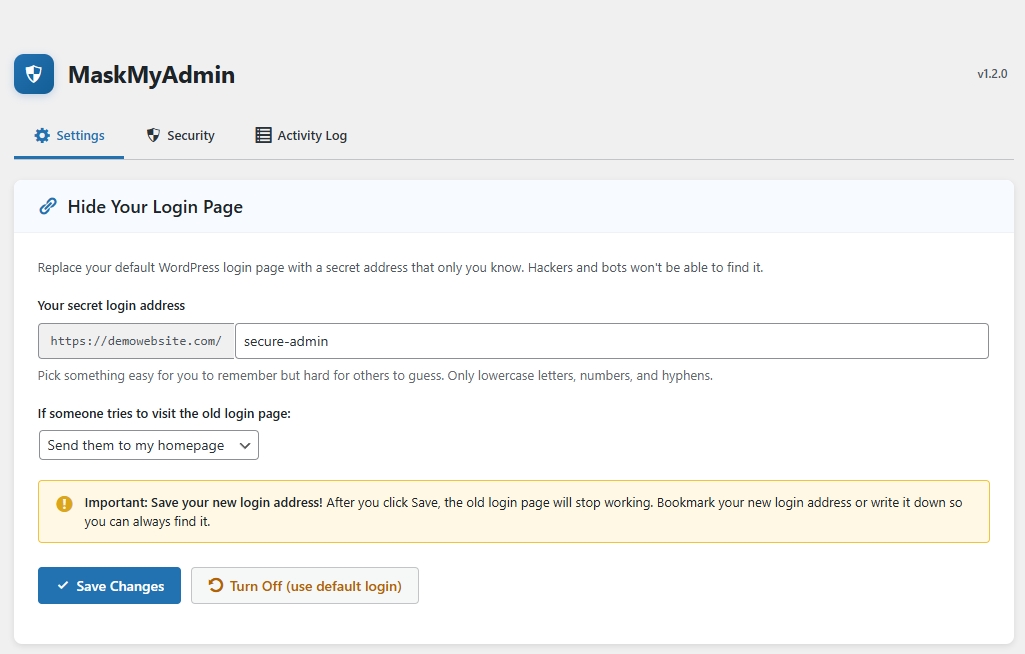
Settings screen to configure your custom login URL and redirection 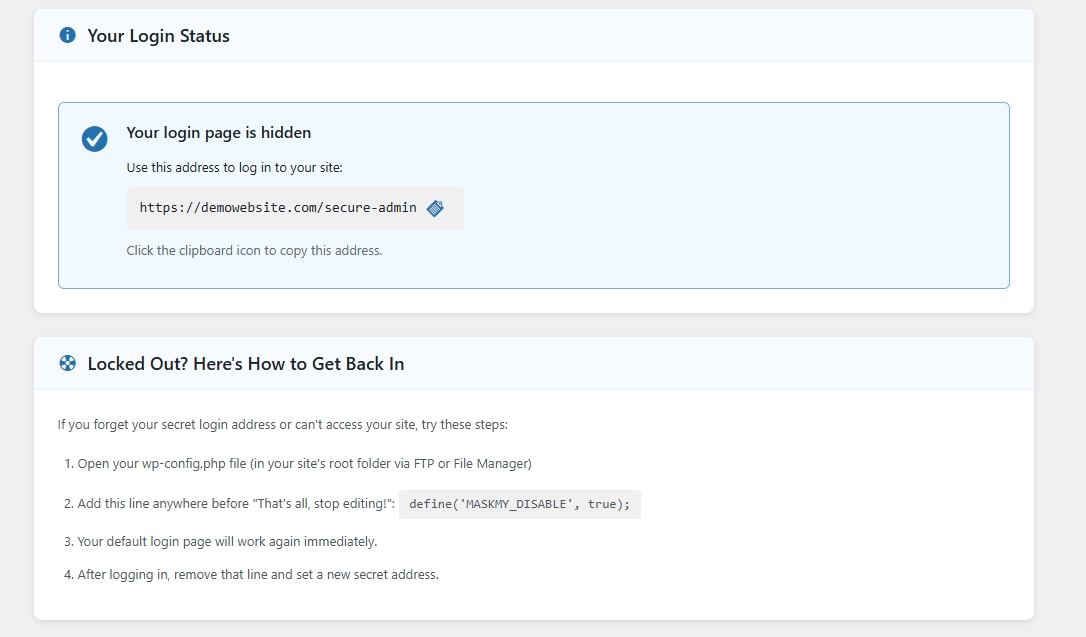
IP whitelist management with proxy/CDN configuration 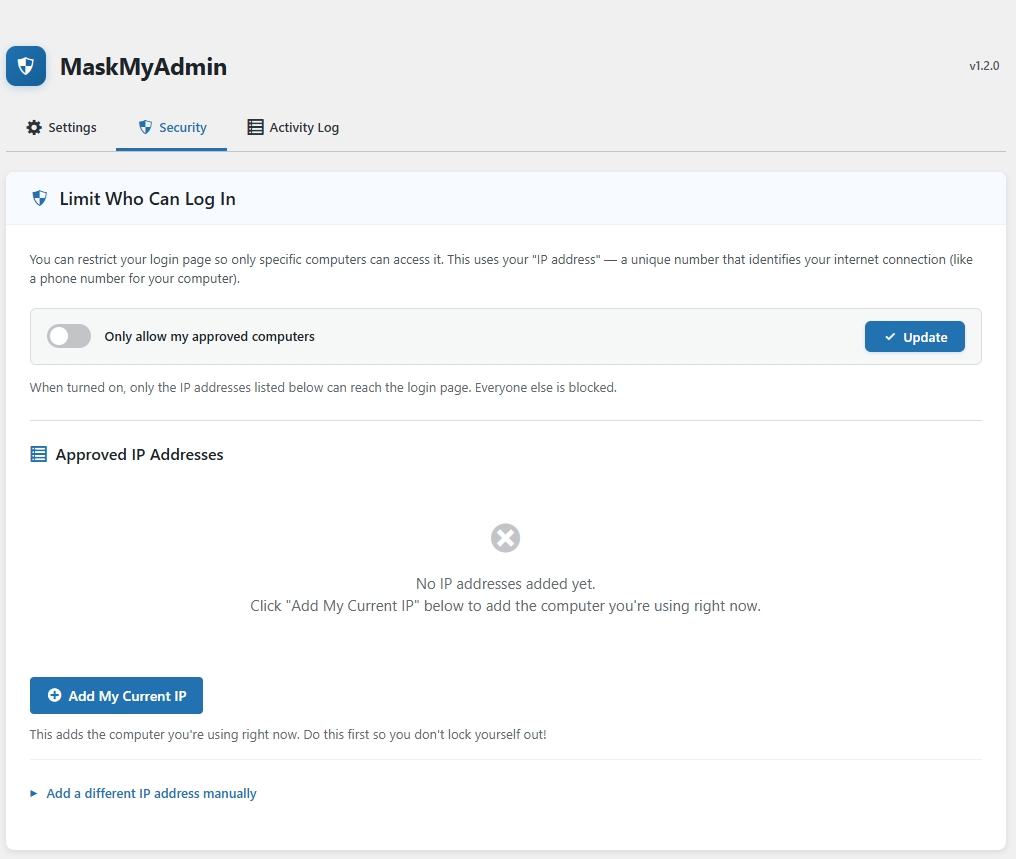
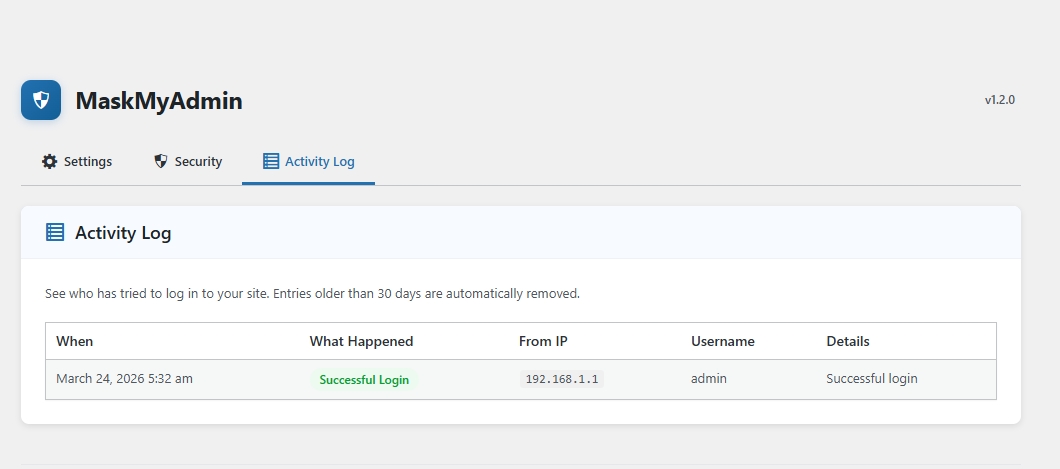
Activity log showing login attempts and settings changes 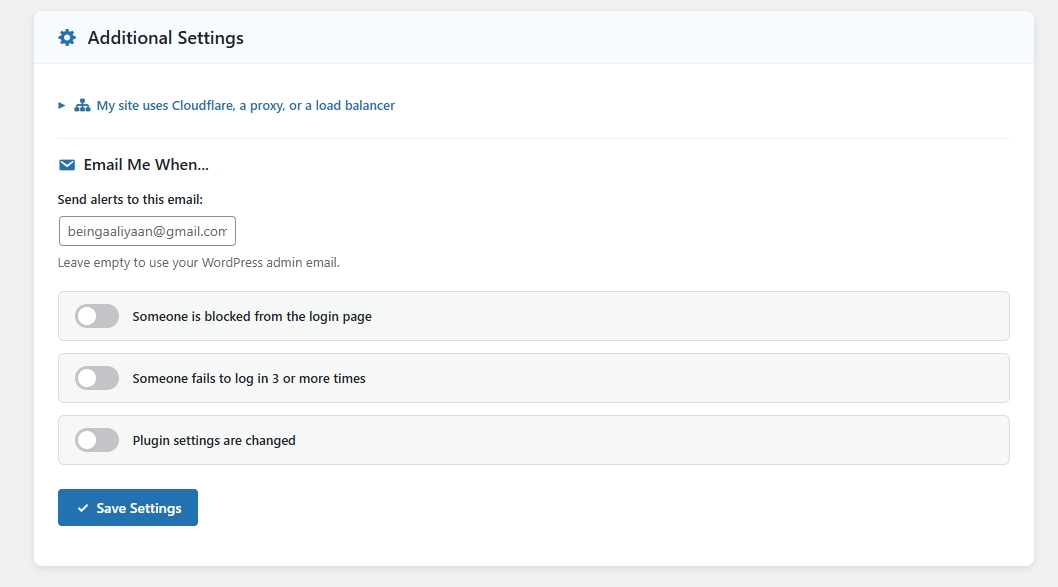
Hỏi đáp
-
How do I change the admin URL?
-
After activating the plugin, go to MaskMyAdmin in the admin menu and enter your desired login slug (e.g.,
my-login). Your admin URL will becomeyourdomain.com/my-login. -
What happens to wp-login.php and wp-admin?
-
Both
wp-login.phpand/wp-adminaccess will redirect to the homepage or a custom URL (configurable), effectively hiding them from bots or attackers. -
How do I enable IP whitelisting?
-
Under the plugin settings (Advanced Security tab), you can enable IP whitelisting and enter allowed IP addresses. Only visitors from these IPs will be able to access the login page.
-
I’m behind Cloudflare / a proxy. How do I get the correct IP?
-
Go to Advanced Security Proxy / CDN Configuration and select the appropriate header for your setup (e.g., “Cloudflare” for CF-Connecting-IP).
-
What if I get locked out?
-
You have several recovery options:
- WP-CLI: Run
wp maskmy disableto disable all protections - wp-config.php: Add
define('MASKMY_DISABLE', true);to bypass the plugin entirely - FTP: Rename the plugin folder via FTP or your hosting File Manager
- WP-CLI: Run
-
Does this work with Nginx?
-
Yes. The plugin uses PHP for all URL masking and IP enforcement, which works on any server. The .htaccess rules are an additional layer for Apache servers only.
-
How long are activity logs kept?
-
Log entries older than 30 days are automatically cleaned up daily via WP-Cron.
-
What WP-CLI commands are available?
-
MaskMyAdmin registers the
wp maskmycommand namespace with the following subcommands:wp maskmy status— Show current configuration (login slug, redirect mode, IP whitelist status, allowed IPs, proxy header)wp maskmy reset— Reset the login URL back to the WordPress default (wp-login.php)wp maskmy add-ip <ip>— Add an IP address or CIDR range to the whitelist (e.g.,wp maskmy add-ip 192.168.1.100orwp maskmy add-ip 10.0.0.0/24)wp maskmy remove-ip <ip>— Remove an IP address or CIDR range from the whitelist (auto-disables whitelist if the list becomes empty)wp maskmy disable— Disable all protections immediately (resets login slug, redirect, and IP whitelist — useful for emergency recovery)wp maskmy enable --slug=<slug>— Re-enable protections with a custom login slug (e.g.,wp maskmy enable --slug=my-login). If--slugis omitted, re-enables with the previously saved slug.
Đánh giá
Không có đánh giá nào cho plugin này.
Người đóng góp & Lập trình viên
“Mask My Admin – WordPress Login Security & URL Protection” là mã nguồn mở. Những người sau đã đóng góp vào plugin này.
Những người đóng góp
Dịch “Mask My Admin – WordPress Login Security & URL Protection” sang ngôn ngữ của bạn.
Muốn tham gia phát triển?
Duyệt code, check out SVN repository, hoặc theo dõi nhật ký phát triển qua RSS.
Nhật ký thay đổi
1.2.0
- Security: Removed debug backdoor file (debug-mma.php)
- Security: Fixed IP spoofing vulnerability — IP detection now uses REMOTE_ADDR by default with configurable trusted proxy headers
- Security: Disabled broken 2FA feature (hardcoded bypass codes removed)
- Security: Fixed unescaped output throughout the plugin
- Security: Replaced unsafe header() redirects with wp_redirect() / wp_safe_redirect()
- Security: Sanitized all $_SERVER values
- New: Activity log — tracks login attempts and settings changes
- New: Email notifications — configurable alerts for blocks, failed logins, and settings changes
- New: WP-CLI commands —
wp maskmy status,reset,add-ip,remove-ip,disable,enable - New: Emergency recovery constant —
define('MASKMY_DISABLE', true)in wp-config.php - New: Progressive brute-force lockout (5 attempts = 15 min, 10 = 1 hour, 20 = 24 hours)
- New: Proxy/CDN configuration UI for accurate IP detection behind load balancers
- New: Clean uninstall — removes all options, tables, transients, and .htaccess rules
- Fix: Admin JavaScript now properly enqueued (was never loaded before)
- Fix: Setup wizard form now actually submits (added form tag, name attribute, submit button type)
- Fix: Fixed broken HTML structure in dashboard (nested cards, stray form tags)
- Fix: Removed external Font Awesome CDN dependency — uses built-in Dashicons
- Fix: Removed all inline script blocks — moved to properly enqueued admin.js
- Fix: Removed dead/orphaned code (unused functions, unreachable files)
- Fix: Htaccess_Manager now uses Singleton pattern consistently
- Fix: Secured backup directory with randomized name and Apache 2.2+2.4 compatible rules
- Improvement: Centralized IP utility class replacing duplicate code
- Improvement: Consistent WordPress Coding Standards throughout
1.1.0
- Added option to redirect blocked IPs to homepage or custom URL
- Improved compatibility with latest WordPress core
1.0.0
- Initial release with custom login URL and IP whitelist functionality