

Mô tả
EU Order Withdrawal Button for WooCommerce adds compliance with the EU directive 2023/2673 to WooCommerce.
With the help of this little plugin you may easily allow your customers to submit (partial) withdrawal requests to their orders.
- Withdrawal request form – Use a shortcode to embed a withdrawal request form which works both for guest orders and registered customers.
- Manage withdrawals – Easily manage withdrawals from your WooCommerce order page by either confirming or rejecting requests.
- Send confirmation emails – Automatically confirm receipt of the withdrawal by email.
- Partial withdrawals – Optionally allow customers to submit partial withdrawal requests.
Ảnh màn hình
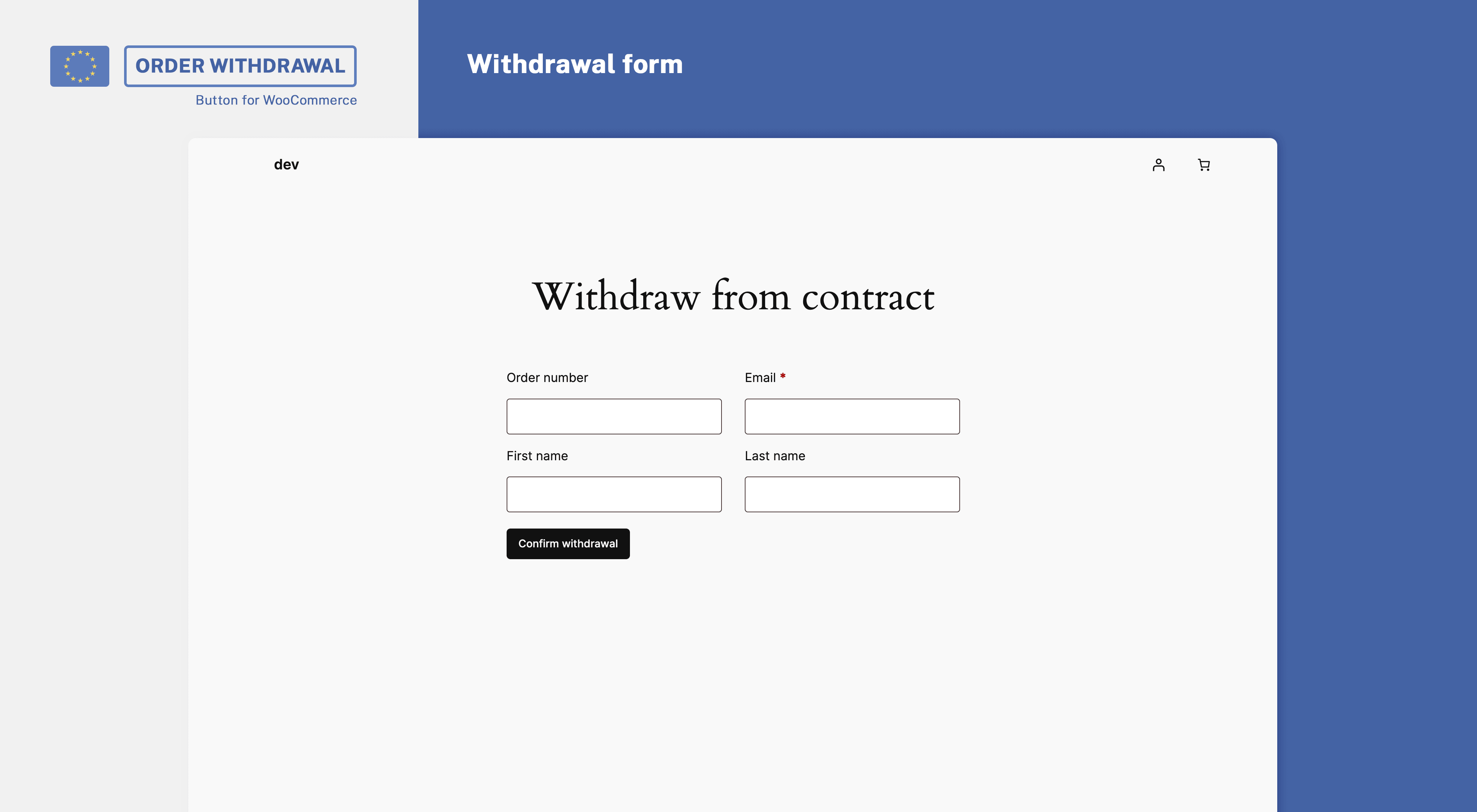
Withdrawal form 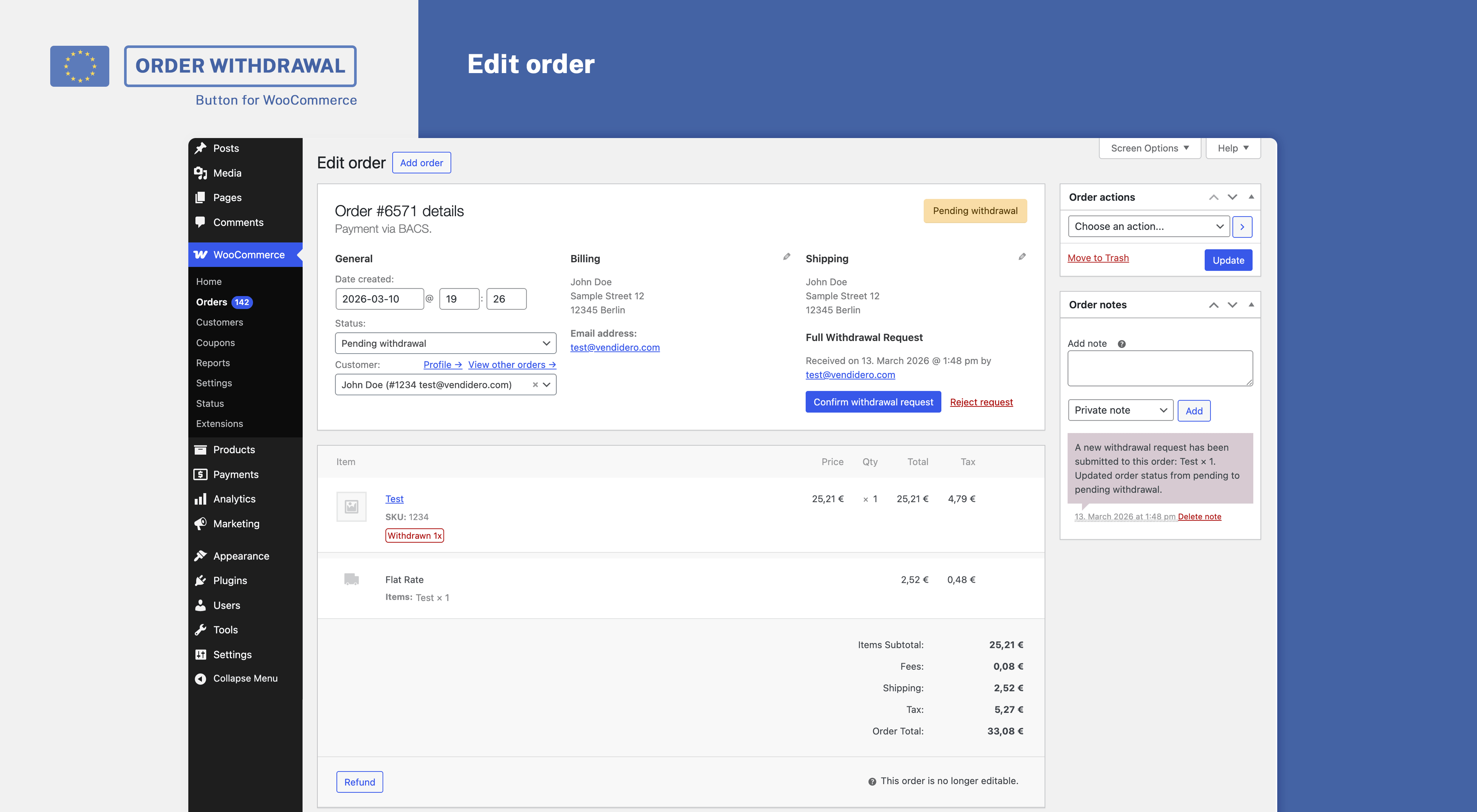
Admin UI
Cài đặt
Minimal Requirements
- WordPress 4.9 or newer
- WooCommerce 3.9 (newest version recommended)
- PHP Version 7.0 or newer
Automatic Installation
We recommend installing EU Order Withdrawal Button for WooCommerce through the WordPress backend. Please install WooCommerce before installing the plugin.
After the installation, go to WooCommerce > Settings > Advanced > Withdrawals to manage your settings. During installation, the plugin creates a withdrawal page
containing the shortcode as a draft. After testing the withdrawal process, make sure to publish that page so that your customers can access it too.
Hỏi đáp
-
How to render the withdrawal form?
-
Place the shortcode [eu_owb_order_withdrawal_request_form] anywhere on a page to render the form.
-
Use the option to embed the button directly within your footer or your theme’s options, e.g. a footer menu, to link the withdrawal page.
You may furthermore use the shortcode [eu_owb_order_withdrawal_button] to place the button wherever you want. -
Make sure that you’ve published your withdrawal page (which by default is created as a draft during installation). The embedded button does only show on shop-related pages.
-
Need help?
-
You may ask your questions within our free WordPress support forum.
-
Want to file a bug or improve the plugin?
-
Bug reports may be filed via our GitHub repository.
Đánh giá

Người đóng góp & Lập trình viên
“EU Order Withdrawal Button for WooCommerce” là mã nguồn mở. Những người sau đã đóng góp vào plugin này.
Những người đóng góp

“EU Order Withdrawal Button for WooCommerce” đã được dịch qua 1 ngôn ngữ. Cảm ơn những người tham gia dịch vì đóng góp của họ.
Dịch “EU Order Withdrawal Button for WooCommerce” sang ngôn ngữ của bạn.
Muốn tham gia phát triển?
Duyệt code, check out SVN repository, hoặc theo dõi nhật ký phát triển qua RSS.
Nhật ký thay đổi
2.1.0
- New: Accept withdrawal requests without matching order
- New: Withdrawal admin UI
- New: Store withdrawals as custom order type
- New: Allow choosing a different support email via setting
2.0.2
- Improvement: List all orders for logged-in users and show non-withdrawable notices on request
2.0.1
- Fix: Prevent calling customer in admin context
2.0.0
- Improvement: Allow withdrawal requests without order number and differing email address
- Improvement: Mark withdrawal requests as verified/unverified based on email address
- Improvement: Separately list unverified withdrawal requests by default
- Improvement: Allow verified guests to choose another order in case multiple orders are withdrawable
- Improvement: Allow choosing first + last name
1.0.2
- Improvement: Inform guest customers about partial withdrawals within original form
- Fix: HPOS order number search
1.0.1
- Fix: Partial withdrawal request check
- Improvement: Fallback to customer_id in case billing_email differs
1.0.0
- Initial commit