

Mô tả
Vachr Short-Term Rental Reservations is a free WordPress booking engine for vacation rentals. Take direct bookings without commission, keep Airbnb, Booking.com and other calendars in sync, collect payments online and let the plugin handle the repetitive work of running your rentals.
100% FREE — Unlimited properties — No commission on direct bookings. Apartments, holiday homes, rooms, cottages, glamping: manage everything from one WordPress site.
What problems does it solve?
- Double bookings – two-way iCal sync with Airbnb, Booking.com, VRBO and any iCal-compatible platform keeps availability aligned.
- Cancellation handling – guests can cancel direct reservations from the guest portal, with configurable day-based Stripe refund percentages and automatic availability release.
- Commission fees – guests book directly on your website and you keep the full price.
- Chasing payments – card payments, bank transfer with QR code, deposits, balance reminders and automatic matching of bank emails.
- Endless emails – confirmations, arrival instructions, payment reminders and staff notifications are sent automatically.
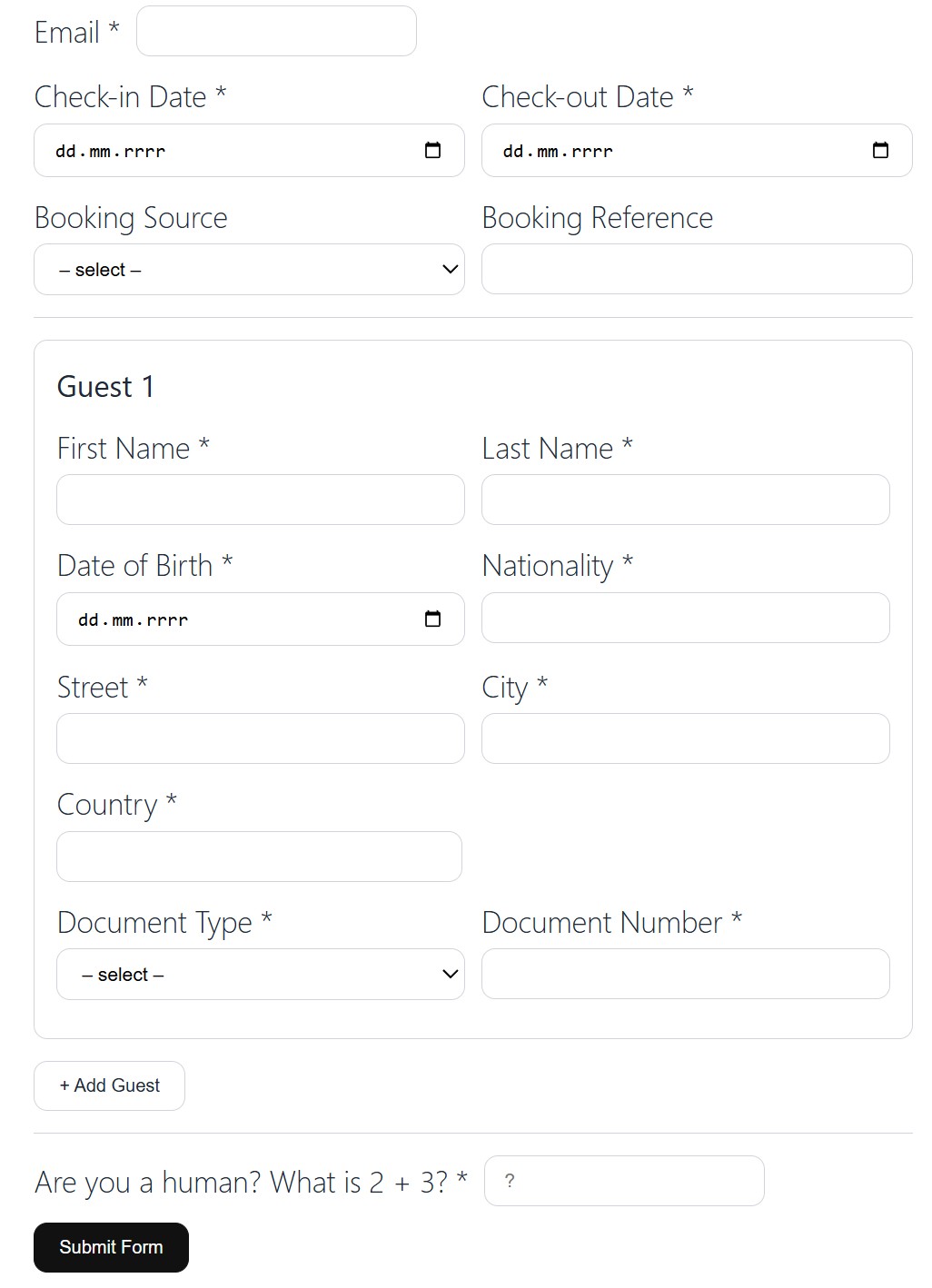
- Paperwork – guest registration with ID photos for tourist tax records, invoices and a complete reservation overview.
- Chaotic teamwork – cleaners, managers and repair staff get their own tasks, calendars and reminders.
Direct bookings that convert
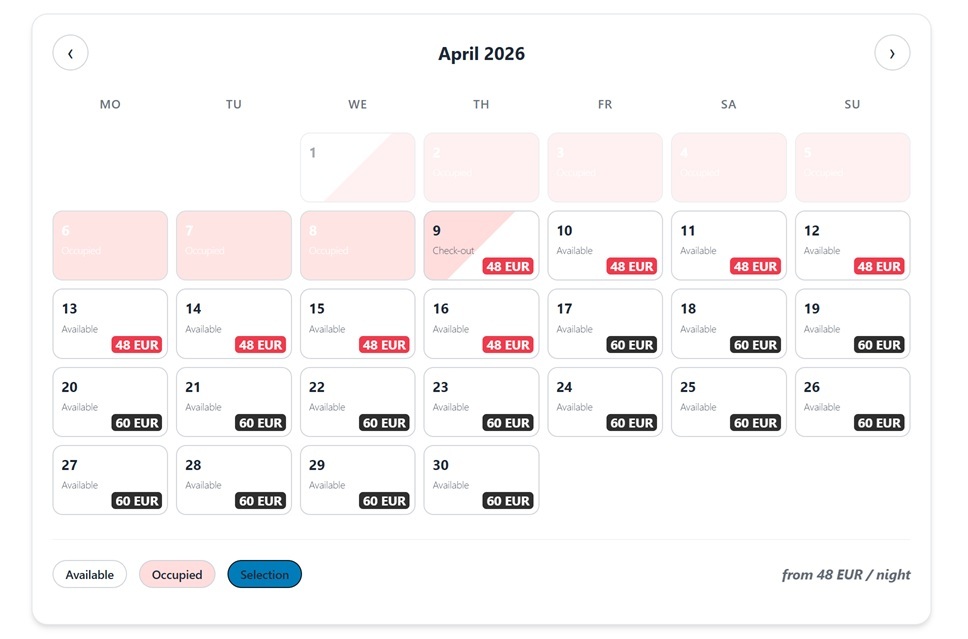
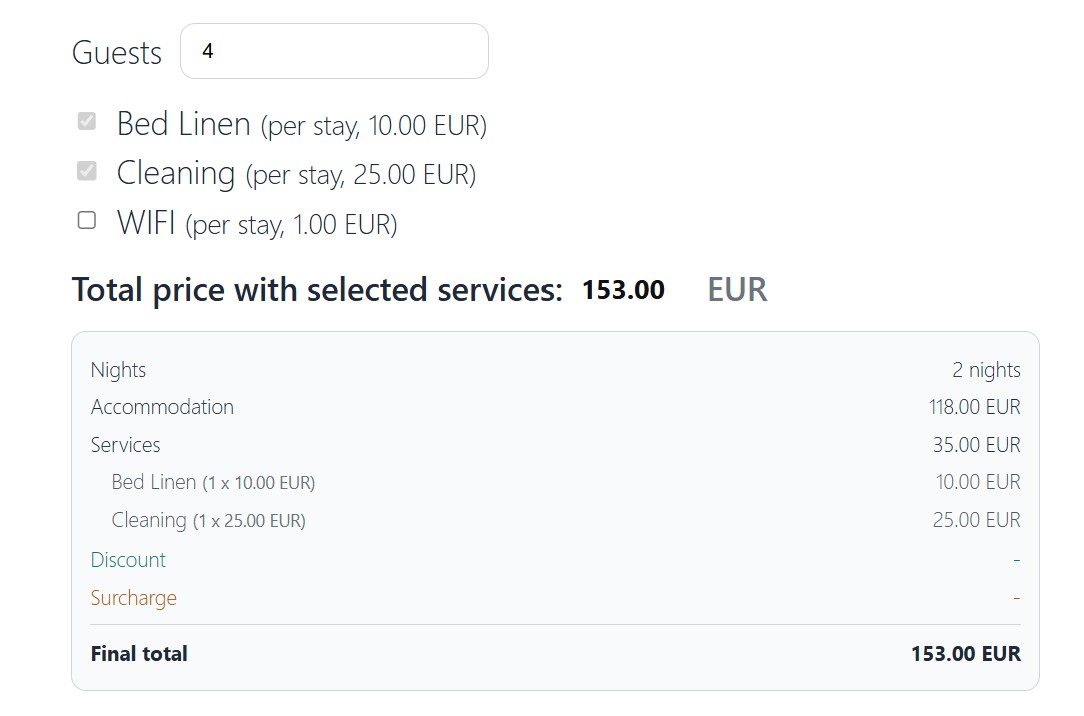
- Booking calendar and reservation form with live price quote, services, extras and discount codes.
- Accommodation search: guests enter dates and guests, see free properties with photo galleries, prices and key facts, and continue straight to booking. Six ready-made templates.
- Availability calendar, apartment photo gallery with lightbox and captions, property details and amenities.
- Works with the Block editor and Elementor (native widgets), plus shortcodes for any theme.
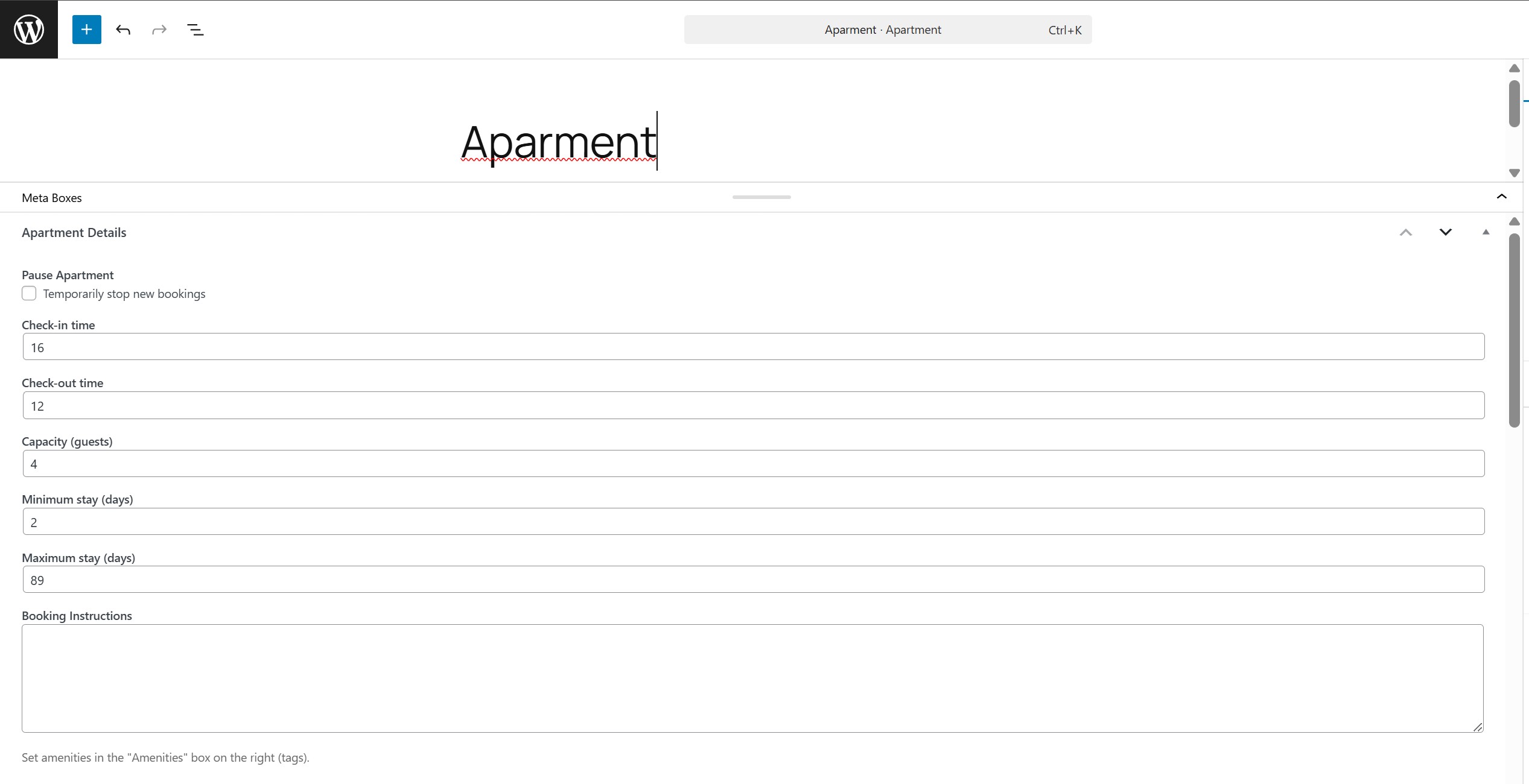
- Apartment page wizard creates a complete, editable page for each property in minutes.
- 14 form designs, including dark mode, with live desktop and mobile preview.
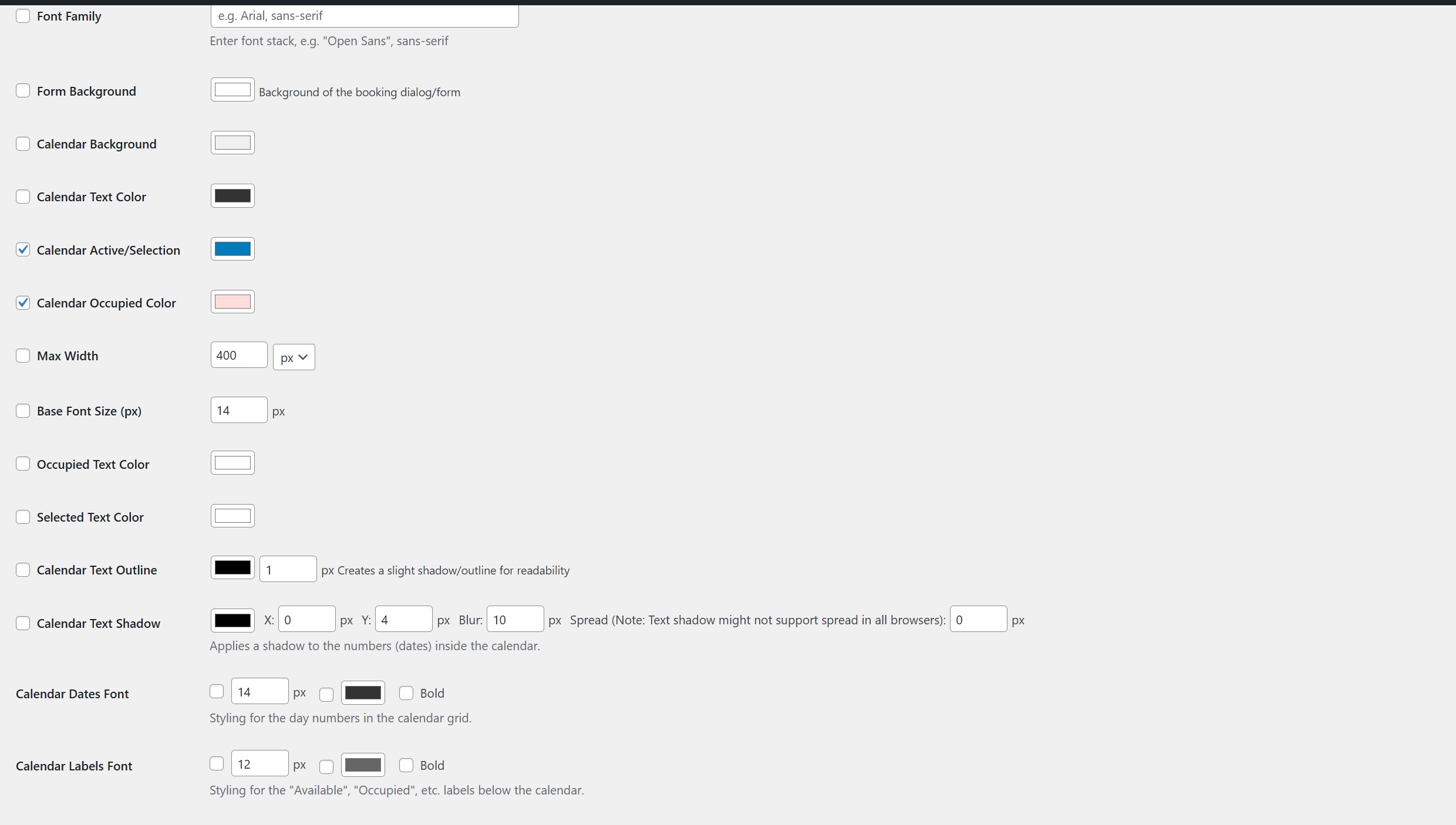
- Customize booking validation notices in Styling: warnings and errors share configurable background, text and border colors plus corner radius, without writing CSS.
- Multilingual: forms, emails and apartment content in several languages and currencies.
Airbnb, Booking.com and iCal sync
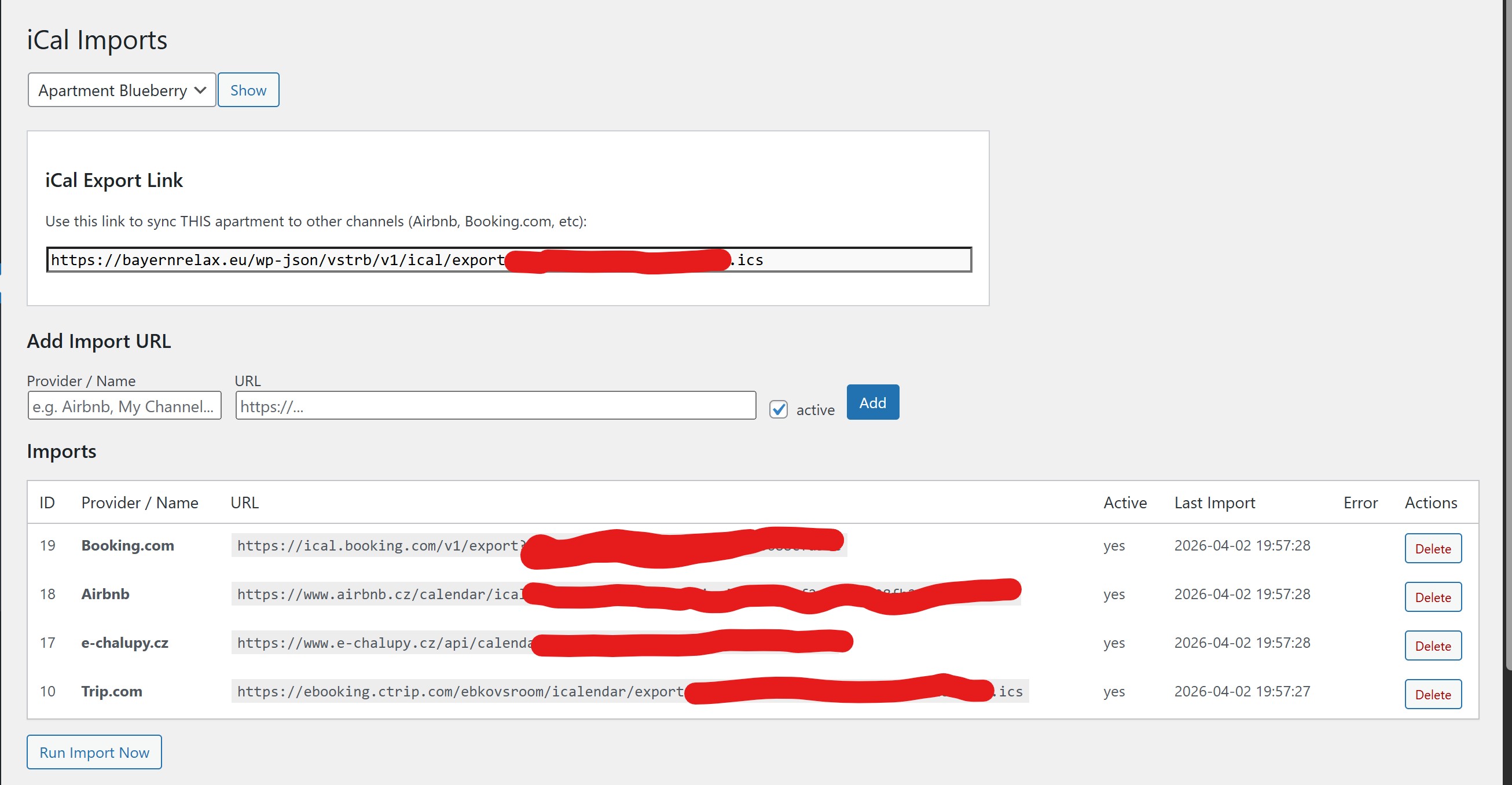
Import external reservations and export your own availability. Imported bookings appear next to direct ones, cancellations are detected, and a failed feed never wipes existing reservations. Optionally read platform confirmation emails to attach guest contacts to iCal reservations.
Payments and invoices
- Card payments through Stripe or Mollie, bank transfer, cash.
- Advance-payment schedule by days before arrival (for example 10% a year ahead, 50% three weeks before, full amount close to arrival), with per-apartment overrides.
- Partial payments, remaining balance, automatic balance requests and unpaid-reservation reminders.
- Optional automatic card charge of the balance, with the guest’s consent.
- Czech SPD QR payment codes and payment references for bank transfers.
- Bank payment emails read from a dedicated mailbox are matched to reservations automatically.
- Transactions overview and invoices.
Guest portal and automation
- Guest portal: a secure link in every reservation email shows booking and payment status, registration progress, payment options and arrival instructions.
- Arrival instructions with door codes, Wi-Fi and other custom placeholders, sent automatically before check-in or shown when the guest is allowed to see them.
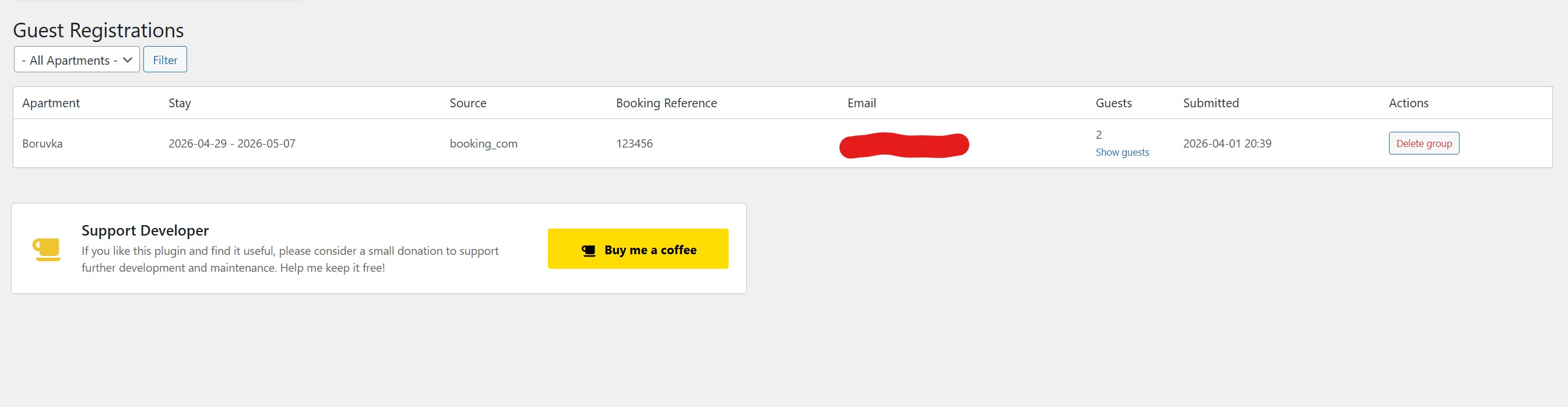
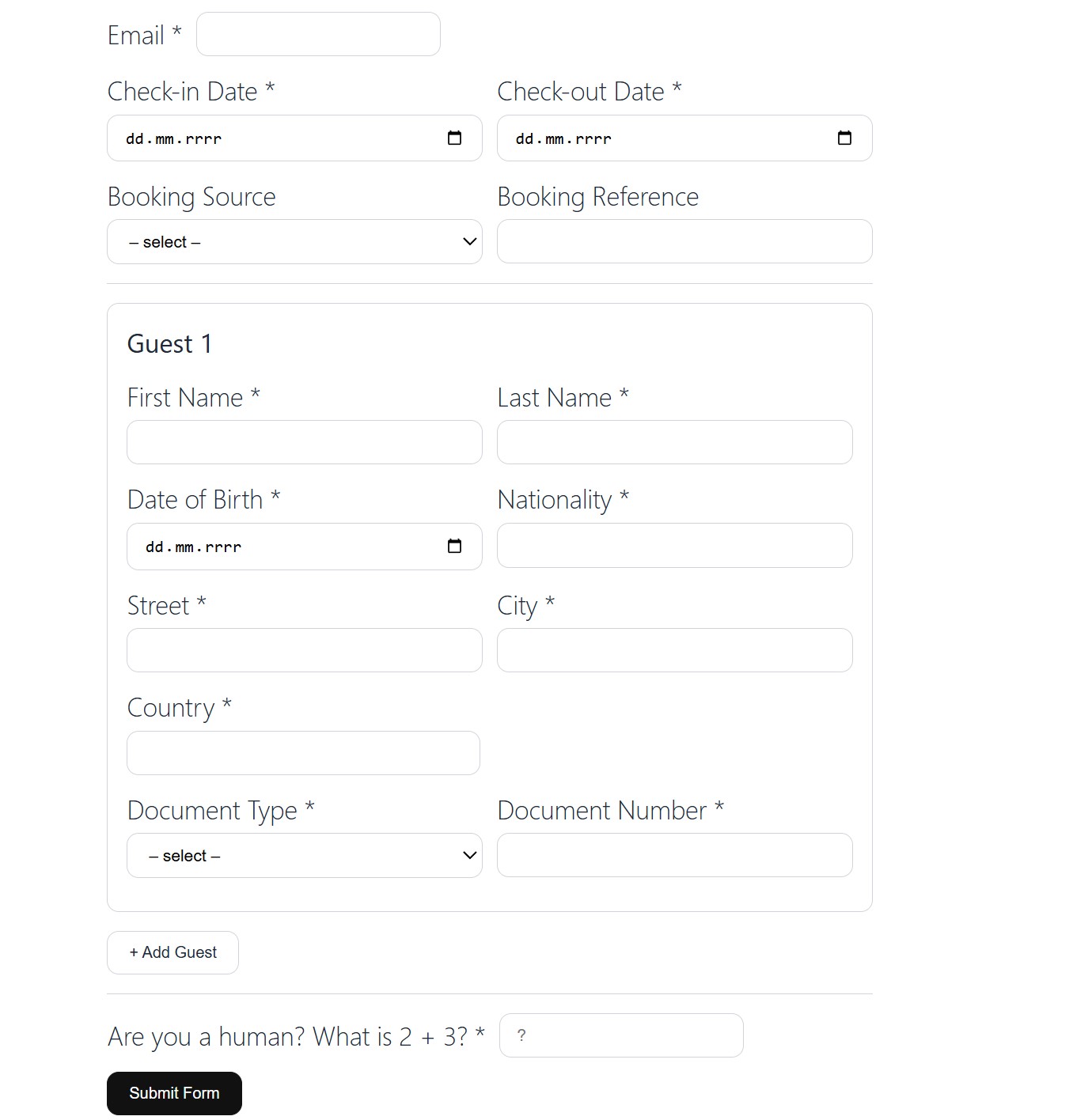
- Guest registration and ID document photos collected through a public form and matched to direct or imported bookings.
- Custom contact fields, terms and consent checkboxes.
Team and operations
- Notify owners, cleaners, managers and repair staff about new bookings, arrivals, departures, registrations, unpaid reservations and iCal cancellations.
- Turn arrivals and departures into tasks with confirmation links and email escalation to the next person.
- Colour-coded staff duty calendars and booking lists on protected pages.
- Admin price offers with manual discounts and a public offer link.
Pricing engine
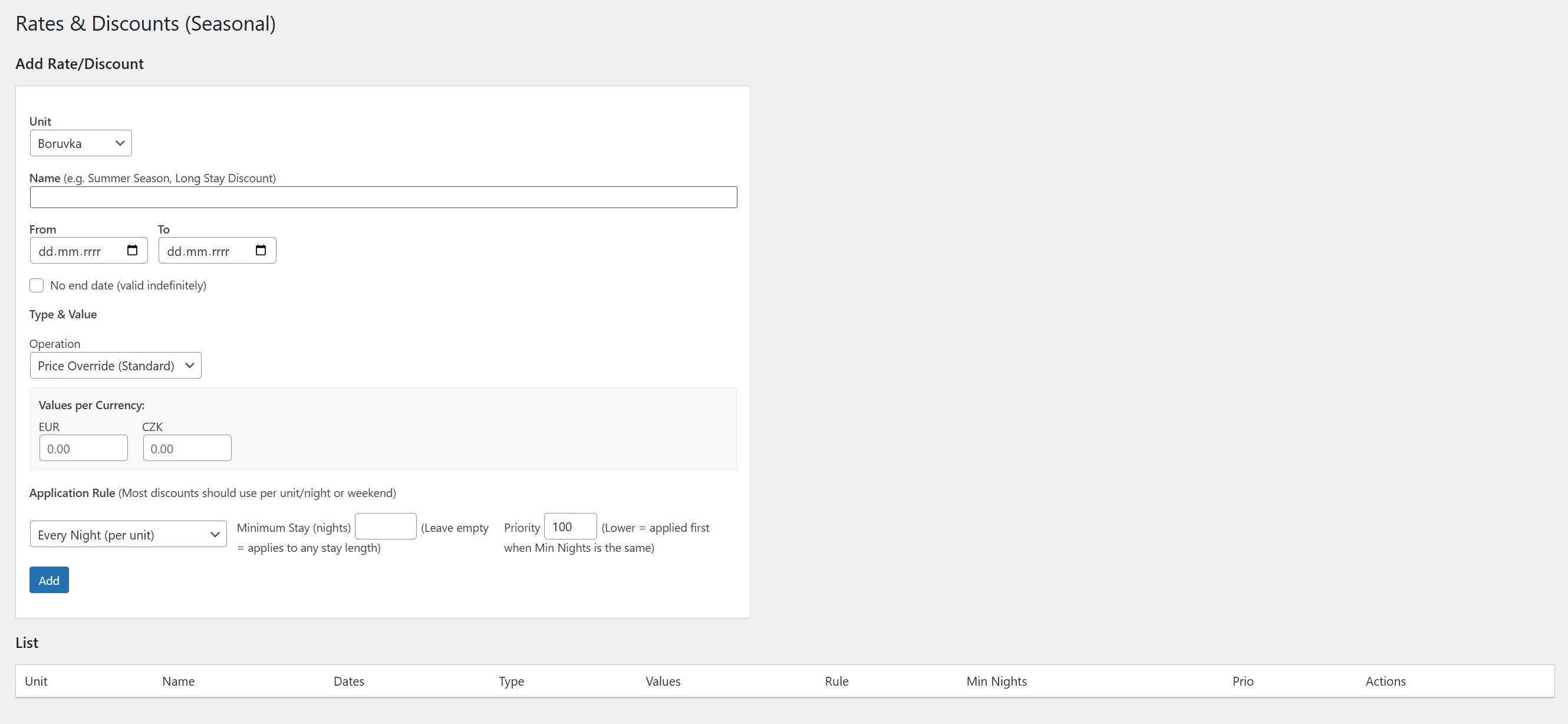
Seasonal and weekend rates, stay-length discounts, discounts by number of guests, child and disabled-guest rules, per-person services and tourist taxes, refundable deposits, closures, date-specific minimum stays, and reusable discount codes restricted to selected arrival dates and stay lengths.
For developers and integrators
Authenticated REST API for reservations, price offers, payments and invoices (Application Passwords, idempotency keys, audit log), public availability endpoint and webhooks for payments.
Pro add-on
The optional Vachr Short-Term Rental Reservations Pro adds an AI content generator for local posts, invoicing tools and Google VacationRental structured data.
Documentation
Every shortcode, parameter, placeholder and how-to guide is available inside the plugin under Bookings -> Documentation.
Video tutorial
Video tutorial: https://www.youtube.com/watch?v=v1sXajxPurg
The plugin is free and supports unlimited apartments. Donations help fund continued development.
Optional setup assistance
Need help with setup? I offer one-time WordPress setup for short-term rentals, including connection to Booking.com, Airbnb, and more for 100 EUR, plus optional yearly light support for 20 EUR.
Ảnh màn hình


Khối
Plugin này cung cấp 3 khối.
- Accommodation search
- Booking form
- Apartment gallery
Cài đặt
Video tutorial: https://youtu.be/v1sXajxPurg Watch this video to see how to manage and use the system.
- Upload the plugin files to the
/wp-content/plugins/vachr-short-term-rental-reservationsdirectory, or install the plugin through the WordPress plugins screen directly. - Activate the plugin through the ‘Plugins’ screen in WordPress.
- Go to the ‘Apartments’ menu to create your first rental unit.
- Use the provided shortcodes to display the booking form or calendar on your pages.
Hỏi đáp
-
Where can I find shortcode parameters and how-to guides?
-
In the plugin: open Bookings -> Documentation. It lists every shortcode with its parameters, template placeholders, notification options and step-by-step guides (caching, payments, bank email matching, guest registration, arrival instructions, staff notifications and more).
-
How do I display the booking form?
-
Use the shortcode
[vstrb_booking_form unit="YOUR_ID"]. Addenable_stripe="1",enable_mollie="1",enable_bank_transfer="1"orenable_cash="1"to show payment methods. You can also create a ready-made page with the Create apartment page wizard (Gutenberg or Elementor). -
How do I display the availability calendar?
-
Use the shortcode
[vstrb_availability_calendar unit="YOUR_ID" months="3"]. -
Can I allow a shorter stay on selected dates and restrict a discount code to those stays?
-
Edit the apartment under Bookings -> Apartments. In the basic accommodation details, add a date-specific minimum-stay rule with an inclusive arrival-date range and its minimum number of nights; it overrides the apartment minimum only for arrivals in that range. To restrict a discount code, open Bookings -> Rates & Discounts -> Reusable discount codes, enter the allowed check-in dates (one
YYYY-MM-DDper line) and, if needed, the exact stay length. For example, list2026-12-28and2026-12-30and set the eligible stay length to1to limit a code to those one-night stays. The apartment’s regular minimum remains in effect for other arrival dates. Valid from/to still limits when the reservation is created. -
How do I let guests search for free accommodation?
-
Use the shortcode
[vstrb_search]or the “Accommodation search” block. Useunits="12,15"to limit the search to selected accommodation. -
How do I collect guest registration data?
-
Use the shortcode
[vstrb_guest_registration unit="YOUR_ID"]on any page and share the link with your guest. Registrations are listed under Bookings -> Guest Registrations. -
Does the plugin work with page caches and CDNs?
-
Yes. Exclude
^/wp-json/vstrb/v1/from the page cache and CDN; see Bookings -> Documentation for details.
Đánh giá


Người đóng góp & Lập trình viên
“Vachr Short-Term Rental Reservations” là mã nguồn mở. Những người sau đã đóng góp vào plugin này.
Những người đóng góp
“Vachr Short-Term Rental Reservations” đã được dịch qua 2 ngôn ngữ. Cảm ơn những người tham gia dịch vì đóng góp của họ.
Dịch “Vachr Short-Term Rental Reservations” sang ngôn ngữ của bạn.
Muốn tham gia phát triển?
Duyệt code, check out SVN repository, hoặc theo dõi nhật ký phát triển qua RSS.
Nhật ký thay đổi
2.2.29
- The booking price calculator now waits until every selected child’s age is entered. It displays a prompt while ages are missing and updates the total automatically when an age changes.
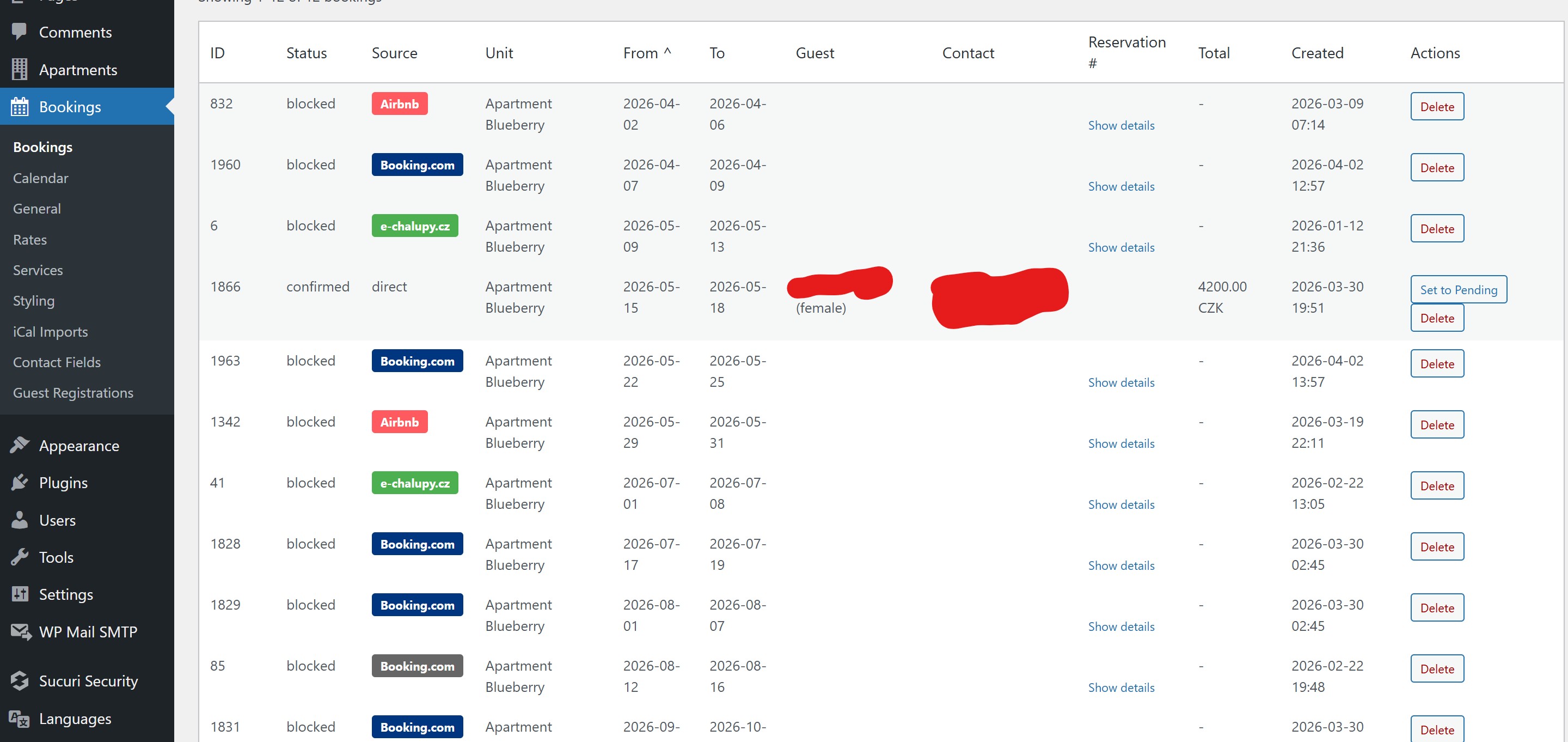
- Property Managers can block dates for personal use or maintenance and reopen their manual blocks directly from the booking calendar. These blocks are included in the existing Airbnb and Booking.com iCal exports, without granting access to accommodation or integration settings.
- Added date-specific minimum-stay rules to apartment settings, so hosts can set a different minimum for selected arrival dates while keeping the regular minimum for all other dates.
- Discount codes in Rates & Discounts can now be restricted to selected check-in dates and stay lengths.
2.2.28
- Dates shown in the administration now follow the language of the logged-in administrator, including Czech day-month-year formatting.
- Guests can cancel direct bookings from the reservation portal, with configurable day-based Stripe refund rules. Refund history appears in booking administration, failed refunds can be retried, and imported channel bookings or non-Stripe payments are excluded.
2.2.27
- The iCal export box (Bookings > iCal Imports and the apartment edit screen) now shows the direct-only link first as the recommended option. The link with all reservations, including imported iCal blocks, is collapsed under “Advanced” with a warning that a misconfigured import can make blocks circulate endlessly between channels. The iCal guide in the documentation was updated the same way.
- Added a restricted “Property Manager” role and a new
vstrb_manage_bookingscapability. Users with this role can open Bookings (reservations), Calendar and Guest Registrations, confirm reservations and mark payments as paid without WordPress administrator access. Rates, Apartment Content, iCal Imports and Settings still require an administrator. Administrators have the new capability automatically.
2.2.26
- Fixed booking-form service names remaining in English when the form language is set to a short code such as
cs. - Added an optional setting in Settings > iCal, “Closed periods in iCal export” (off by default). When enabled, closed months, date ranges and days of the year set in an apartment are added to its iCal export as “Blocked” events for the next 2 years, so Booking.com, Airbnb and other portals block them too. Applies to both the full and the direct-only export.
2.2.25
- The guest portal now shows a payment QR code (Czech QR platba, PAY by square, EPC/SEPA or Swiss QR-bill, depending on the account and currency) under the bank transfer instructions when bank transfer is available and an amount is due.
2.2.24
- Airbnb iCal events labelled “Not available” without a reservation ID are again not imported as blocked dates by default (the 2.2.20 change was reverted). Airbnb uses them for owner blocks and its own availability rules, and they appear and disappear from the feed, which blocked dates and triggered false “iCal reservation cancelled” emails.
- Added an optional global setting in Settings > iCal Imports, “Import Airbnb ‘Not available’ events as blocked dates” (off by default; applies to all apartments and feeds), for those who block dates directly in Airbnb. Real reservations are always imported. Added translations in all bundled languages.
- Added payment QR codes for EUR payments to Slovak accounts (PAY by square), Swiss and Liechtenstein accounts (QR-bill) and other SEPA IBANs (EPC QR), in addition to the existing Czech QR for CZK. Updated the IBAN setting description and translations.
- Unified booking form validation notices: minimum-stay and similar quote messages appear as warnings, and warning/error notices share configurable colors and corner radius in Styling.
- Updated translations for the unified validation notice settings in all bundled languages.
- Added a separate setting for document photos in the public guest registration form (Settings): show as optional, required, or hide the upload completely, independently of the reservation photo uploads in the admin. Added translations in all bundled languages.
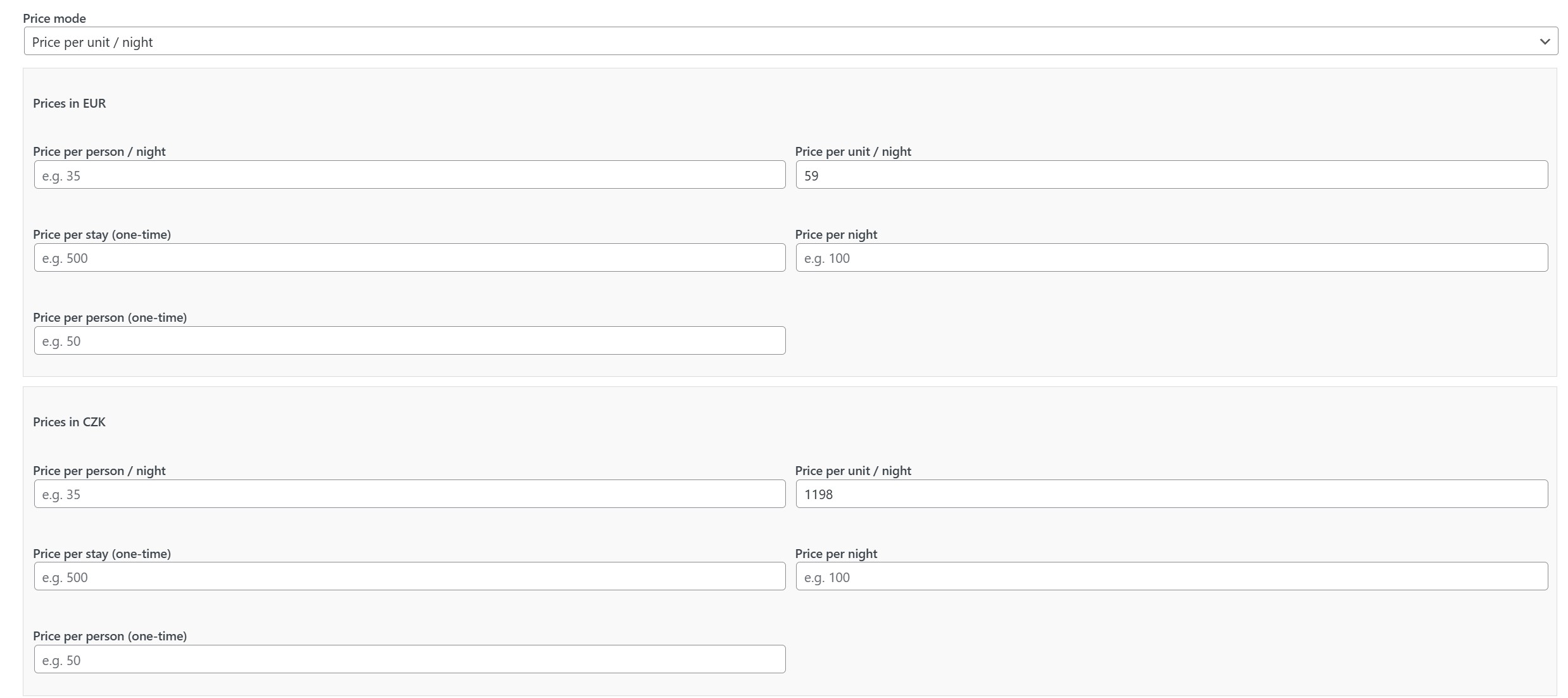
- Removed the obsolete standalone “Price per night” accommodation pricing mode; use “Price per unit / night” instead.
2.2.23
- Fixed HTML-encoded umlauts appearing as entities in booking-form calculator service labels when the widget uses a different language.
- Fixed translations
2.2.22
- Added an extra guest fee per apartment: set the number of guests included in the price and a per-night fee (per currency) for each additional guest. Children under the free accommodation age limit are not charged, and the fee is included in the total, deposit, and balance.
2.2.21
- Fixed HTML-encoded characters such as German umlauts appearing literally in price calculator rate and service labels when the booking form uses another language.
2.2.20
- With whole-week bookings enabled, the availability calendar now shows only the weekly price on change-over days; per-night prices on other days are hidden.
- The booking form opened from accommodation search now displays the price calculator for the selected dates immediately and refreshes it after required services load.
- Accommodation search can preset the booking form’s country and phone prefix in the shortcode, block editor, and Elementor widget.
2.2.19
- Send guests a payment receipt email after each newly matched payment, including the paid amount, remaining balance, payment reference, and guest reservation portal link.
2.2.18
- Moved documentation to public, searchable language-specific guides on vachr.cz. Contextual help opens the matching guide in a new tab; article translations are maintained outside the plugin gettext catalogs.
- Added optional whole-week bookings with a configurable change-over day and minimum and maximum week limits.
- Highlighted change-over days in the availability calendar, preselected the minimum stay in full weeks on the first click, and set the end date on the second click; a third click starts a new selection. Weekly prices use the existing nightly rates.
2.2.17
- Fixed German umlauts and other HTML-encoded characters in service names and details on the public booking form.
2.2.16
- Added search templates for
[vstrb_search]:template="classic|compact|full|modern|minimal|showcase". A template sets the form look and the default result layout, description, amenities and link; explicit attributes (result_layout,show_description,show_amenities,amenities_limit,show_link) still override it. - The search form is now a single row (check-in, check-out, guests, rooms, button) and no longer offers children; the booking form keeps its own children option.
- Added a rooms filter to
[vstrb_search](minimum number of rooms, hidden withshow_rooms="0"). - Added
form_labels="icons"to[vstrb_search]: icons inside the fields with tooltips and a magnifier icon on the search button instead of text labels. - Added the template, field labels and rooms filter options to the “Accommodation search” block, and a new “Accommodation search” Elementor widget with all search options and style controls.
[vstrb_search]now uses a modern range date picker: pick the check-in date and the check-out date opens immediately, with the stay range highlighted.- Hardened the search result photo arrows and date picker arrows against theme button styles that distorted them.
- Added a live search box and a “Show selected only” option to the amenities list in the apartment settings, so a long amenity catalog is easy to navigate. Matches the name, code, description and category, ignoring case and diacritics. Translated into all bundled languages.
2.2.15
- Added Elementor support: native Elementor widgets for apartment photos, description, property details, amenities, availability calendar, and booking form, with widget-specific controls and icons.
- Elementor widgets now expose the full shortcode options: gallery caption position, alignment, offsets and colors; booking form design, field order, guest, child, country and consent options, discount code and lazy loading; availability calendar design.
- Added Elementor style controls (typography and colors) for the widget title, gallery captions, property details labels, values and icons, description, and amenities.
- The apartment page wizard offers Elementor as a page editor and, when Elementor is active, creates pages with native Vachr widgets instead of generic shortcode widgets.
- Fixed gallery aspect ratio and link options in the Elementor widget and Elementor widget base class compatibility.
2.2.14
- Documented the page-editor choice and clarified that optional AI page text generation is available for Gutenberg pages.
- Added configurable initial accommodation results to
[vstrb_search]; it shows three accommodations by default, andinitial_results="0"disables the initial list. - Search result cards now show available guest and child capacity, room and bed counts, and floor area with icons.
- Added icon and text display options to
[vstrb_unit_details]; compact icon display is now the default.
2.2.13
- Calendar prices now recalculate for the selected number of guests and reflect occupancy discounts.
- Added an apartment setting to exclude children up to a selected age from accommodation guest pricing; each child’s age is applied individually, while all children still count toward capacity and services.
2.2.12
- Added a “Property details” step to the apartment setup wizard: rooms, bedrooms, bathrooms, beds, floor area (m² or ft²), floor, and address.
- Added the
[vstrb_unit_details]shortcode that displays these details (optionalshowandlanguageattributes) and included it in the apartment page wizard and the shortcode lists. - Added the
[vstrb_unit_gallery]shortcode that displays the images assigned to the apartment (optionalcolumns,size,ratio,fit,image_ids,filter_images,link,captionsandlanguageattributes). The same gallery is available as the “Apartment gallery” block with settings for columns, image size, aspect ratio, cropping, visible photos, click behaviour, captions, caption language and caption styling. Captions can appear below or over the image, with configurable top or bottom placement, pixel offsets from each edge, centered by default, text color, background color and transparency (including fully transparent), font family and size. Separate blocks can show different photo selections. Edit each photo’s default caption and per-language translations in the apartment’s Apartment Gallery box; its Media Library caption is prefilled by default. Captions follow the page language or the language selected for that gallery block. The block preview follows the photo order set by dragging images in the gallery box. Clicking a photo on the public page opens a lightbox by default, with previous/next navigation and optional captions. The apartment page wizard inserts this block with its page language and fills it with the apartment photos automatically. - Added aspect ratio options (original, square, 3:2, 4:3 and 16:9) and image fitting options to the apartment gallery. Added translations for the new gallery controls in all available languages.
- Extended
[vstrb_unit_details]with guest capacity, an optional child limit, and grid, compact, and table layouts. - Added editor toolbar settings for all rental shortcodes, including field and layout controls for apartment details.
2.2.11
- Booking emails now list only custom contact fields defined by the admin and filled in by the guest; internal system fields are no longer included.
- Fixed accented characters (for example “ä” in German) turning into “?” in emails by forcing UTF-8 with quoted-printable transfer encoding.
2.2.10
- Added a per-user language selector for Vachr screens in the WordPress admin, including Portuguese and Russian.
2.2.9
- iCal feeds are now imported every 10 minutes instead of hourly, and reservation emails are read every 30 minutes.
- Reservation emails that arrive before the iCal import has created the reservation are retried for 48 hours instead of being marked unmatched. Emails with only an arrival date are matched by it, emails with only a reservation number and status can be matched by the time of the iCal import (experimental, off by default; “Match by time” in Email Reservations), and the reservation number is stored on the imported reservation.
2.2.8
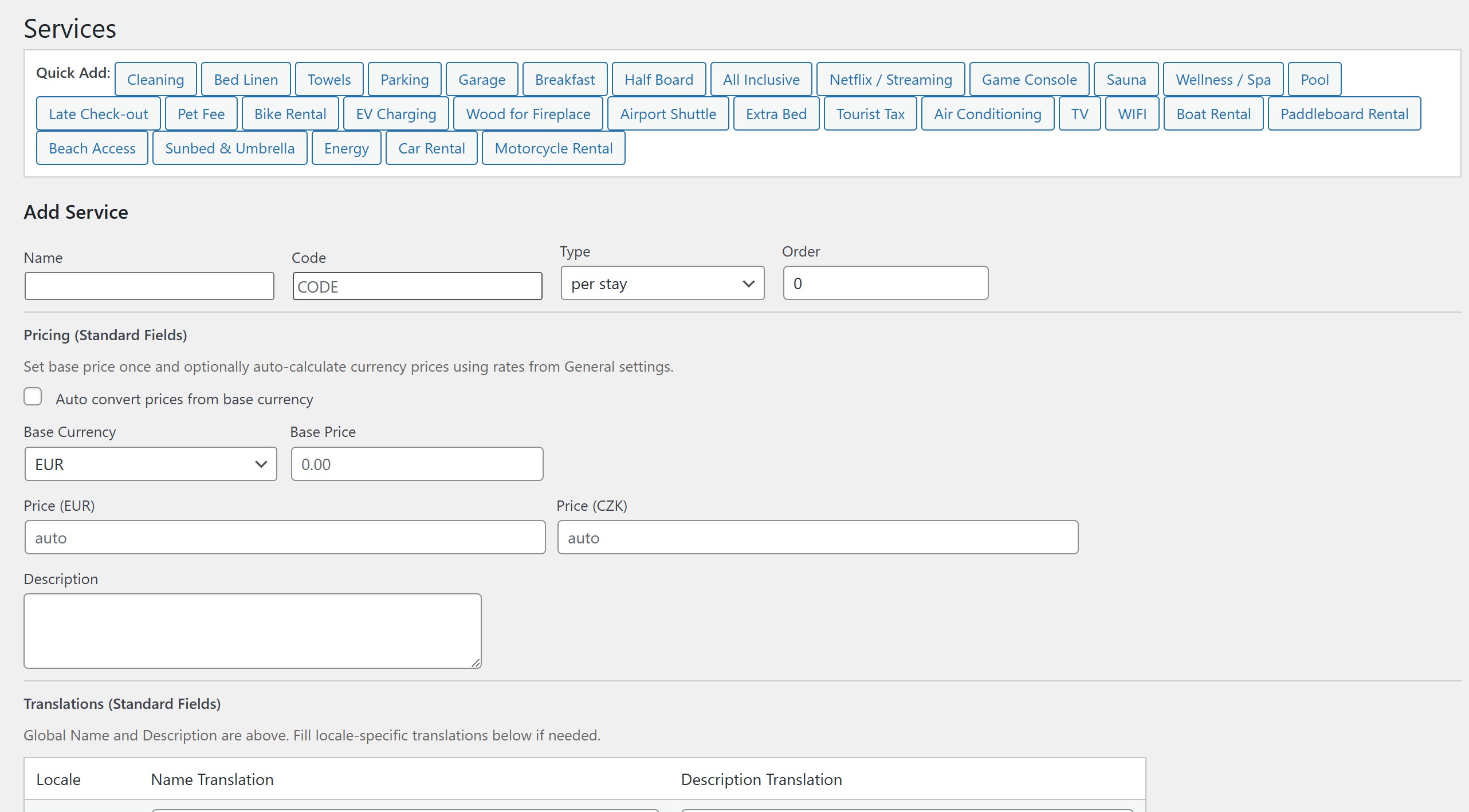
- Added the service pricing type “per person/night, % of price with cap” for taxes charged as a percentage of the nightly price, such as the French tourist tax for unclassified rentals: percentage of the nightly price divided by the number of guests, charged per adult, limited by a cap per person and night and increased by a surcharge (defaults 4.5 %, cap 1.80, +10 %). The formula can be set per apartment directly in the apartment wizard, and a ready-made “Tourist Tax (France, unclassified)” service template is included.
2.2.7
- Guest portal arrival instructions are now shown from the number of days before arrival set on the apartment (“Send days before arrival”; default 1 day, from midnight) instead of a fixed 24 hours.
- Added a rule for when arrival instructions are shown in the guest portal: by time only, after payment, after guest registration, or after both. Set it globally in the payment settings and override it per apartment. Reservations imported from Booking.com, Airbnb and other iCal channels can be treated as paid.
- The guest portal now has a clearer card layout with status badges, a payment summary table and selectable payment-method cards. Bank transfer instructions now fill in the payment reference, amount and currency.
- Fixed the guest portal hiding payment methods for unpaid reservations when the payment schedule required the full amount up front.
- A guest registration matched to a reservation imported via iCal now stores the guest’s email and name on it and emails the guest a link to the reservation portal, including for registrations submitted from the portal.
- Added an Email Reservations settings tab with per-platform email parsers (Booking.com, Airbnb and other platforms, each with its own sender, number style and custom patterns) and an optional separate IMAP mailbox. It reads confirmation emails in any language, extracts the reservation number (or the stay dates when the iCal feed carries no number) and guest email, links them to the iCal reservation and emails the guest the reservation portal link.
2.2.6
- Removed Events and Appointments from this plugin; both are now maintained as separate plugins.
- Added a guest reservation portal. Create its WordPress page from Bookings; reservation emails include a secure link so guests can view their booking and payment status, see guest-registration completion, open the identity-document form on demand, and choose from the payment methods enabled for the booking when a balance is due.
- The guest portal shows apartment arrival instructions, including access details and Wi-Fi information, from 24 hours before check-in. Staff can also open the portal for a reservation from its booking actions.
2.2.5
- Added an apartment gallery. The new “Apartment Gallery” box on the apartment edit screen lets you pick several images from the media library and reorder them by dragging.
- The accommodation search results now show the featured image followed by the gallery images, with previous/next arrows on each result.
- The search endpoint returns an
imageslist (url and alt text) for every unit;imageis kept for compatibility. - Added styling of the accommodation search to the Appearance settings: result card background, border and radius, accommodation name, total price and gallery arrows. The form background now applies to the search form too.
- Added translations for the gallery and the search styling to all supported languages.
2.2.4
- Added the
[vstrb_search]shortcode and the “Accommodation search” block. Guests enter check-in, check-out and the number of guests and get a list of the accommodation that is free for the stay, with the total price. Choosing a unit opens the booking form with the dates and guests already filled in and the live price quote, so the guest only enters their details, picks a payment method and sends the reservation. Availability, capacity and stay limits are checked exactly as when a booking is created. - The block has a settings (cog) dialog like the booking form block: searched accommodation, currency, language, layout, design, field order, payment methods and optional fields.
- Added the
POST /wp-json/vstrb/v1/searchendpoint used by the search form. - Added translations for the new search to all supported languages.
2.2.3
- Added a discount by number of guests. When fewer guests than the apartment capacity book a stay, you can set a separate discount for each guest count (fixed amount per night in each currency, or a percentage of the accommodation price), so it does not have to be linear. Configure it in the apartment’s pricing section, under “Discount by number of guests”. It is not applied to per-person price modes and appears as its own line in the price breakdown.
- Added translations for the new discount to all supported languages.
2.2.2
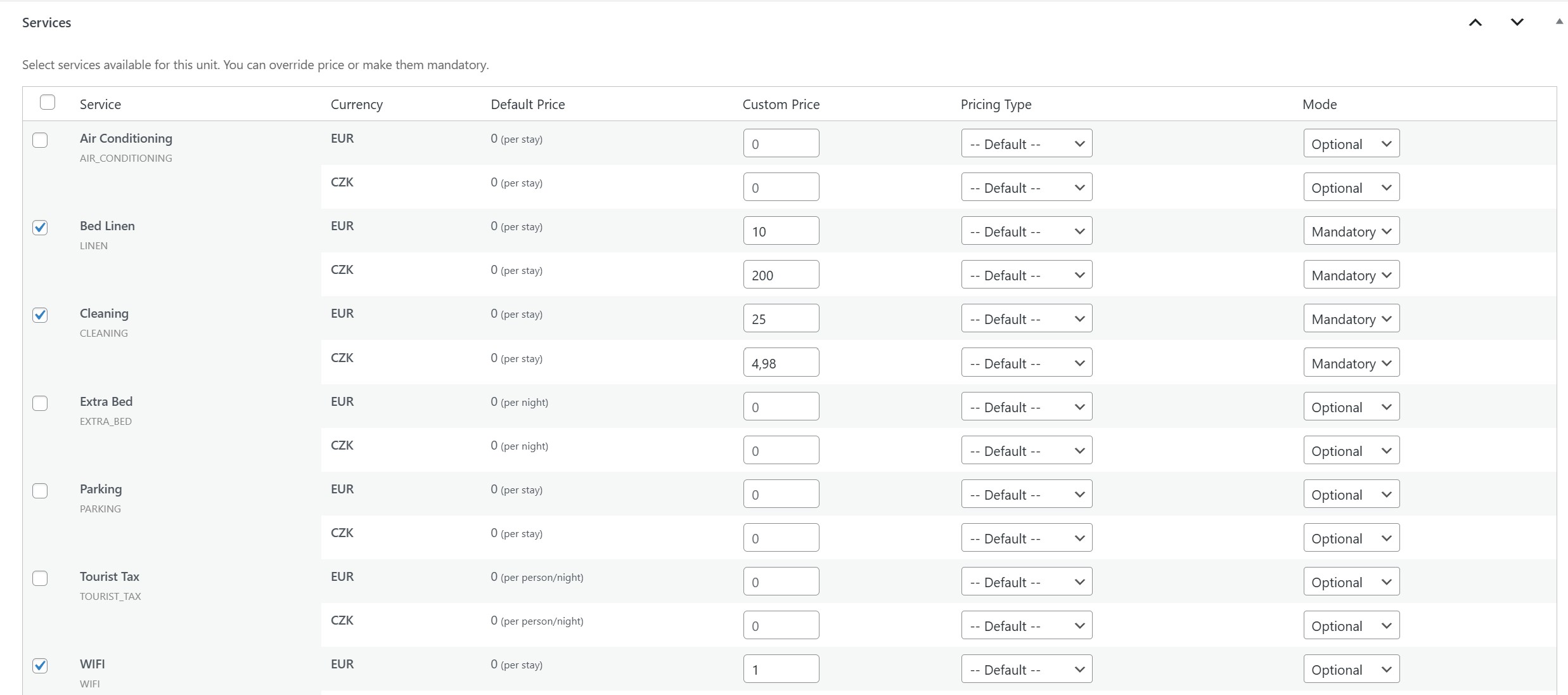
- Added per-apartment discount rules for children (by age range) and disabled guests. A rule gives a percentage discount (100 % = free) on per-person services such as the tourist tax, and can be limited to selected services. Configure them in the apartment’s Services tab.
- The booking form shows a “guests with a disability card” field when the apartment has a disabled-guest rule; the live price quote accounts for child ages and disabled guests.
- Reservations store the number of disabled guests (
disabled_guests, new column added automatically on update); it is editable in the admin and accepted by the REST/application API.
2.2.1
- Added an authenticated REST API (
/wp-json/vstrb/v1/api/) for reservations, price offers, payments and invoices. It uses WordPress Application Passwords over HTTPS, per-user permissions and apartment scope (user profile), mandatoryIdempotency-Keyreplay protection for creating/sending operations, an audit log and a common error format. See docs/openapi.yaml. - Added
vstrb_api_requestsandvstrb_api_audittables, created automatically on update.
2.2.0
- Refactored the booking core into shared reservation and price-offer services with apartment-scoped permissions.
- Core refactoring: shared payment and invoice operations for admin, webhooks and scheduled balance collection, with transaction-safe updates and duplicate-payment protection.
2.1.86
- Fixed price-offer emails retaining the previous total or breakdown after a percentage or fixed discount was saved; offer data is refreshed before sending.
- Extracted shared booking operations for availability, calendars, quotes, price snapshots and reservation creation. Existing REST endpoints and admin price recalculation use the shared service; direct integrations can supply explicit caller permissions without REST request objects or form CAPTCHA.
- Fixed a missing payment-metadata reader used by cash payments and balance-payment processing.
- Organized booking-form defaults by purpose: currency follows General base currency, language and selected country are set in General, payment methods are set in Payments, and Appearance contains form presentation settings. Individual blocks and shortcodes can override applicable defaults.
- Added an immediately updating, docked live appearance preview with a slide-out toggle and persistent save control.
- Added translations for the new appearance and booking form settings across the bundled languages.
- Added a public availability JSON endpoint and a machine-readable page-head link for booking pages; availability dates are not added to page content.
- Added the
[vstrb_ai_availability]shortcode to advertise the public JSON endpoint on a page without visible output.
2.1.85
- Fixed apartment setup wizard saves being blocked by native browser validation on pricing fields; the wizard now uses its own validation while active.
- Replaced the lazy booking form’s standalone load button and small spinner with an animated skeleton that reserves space for the calendar and form fields until the form is ready.
- Added a retry action if the lazy booking form cannot be loaded.
- Added a reserved-height, branded loading state to booking and availability calendars, with a clear message if calendar data cannot be fetched.
- Added translations for the branded loading message in all 11 bundled languages.
- Updated frontend asset versions to include stylesheet and lazy-loader modification times so browsers fetch the updated interface.
2.1.84
- Maintenance release.
2.1.83
- Maintenance release.
2.1.82
- Maintenance release.
Older entries are listed in changelog.txt shipped with the plugin.