

Mô tả
NeuroRAG Agent Chatbot adds a smart, AI-powered chatbot to your WordPress site. It supports multiple AI providers including OpenAI (GPT), Google (Gemini), xAI (Grok), and DeepSeek.
Watch the video demo: https://youtu.be/OcoDgLPsWwc?si=rjVMx3II3HFEv72c
Features:
- Multi-Provider Support: Choose from Claude, GPT, Gemini, Grok, or DeepSeek.
- Site Context Awareness: The chatbot automatically learns from your posts, pages, and WooCommerce products to answer user queries accurately using RAG (Retrieval-Augmented Generation).
- WooCommerce Integration: Recommends products, checks stock status, and provides product details.
- Customizable: Change the chatbot name, welcome message, and position on screen.
- Secure: API keys are stored securely.
External Services
This plugin utilizes the following third-party services to provide AI chatbot functionality. Data (user messages and site context) is sent to these services only when you configure an API key for them and users interact with the chatbot.
- Anthropic (Claude): Used for generating AI responses. Terms of Service | Privacy Policy
- OpenAI (GPT): Used for generating AI responses. Terms of Use | Privacy Policy
- Google (Gemini): Used for generating AI responses. Terms of Service | Privacy Policy
- xAI (Grok): Used for generating AI responses. Terms of Service | Privacy Policy
- DeepSeek: Used for generating AI responses. Terms of Use | Privacy Policy
Ảnh màn hình
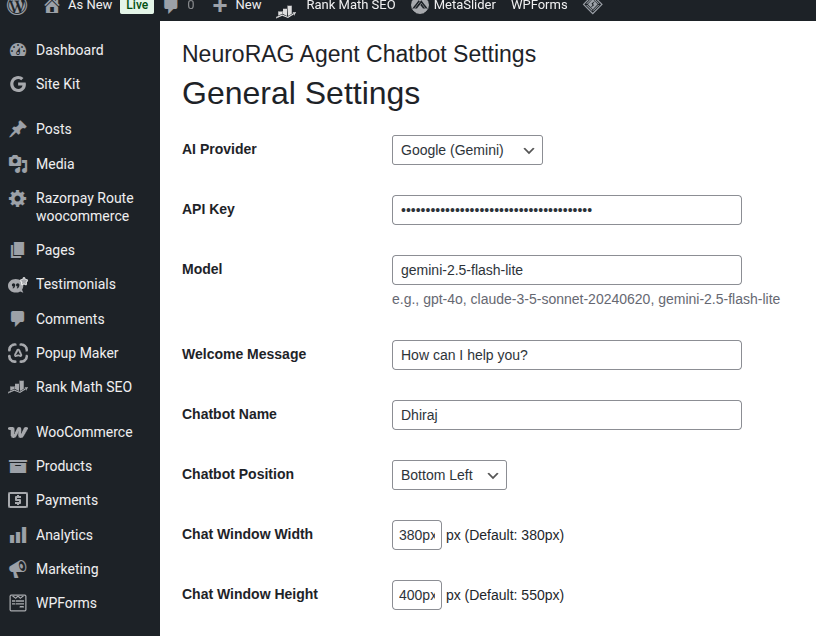
Plugin Settings: Configure AI provider, model, and chatbot appearance. 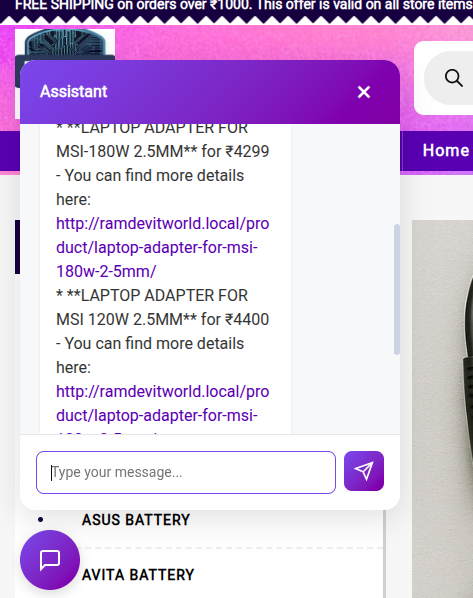
Frontend Chat Interface: View of the chatbot widget on the site. 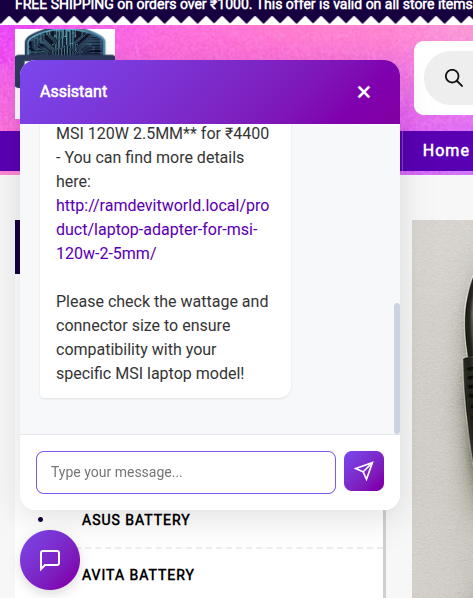
Chat Interaction: Example of a user asking a question and the AI responding. 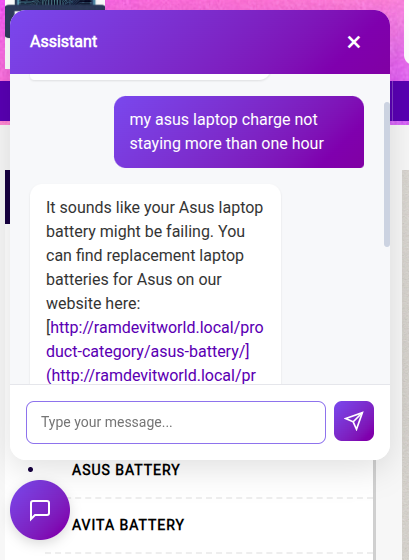
Mobile View: Fully responsive chat widget on a mobile device. 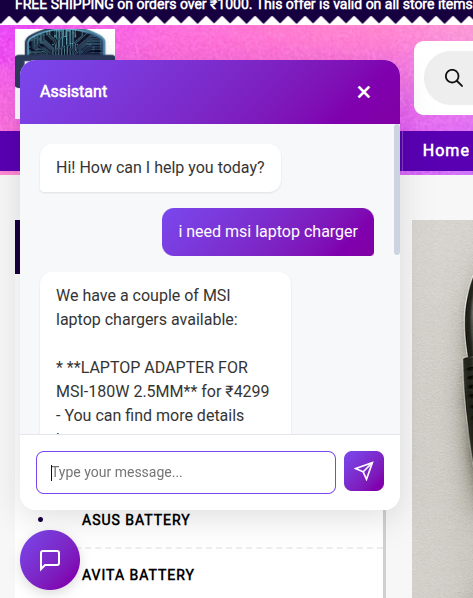
Chat Response: Smart chat response along with product links.
Cài đặt
- Upload the plugin files to the
/wp-content/plugins/neurorag-agent-chatbotdirectory, or install the plugin through the WordPress plugins screen directly. - Activate the plugin through the ‘Plugins’ screen in WordPress.
- Navigate to NeuroRAG Agent Chatbot in the admin menu.
- Enter your API Key for your chosen provider.
- Save settings and the chatbot will appear on your site.
Hỏi đáp
-
Do I need an API key?
-
Yes, you need an API key from one of the supported providers (Anthropic, OpenAI, Google, etc.).
-
Does it work with WooCommerce?
-
Yes, it is designed to read your WooCommerce products and help customers find what they are looking for.
Đánh giá

Người đóng góp & Lập trình viên
“NeuroRAG Agent Chatbot” là mã nguồn mở. Những người sau đã đóng góp vào plugin này.
Những người đóng góp
Dịch “NeuroRAG Agent Chatbot” sang ngôn ngữ của bạn.
Muốn tham gia phát triển?
Duyệt code, check out SVN repository, hoặc theo dõi nhật ký phát triển qua RSS.
Nhật ký thay đổi
1.0.0
- Initial release.