

Mô tả
This plugin allows you to securely accept payments and process payments between WooCommerce and ProCharge.
The ProCharge plugin is PCI and SAQ A-level compliant.
To learn more about ProCharge click here.
Accept payments anywhere, anytime
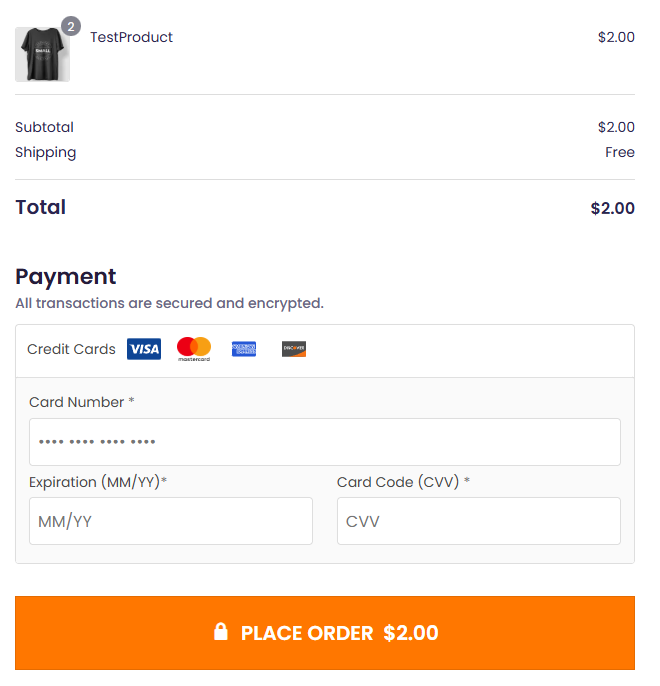
- The ProCharge Payment Gateway plugin extends WooCommerce to allow you to accept payments via ProCharge.
Ảnh màn hình


Cài đặt
Automatic installation
Automatic installation is the easiest option as WordPress handles the file transfers itself and you don’t need to leave your web browser. To
automatically install ProCharge Payment Gateway, log in to your WordPress dashboard, navigate to the Plugins menu, and click Add New.
In the search field type “ProCharge Payment Gateway” and click Search Plugins. Once you’ve found our plugin you can install it by clicking Install Now, as well as view details about it such as the point release, rating, and description.
Manual installation
The manual installation method involves downloading our plugin and uploading it to your web server via your favorite FTP application. The WordPress codex contains instructions on how to do this here.
Updating
Before every update we recommend you backup your site just in case.
Đánh giá
Không có đánh giá nào cho plugin này.
Người đóng góp & Lập trình viên
“Procharge Payment Gateway” là mã nguồn mở. Những người sau đã đóng góp vào plugin này.
Những người đóng góp
Dịch “Procharge Payment Gateway” sang ngôn ngữ của bạn.
Muốn tham gia phát triển?
Duyệt code, check out SVN repository, hoặc theo dõi nhật ký phát triển qua RSS.
Nhật ký thay đổi
1.0.15
- Credit card number field validation.
- Credit card cvv field validation.
1.0.14
- Lowered required PHP version from 8.4 to 8.3.
1.0.13
- Enable Card On File in payment settings.
- Display saved tokens on check out page for returning customer.
1.0.12
- Security fixes
- Removed $Session
- Modified plugin url for loading payment images
1.0.11
- Session_Start display fix
- Save customer fee amount
1.0.10
- Display Admin Fee in cart and checkout
1.0.9
- Admin Fee
1.0.8
- User Pin wasn’t being passed.
- Tested on WordPress 6.9 and PHP 8.4
1.0.6
- User Pin in settings updated to Reg Key.
1.0.5
- Plugin released.