

Mô tả
Authora
Authora is a lightweight and developer-friendly WordPress plugin that enables users to log in using just their mobile number — no passwords, no emails, no hassle.
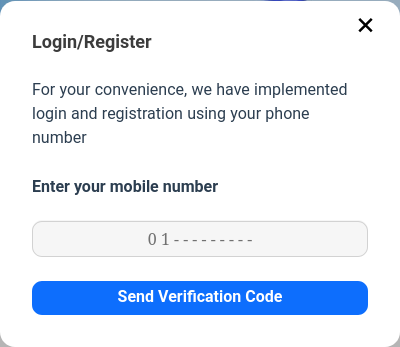
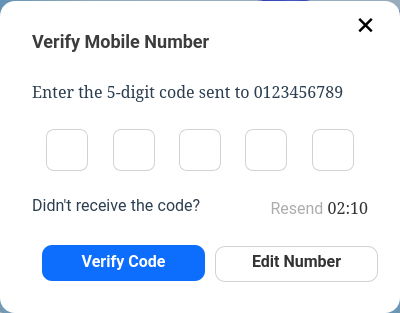
It provides a modern, secure, and user-friendly passwordless login experience for WordPress websites, using OTP (One-Time Password) verification via SMS.
Features:
-
Passwordless Login
-
Login with mobile number only
-
Automatic sending of verification code (OTP) via SMS
-
Automatic registration on first login (if no account)
-
Compatible with popular WordPress themes and plugins
Why Authora?
In today’s world, users are tired of lengthy registration and login forms. Authora provides a fast and enjoyable experience, especially for WooCommerce stores, membership sites, and websites that want to make the login process simpler and more secure.
External services
This plugin connects to external SMS service providers to send verification codes. The following data is sent to these services:
- Mobile number: The user’s mobile phone number for sending SMS verification codes.
- Verification code: A randomly generated numeric code for authentication.
- API credentials: Your configured API keys and settings for the selected SMS provider.
The plugin supports the following SMS providers:
API Endpoints:
SMS.ir
– https://api.sms.ir/v1/send/verify
IPPanel Infrastructure
- https://api2.ippanel.com/api/v1/sms/pattern/normal/send
- Faraz SMS
- Shahvar Payam
All communications with external services are done securely over HTTPS. The plugin does not store or transmit any personal data beyond what is necessary for SMS delivery.
How can I get support?
For support, you can visit the plugin’s GitHub page:
https://github.com/Rayiumir/Authora
Ảnh màn hình
Cài đặt
Upload the plugin to your WordPress
/wp-content/plugins/directory.Activate the plugin via the WordPress admin panel.
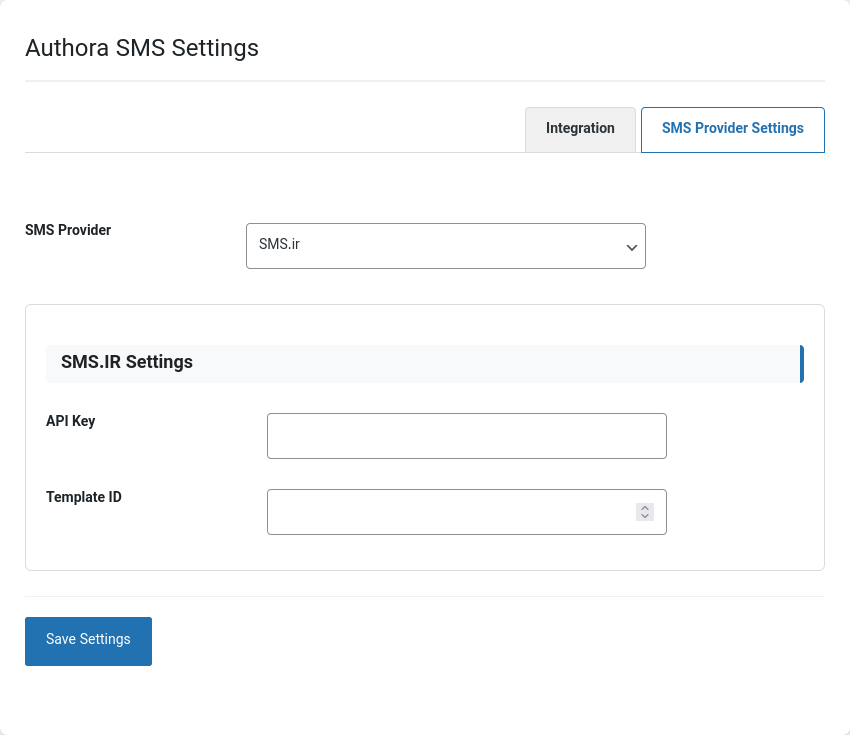
Configure your SMS gateway settings under Settings Authora.
Use the
[authora-login]shortcode wherever you want the login form to appear.<?php echo do_shortcode("[authora-login]"); ?>Use Pages :
<?php echo do_shortcode("[authora-login show_modal="false"]"); ?>
or
[authora-login show_modal="false"]
Hỏi đáp
-
Authora allows users to quickly log in or register on your WordPress site using their mobile number. Users can access your site without a password, simply by receiving a verification code via SMS.
-
Yes, Authora is fully compatible with WooCommerce. You can enable mobile login for the WooCommerce login form as well.
-
Which SMS providers are supported by the plugin?
-
Currently, Authora supports SMS.ir, Faraz SMS, and ShahvarPayam as SMS providers. We will be adding international SMS providers soon.
-
Can I customize the SMS message content?
-
Yes, you can customize the SMS message and template from the plugin settings and your SMS provider’s panel.
-
Yes, Authora is completely free and you can use it without any charges.
-
No, Authora works independently and does not require any additional plugins. You only need to enter your SMS provider details.
-
Yes, the plugin is fully multilingual and supports both English and Persian.
-
What should users do if they don’t receive the SMS code?
-
If a user does not receive the SMS, they can use the “Resend” option. Also, make sure the SMS provider settings are entered correctly.
-
Can I change the appearance of the login form?
-
Yes, you can customize the appearance by editing the plugin’s CSS files or adding your own custom CSS.
Đánh giá
Không có đánh giá nào cho plugin này.
Người đóng góp & Lập trình viên
“Authora : Easy login with mobile number” là mã nguồn mở. Những người sau đã đóng góp vào plugin này.
Những người đóng góp
Dịch “Authora : Easy login with mobile number” sang ngôn ngữ của bạn.
Muốn tham gia phát triển?
Duyệt code, check out SVN repository, hoặc theo dõi nhật ký phát triển qua RSS.