
Mô tả
Show a list of terms assigned to the current post in the specified taxonomy. It also works in the new Query block.
Ảnh màn hình
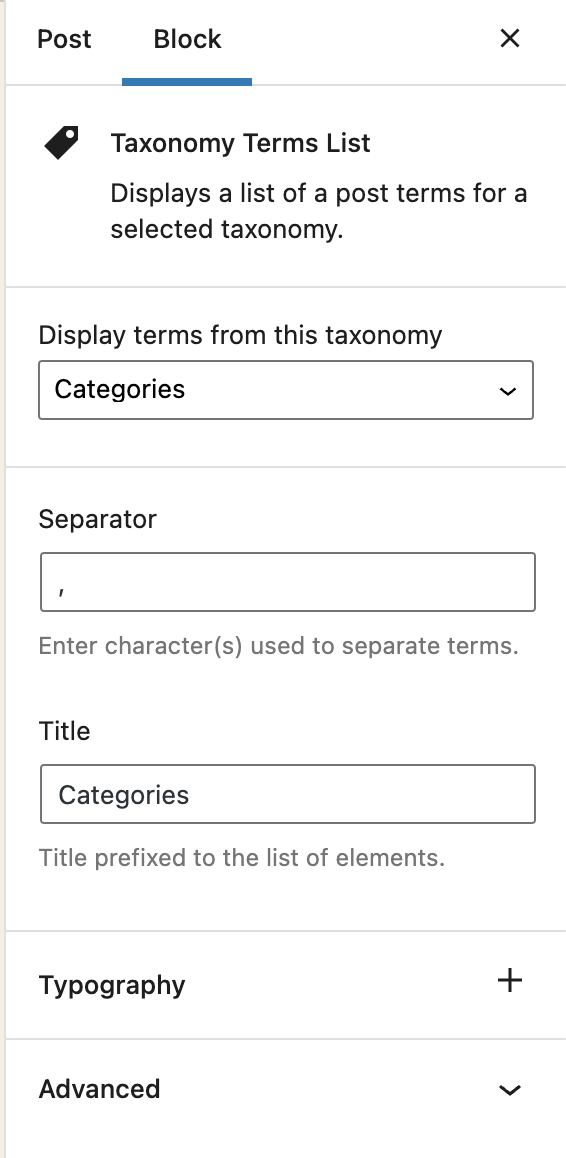
Block options 
Block content
Khối
Plugin này cung cấp 1 khối.
- Taxonomy Terms List Displays a list of a post terms for a selected taxonomy.
Cài đặt
- Visit Plugins > Add New
- Search for ‘Taxonomy Terms List Block’
- Activate Taxonomy Terms List Block from your Plugins page.
- Open your block editor. Now you can add a new Taxonomy Terms List block.
Đánh giá

Người đóng góp & Lập trình viên
“Taxonomy Terms List Block” là mã nguồn mở. Những người sau đã đóng góp vào plugin này.
Những người đóng góp
“Taxonomy Terms List Block” đã được dịch qua 1 ngôn ngữ. Cảm ơn những người tham gia dịch vì đóng góp của họ.
Dịch “Taxonomy Terms List Block” sang ngôn ngữ của bạn.
Muốn tham gia phát triển?
Duyệt code, check out SVN repository, hoặc theo dõi nhật ký phát triển qua RSS.
Nhật ký thay đổi
1.1.2
Fix: The previous version did not properly include the translated strings. Props again to Christoph Herbst.
1.1.1
Fix: Some of the strings were not translatable. Props to Christoph Herbst.
1.1.0
Enhancement: Support custom background and text color.
Enhancement: Support custom spacing (margin/padding)
Some other UX improvements.
1.0.2
Fix: Taxonomy terms previsualization was not working in the block editor.
1.0.1
Allow to select any taxonomy if the current post has no taxonomies linked.
1.0
First release