

Mô tả
EXMAGE – WordPress Image Links giúp bạn tiết kiệm dung lượng lưu trữ bằng việc sử dụng đường dẫn ảnh ngoài. Những ảnh này được hiển thị trong thư viện Media như những ảnh khác để bạn có thể chọn ảnh cho các bài đăng/ảnh nổi bật của sản phẩm, ảnh thư viện sản phẩm,… hay bất kỳ đâu ảnh được chọn tư thư viện ảnh.
Try the Demo | Documents | Pro Version | | Facebook group
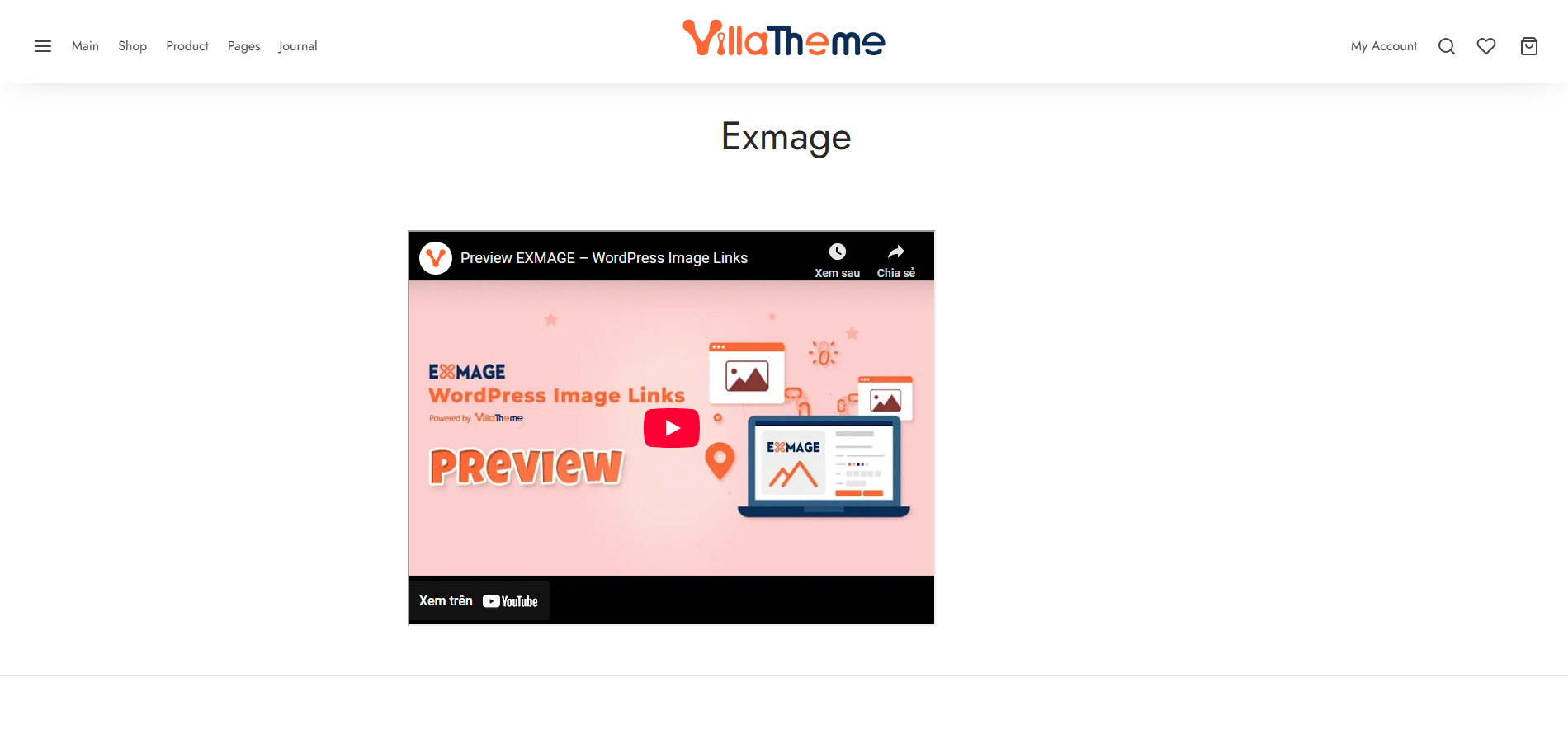
Preview EXMAGE – WordPress Image Links
How to install and use the plugin
Lưu ý quan trọng:
-
Plugin chỉ hỗ trợ URL ảnh thực có dạng mime ảnh chính xác. Plugin không hỗ trợ ảnh từ dịch vụ lưu trữ ảnh (như Flickr, Imgur, Photobucket …) hoặc dịch vụ lưu trữ tệp (như Google drive)
-
Ảnh ngoài được thêm từ plugin sẽ không tồn tại nếu plugin này bị ngừng kích hoạt
TÍNH NĂNG
-
Cho phép thêm URL ảnh đơn trên thẻ Tải lên tệp của thư viện Media
-
Cho phép thêm nhiều URL ảnh cùng một lúc ở bên dưới Tải lên tệp trên trang tải lên New Media
-
Ảnh ngoài có biểu tượng kèm giúp phân biệt chúng với những đính kèm thông thường khác.
-
Ảnh ngoài cũng có ID đính kèm giống các ảnh thông thường khác vì vậy bạn cáo thể sử dụng chúng bất kỳ đâu bạn muốn để chèn ảnh từ thư việc Media như các bài đăng/ảnh nổi bật của sản phẩm, ảnh thư viện sản phẩm, ảnh biến thể, ảnh danh mục sản phẩm…
-
Tương thích với ALD plugin: khi kích hoạt plugin ALD, sẽ xuất hiện tùy chọn là “Sử dụng đường dẫn ngoài cho ảnh” trong cài đặt plugin ALD > Sản phẩm. Bằng việc kích hoạt tính năng này, sản phẩm Aliexpress nhập về sử dụng plugin ALD sẽ sử dụng đường dẫn ảnh gốc Aliexpress cho ảnh nổi bật của sản phẩm, ảnh trong thư viện ảnh và ảnh biến thể thay vì việc lưu trữ ảnh trên máy chủ của bạn.
=Tích hợp=
if(class_exists( 'EXMAGE_WP_IMAGE_LINKS' )){
    $add_image = EXMAGE_WP_IMAGE_LINKS::add_image( $url, $image_id, $post_parent );
}
-$url: URL của ảnh bạn muốn xử lý
-$image_id: Thông qua bởi các tham chiếu
-$post_parent: ID của bài viết mà bạn muốn ảnh được đính kém vào. Nếu để trống, ảnh sẽ không được đính kém vào bất kỳ bài viết nào.
        [
        'url'       => $url,//Input URL
        'message'   => '',//Additional information
        'status'    => 'error',//error or success
        'id'        => '',//Attachment ID if added new or the attachment exists
        'edit_link' => '',//Attachment's edit link if added new or the attachment exists
        ]
CÓ THỂ BẠN CẦN
Abandoned Cart Recovery for WooCommerce
Advanced Product Information for WooCommerce
AFFI – Affiliate Marketing for WooCommerce
ALD – Dropshipping and Fulfillment for AliExpress and WooCommerce
Boost Sales for WooCommerce – Set up Up-Sells & Cross-Sells Popups & Auto Apply Coupon
Bopo – WooCommerce Product Bundle Builder
Bulky – Bulk Edit Products for WooCommerce
Cart All In One For WooCommerce
Catna – Woo Name Your Price and Offers
Checkout Upsell Funnel for WooCommerce
ChinaDS – Tmall-Taobao Dropshipping for WooCommerce
Clear Autoptimize Cache Automatically
COMPE – WooCommerce Compare Products
Coreem – Coupon Reminder for WooCommerce
CURCY – Multi Currency for WooCommerce – Smoothly on WooCommerce 9.x
Customer Coupons for WooCommerce
DEPART – Deposit and Part payment for Woo
Email Template Customizer for WooCommerce
EPOW – Custom Product Options for WooCommerce
EXMAGE – WordPress Image Links
Faview – Virtual Reviews for WooCommerce
FEWC – Extra Checkout Fields For WooCommerce
Free Shipping Bar for WooCommerce
GIFT4U – Gift Cards All in One for Woo
HANDMADE – Dropshipping for Etsy and WooCommerce
HAPPY – Helpdesk Support Ticket System
LookBook for WooCommerce – Shoppable with Product Tags
Lucky Wheel for WooCommerce – Spin a Sale
Notification for WooCommerce | Boost Your Sales – Recent Sales Popup – Live Feed Sales – Upsells
Orders Tracking for WooCommerce
Pofily – WooCommerce Product Filters
PRENA – Product Pre-Orders for WooCommerce
Product Builder for WooCommerce – Custom PC Builder
Product Size Chart For WooCommerce
Product Variations Swatches for WooCommerce
REDIS – WooCommerce Dynamic Pricing and Discounts
S2W – Import Shopify to WooCommerce
SUBRE – Product Subscription for WooCommerce – Recurring Payments
Suggestion Engine for WooCommerce
Thank You Page Customizer for WooCommerce – Increase Your Sales
TMDS – Dropshipping for TEMU and Woo
VARGAL – Additional Variation Gallery for WooCommerce
VIMA – Multi Customer Addresses for Woo
W2S – Migrate WooCommerce to Shopify
WebPOS – Point of Sale for WooCommerce
WPBulky – WordPress Bulk Edit Post Types
Đường dẫn plugin
Ảnh màn hình
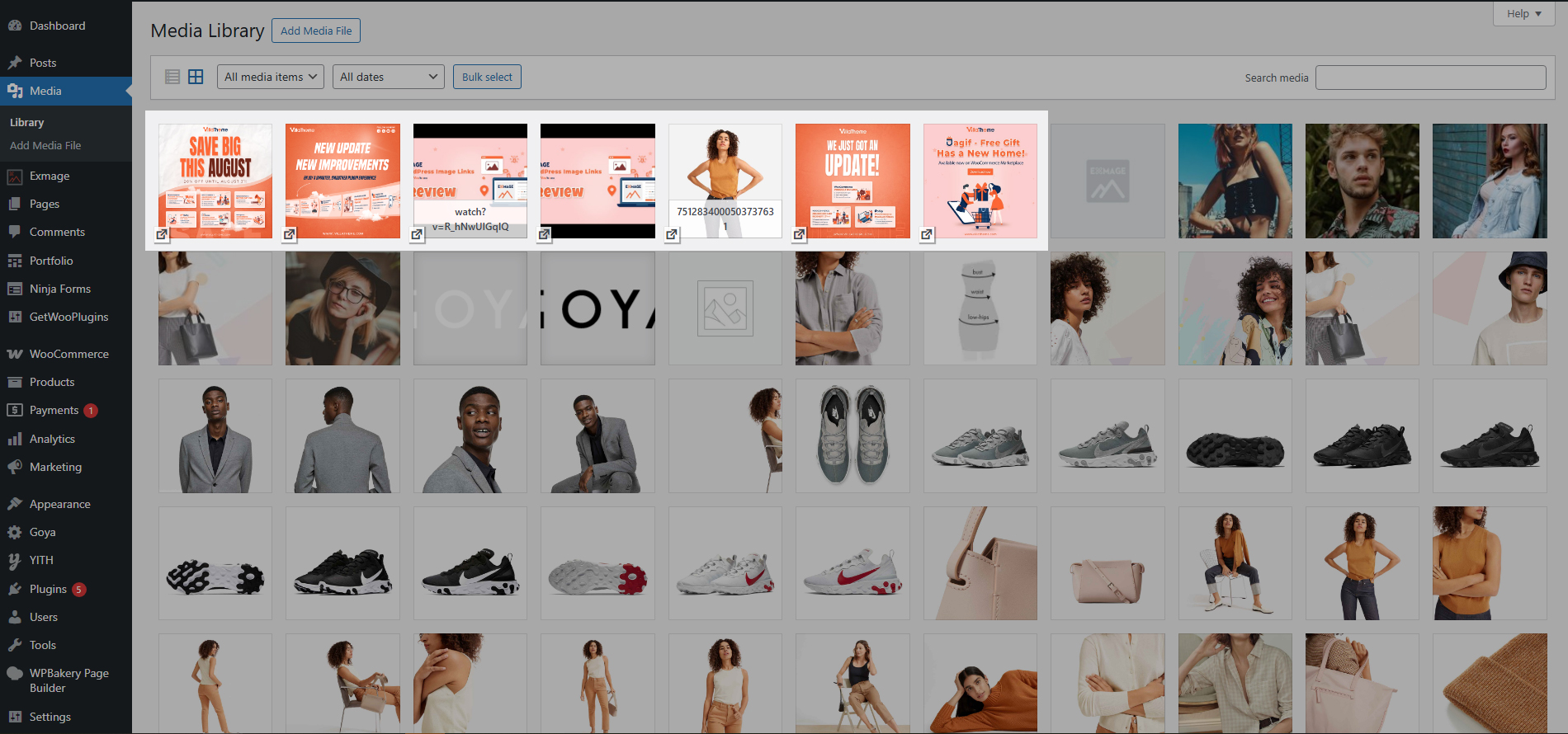
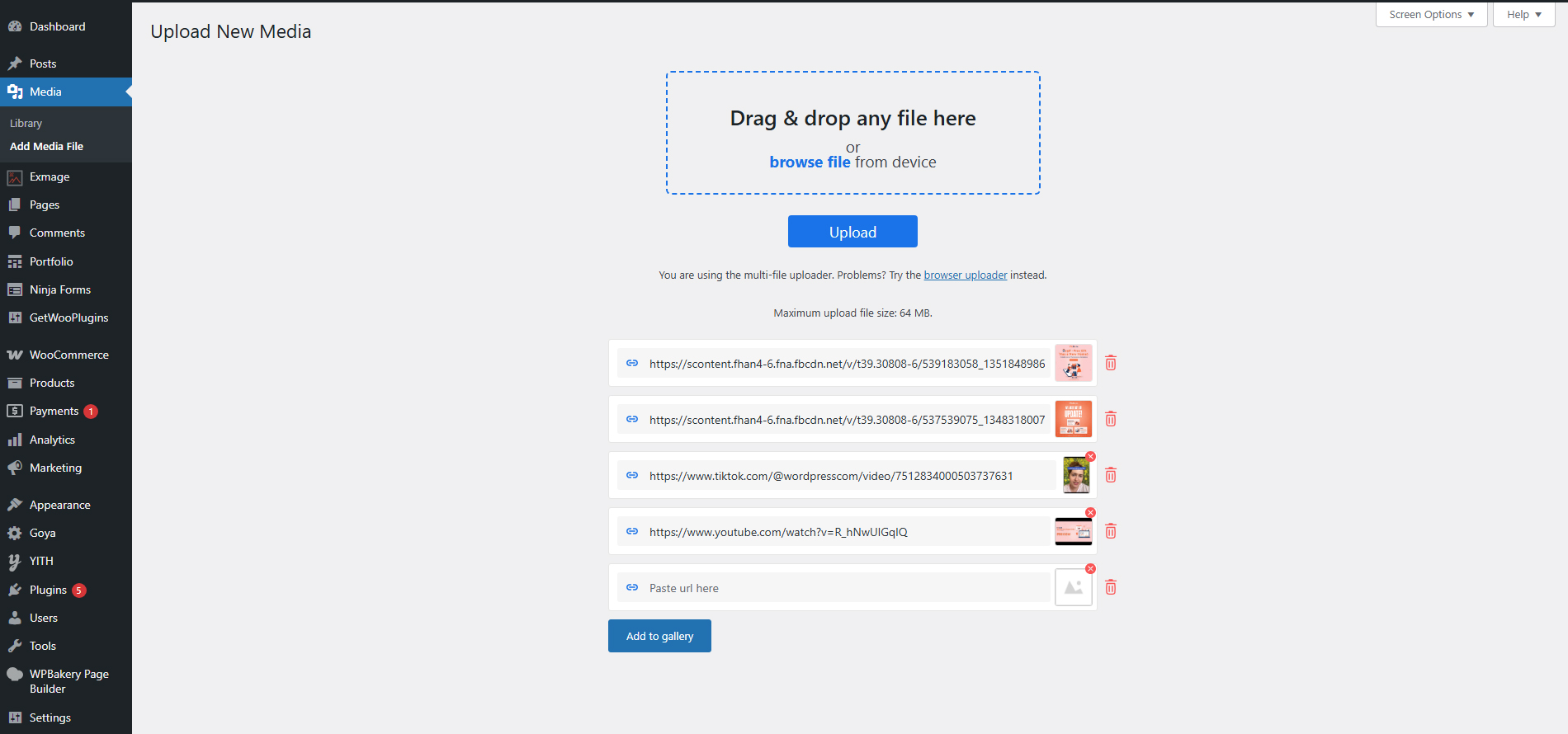
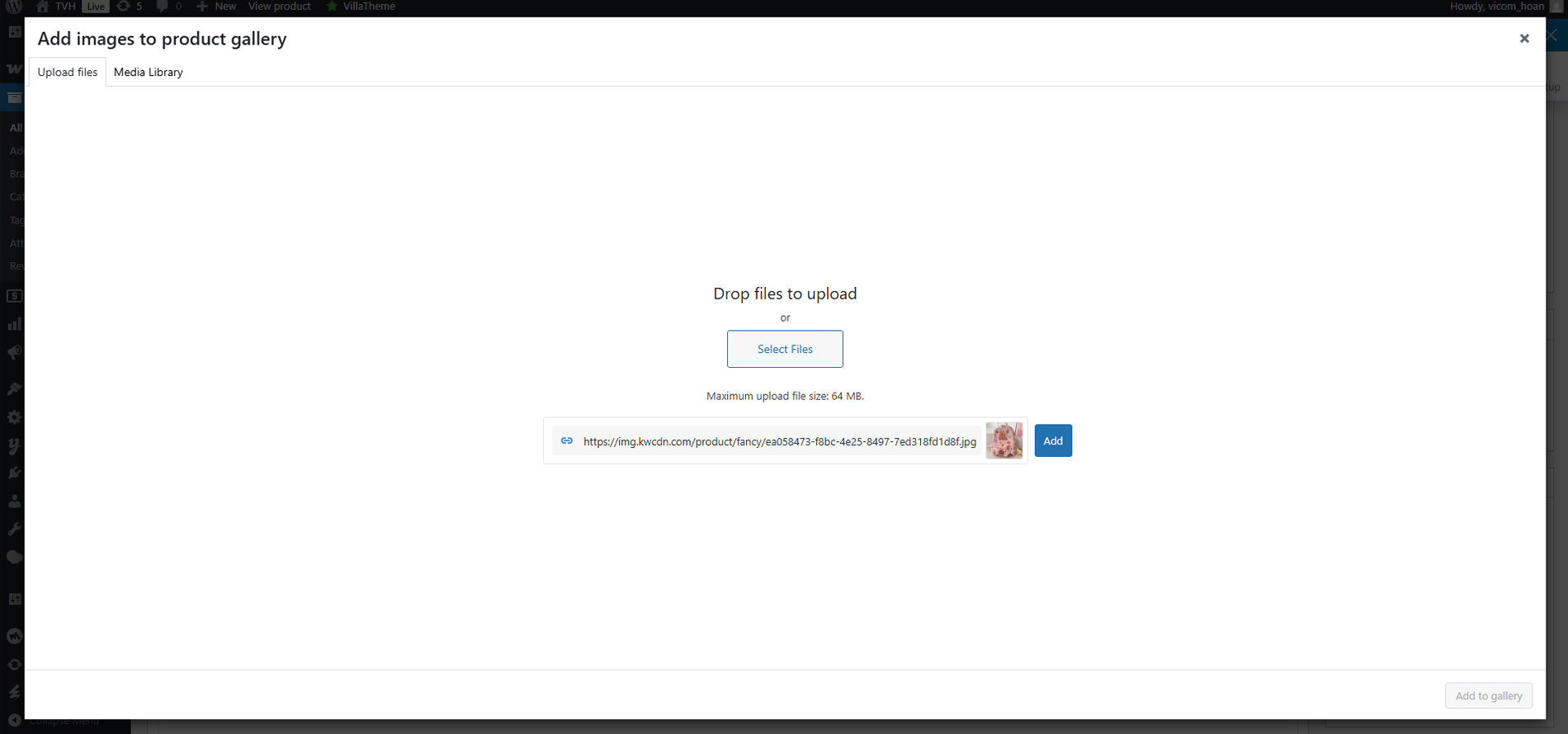
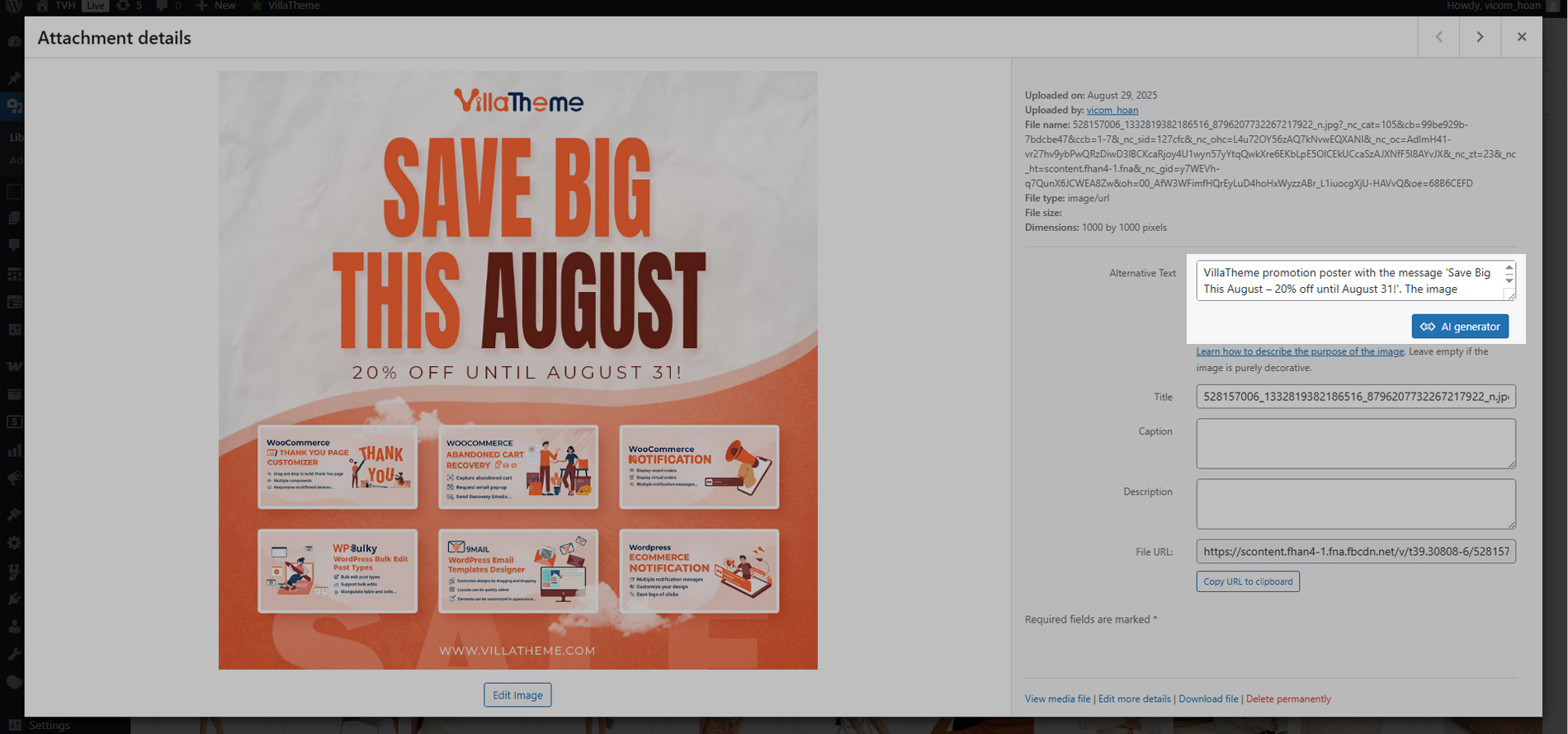
Cài đặt
- Giải nén gói tải xuống
- Tải
exmage-wp-image-linkslên/wp-content/plugins/thư mục - Kích hoạt plugin thông qua thực đơn “Plugins” trên WordPress
Đánh giá


Người đóng góp & Lập trình viên
“EXMAGE – WordPress Image Links” là mã nguồn mở. Những người sau đã đóng góp vào plugin này.
Những người đóng góp

“EXMAGE – WordPress Image Links” đã được dịch qua 1 ngôn ngữ. Cảm ơn những người tham gia dịch vì đóng góp của họ.
Dịch “EXMAGE – WordPress Image Links” sang ngôn ngữ của bạn.
Muốn tham gia phát triển?
Duyệt code, check out SVN repository, hoặc theo dõi nhật ký phát triển qua RSS.
Nhật ký thay đổi
2026.08.17 – version 1.1.4
– Updated: Compatible WooCommerce 11.0
2026.06.20 – version 1.1.3
– Updated: VillaTheme support
2026.04.18 – version 1.1.2
– Added: Bulk import multiple image URLs at once with preview and checkbox selection
– Added: Import images from CSV file (drag & drop or browse)
2026.01.20 – version 1.1.1
– Updated: Compatible with WC 10.4 and WP 6.9
– Updated: Update support class
2025.09.05 – version 1.1.0
– Updated: Updated to new interface
– Updated: Compatible with WC 10.1.2
– Updated: Update support class
2025.07.26 – version 1.0.25
– Updated: Compatible with WP 6.8.2 and WC 10.0.3
– Updated: Update support class
2025.04.18 – version 1.0.24
– Updated: Compatible with WP 6.8 and WC 9.8
– Updated: Update support class
2025.03.03 – version 1.0.23
– Fixed: Fixed call to undefined function get_current_screen()
2025.02.28 – version 1.0.22
– Added: Added filter images by Exmage on the upload.php page
– Added: Bulk download external images on the upload.php page.
– Updated: Compatible with WP 6.7.2 and WC 9.7
– Updated: Update support class
2025.01.20 – version 1.0.21
– Updated: Compatible with WC 9.5.2
– Updated: Update support class
2024.12.06 – version 1.0.20
– Updated: Compatible with WP 6.7.1 and WC 9.4.3
– Fixed: Cannot add image by URL in Media
2024.11.21 – version 1.0.19
– Updated: Compatible with WP 6.7 and WC 9.4
– Updated: Update support class
2024.06.14 – version 1.0.18
– Updated: Update support class
2024.04.13 – version 1.0.17
– Updated: Compatible with WP 6.5
– Updated: Update support class
2023.09.06 – version 1.0.16
– Updated: Add stop processing button
2023.05.12 – version 1.0.15
– Updated: Keep exmage link of product when import product from csv
2023.01.11 – version 1.0.14
– Updated: If the number of images is greater than threshold(20 by default, able to change via exmage_ajax_handle_url_threshold hook), they will be processed in the background
– Updated: Compatible with WPML’s attachment translations feature
– Dev: Added exmage_insert_attachment_image_name filter hook
2023.01.10 – version 1.0.13
– Fixed: Compatibility issue with Photon CDN(Jetpack)
– Dev: Added exmage_get_supported_image_sizes, exmage_image_size_url filter hooks
2022.11.17 – version 1.0.12
– Fixed: Image URL processing in some cases
– Updated: Compatibility check with WP 6.1
2022.08.29 – version 1.0.11
– Dev: Added exmage_get_supported_mime_types filter hook
2022.07.22 – version 1.0.10
– Updated: VillaTheme_Support
– Updated: Data sanitization/escaping check
2022.05.07 – version 1.0.9
– Fixed: Error with URLs that contains more than 255 characters
2022.04.19 – version 1.0.8
– Updated: VillaTheme_Support
2022.04.14 – version 1.0.7
– Fixed: Use wp_http_validate_url before remote call
2022.03.29 – version 1.0.6
– Updated: VillaTheme_Support
2022.03.28 – version 1.0.5
– Fixed: Use wp_safe_remote_get instead of wp_remote_get to avoid redirection and request forgery attacks
2022.03.21 – version 1.0.4
– Updated: VillaTheme_Support
2022.01.14 – version 1.0.3
– Optimized: Enqueue script
2022.01.10 – version 1.0.2.2
– Updated: VillaTheme_Support
2021.12.13 – version 1.0.2.1
– Updated: Missing css/image files for class VillaTheme_Support
2021.12.11 – version 1.0.2
– Added: Button to store external images to server in Media library/list view mode
2021.12.08 – version 1.0.1
– Updated: Do not allow to edit(crop, rotate…) external images to avoid unexpected errors
2021.12.07 – version 1.0.0
– Released