

Mô tả
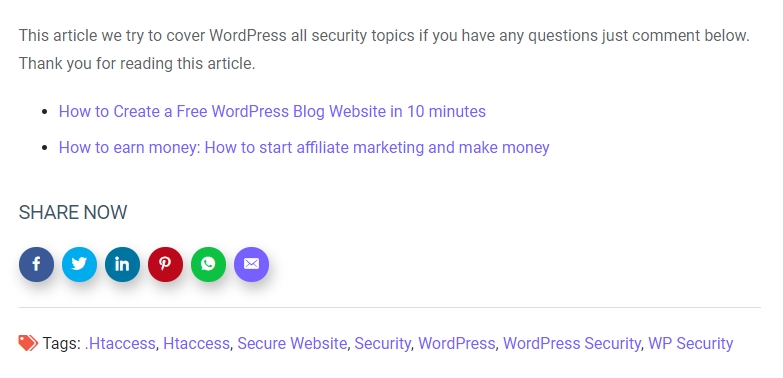
ShareMe adds fast, customizable social share buttons to posts, pages, and WooCommerce products — with a modern admin, drag-and-drop network ordering, and no external scripts.
Features
- 13 built-in networks: Facebook, X (Twitter), LinkedIn, Pinterest, WhatsApp, Telegram, Reddit, Tumblr, Messenger, Pocket, Email, Copy Link, Print
- Drag-and-drop sortable network list — enable, disable, and reorder in the admin
- Per-network color pickers, custom icon (foreground) color
- Button style: circle, rounded, or square — small / medium / large — optional labels
- Custom heading text, position (before / after / both), or a sticky vertical sidebar (left or right)
- Open share dialogs in a centered popup window
- WooCommerce single-product share slot (
woocommerce_share) supported out of the box - Gutenberg block (“ShareMe Buttons”) with live editor preview via server-side render
- Elementor widget (“ShareMe Buttons”) with matching controls
- Shortcode
[shareme_buttons]with attributes for per-placement overrides - Shortcode Builder in the admin with a savable shortcode library
- No external scripts, inline SVG icons for crisp rendering
- Translation-ready (
sharemetext domain)
Shortcode
[shareme_buttons networks="facebook,twitter,whatsapp" shape="rounded" size="large" labels="yes" heading="Spread the word"]
Support
For support and feature requests, visit Shipon Karmakar’s Website or the WordPress.org Plugin Page.
Ảnh màn hình
Khối
Plugin này cung cấp 1 khối.
- ShareMe Buttons
Cài đặt
- Upload the
sharemefolder to/wp-content/plugins/(or install from the WordPress plugin directory). - Activate the plugin through the Plugins menu.
- Configure under Settings ShareMe.
- Optional: drop the ShareMe Buttons block into any post, or drag the ShareMe Buttons widget in Elementor.
Hỏi đáp
-
By default on single posts and WooCommerce product pages. Toggle pages, sticky sidebar, and position in Settings ShareMe Display.
-
Yes — the Networks tab has a color picker per network, and the Style tab has a global icon color.
-
Does this plugin load external scripts?
-
No. Icons are inline SVG and the small share/copy/print helper script is served from your site.
-
Does it work with WooCommerce?
-
Yes. When WooCommerce is active and “WooCommerce products” is enabled, buttons render in the product’s share slot.
-
Does it support Gutenberg and Elementor?
-
Yes — both are registered automatically when Gutenberg / Elementor is present.
Đánh giá


Người đóng góp & Lập trình viên
“ShareMe Social Share Plugin Blog & WooCommerce Products” là mã nguồn mở. Những người sau đã đóng góp vào plugin này.
Những người đóng góp
“ShareMe Social Share Plugin Blog & WooCommerce Products” đã được dịch qua 1 ngôn ngữ. Cảm ơn những người tham gia dịch vì đóng góp của họ.
Dịch “ShareMe Social Share Plugin Blog & WooCommerce Products” sang ngôn ngữ của bạn.
Muốn tham gia phát triển?
Duyệt code, check out SVN repository, hoặc theo dõi nhật ký phát triển qua RSS.
Nhật ký thay đổi
2.1.0
- Tested with WordPress 7.1.
- WooCommerce support via
woocommerce_share. - New networks: Telegram, Reddit, Tumblr, Messenger, Pocket, Copy Link, Print (13 total).
- Drag-and-drop sortable network list with enable toggles.
- Per-network color pickers and a global icon color.
- Button shape (circle / rounded / square) and size (small / medium / large), optional labels.
- Custom heading text, position (before / after / both), and sticky sidebar (left / right).
- Open share dialogs in a centered popup window.
- Tabbed admin UI (General / Networks / Display / Style / Shortcode Builder) with a savable shortcode library.
- Gutenberg block “ShareMe Buttons” (dynamic, server-rendered, with Inspector controls).
- Elementor widget with matching controls in a dedicated “ShareMe” category.
- Inline SVG icons; front-end helper script for popup, copy-link (with toast), and print.
- Fixed URL-encoding / XSS issue in share URLs; added a proper settings sanitizer.
- Guarded
the_contentfilter against widgets, excerpts, and feeds. - New shortcode
[shareme_buttons]with attribute overrides (old[show_shareme_social_buttons]still works).
2.0.0
- Settings page for per-network toggles and master enable.
1.3.0
- Improved compatibility with WordPress 6.4.
- Enhanced security with better input validation.
- Fixed minor CSS issues.
1.2.0
- Added WhatsApp sharing support.
- Optimized performance by removing unnecessary scripts.
1.1.0
- Added LinkedIn and Pinterest sharing options.
- Improved mobile responsiveness.
1.0.0
- Initial release with Facebook and Twitter support.