

Mô tả
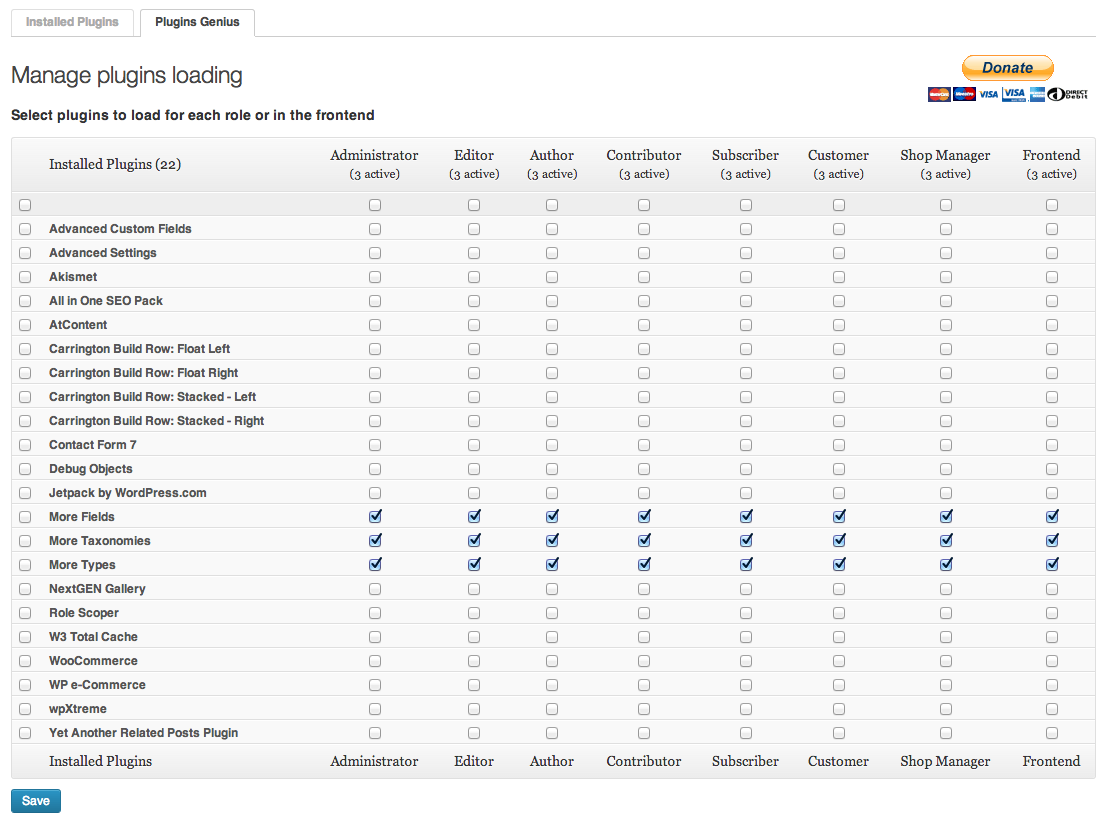
Plugins Genius allows you to choose which plugins should be active in the frontend and in the backend.
Some plugins affects only the frontend, some only the backend of WordPress and some of them make WordPress slow.
Now you can tune your WordPress site, actvating plugins only where you need.
- Author: Marco Canestrari
Ảnh màn hình

Cài đặt
- Upload the files to the /wp-content/plugins/plugins-genius/ directory.
- Activate the plugin through the ‘Plugins’ menu in WordPress.
- Go to “Plugins Genius” tab and select which plugin should be active for each role
Đánh giá

8 Tháng 11, 2016
Works great and simple

3 Tháng 9, 2016
That's exactly what I was looking for and works very well.
Người đóng góp & Lập trình viên
“Plugins Genius” là mã nguồn mở. Những người sau đã đóng góp vào plugin này.
Những người đóng góp
Dịch “Plugins Genius” sang ngôn ngữ của bạn.
Muốn tham gia phát triển?
Duyệt code, check out SVN repository, hoặc theo dõi nhật ký phát triển qua RSS.
Nhật ký thay đổi
2.1.1
- Fixed a bug that caused frontend ajax action for anonymous users not to work
2.1.0
- Hooked get_option(‘active_plugins’) to return role-based active plugins
- Role-based active plugins displayed on classic plugins page
2.0.0
- Plugin Genius code is now Object Oriented
- Activaction hooks are now fired when a new plugin is activated within Plugins Genius
- Fixed a bug that caused some plugins not beeing correctly loaded
1.0.0
- Added nonce security
- Tested on WordPress 3.5.2
0.9.7
- Fixed bug causing fatal error on wp_get_current_user() function
0.9.6
- Security fix
0.9.5
- First release