
Mô tả
‘Nucuta Password Protect’ is a security plugin which password protects wordpress websites. Requires PHP 5.6.30 or Above.
The plugin uses a custom password, and therefore it’s completely independant from default wordpress password uses to access to the admin area of the site. Users can be restricted to access the site either based on their user group or altogether.
The available user groups are “editor”, “author”, “contributor”, “subscriber”. if a particular group is excluded from protecting from the custom password, users belong to that group won’t be asked the password. Clicking on the log off button logs off from the entire website, meaning the user has to enter the password to access the site again. By default, all users (both guests and registered logged in users) are required to enter the password before accessing the site, but by configuring, logged in users can be excluded. The plugins blocks not only visitors, but also bots, spiders, and all kind of crawlers.
Custom message can be set for both logged in/non-logged in users, A separate login page is provided to login purpose. Password is salted before storing in the database, and therefore security is top notch. The full documentation, and how to use guide can be found at this location. Documentation, Help and Tutorial
Ảnh màn hình

The admin area of the plugin 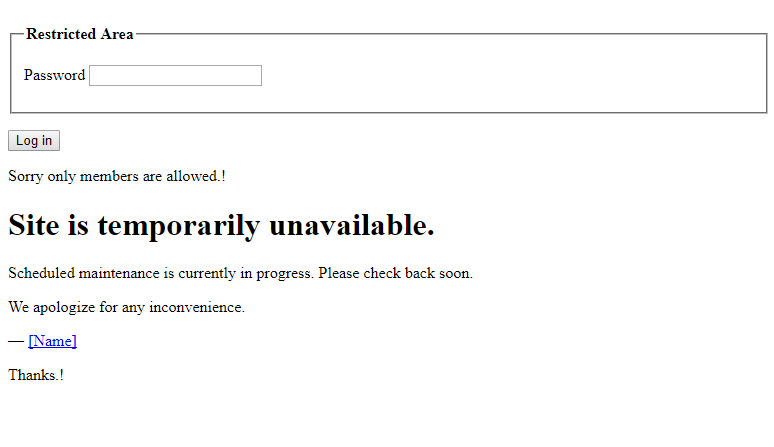
Login page when accessing the site
Cài đặt
- Upload the plugin files to the
/wp-content/plugins/directory and extract, which then will create a new folder called ‘nucuta-password-protect’ (/wp-content/plugins/nucuta-password-protect), or install the plugin through the WordPress plugins screen directly. - Activate the plugin through the ‘Plugins’ screen in WordPress
- Use the Settings->”Nucuta Password Protect” screen to configure the plugin
Hỏi đáp
- Installation Instructions
-
- Upload the plugin files to the
/wp-content/plugins/directory and extract, which then will create a new folder called ‘nucuta-password-protect’ (/wp-content/plugins/nucuta-password-protect), or install the plugin through the WordPress plugins screen directly. - Activate the plugin through the ‘Plugins’ screen in WordPress
- Use the Settings->”Nucuta Password Protect” screen to configure the plugin
- Upload the plugin files to the
- What is this plugin?
-
It’s a security plugin which protects your wordpress site with a password from accessing. The protection applies to the entire site (except wp-login.php, and wp-admin which is already protected by the main wordpress password)
- What features it offers?
-
- Secure the entire website with a password
- Exclude groups (Editor, Author, Contributor, Subscriber) so users in these groups are not asked the password as long as they are logged in.
- Specify the message for logged in/non-logged in users at the login page.
- Custom Login Page
- Security is top notch (it uses salted passwords, session based, protection against session fixation attacks)
- Guest are logged off automatically when the browser is closed/ Logged in users should click sign out to log out.
- Can be used along with other security plugins because it doesn’t offer protection to wp-login.php, and wp-admin, but for all other pages/posts/categories/tags etc.. (note direct link to images are not protected, but there is a way to protect them as well, for that please check the documentation)
- Easy to install/uninstall and disable.
- Support from us for free (basic support) please wait up to 7 days before making any decision.
- Clean Codes (Anyone can edit with ease)
- Minimalist (No third party library is used, No heavy CSS)
- Does it work with cache
-
No. At the moment it doesn’t work with any cache. So please turn cache off when using this plugin.
- Is administrator group protected?
-
No. If an user is logged in as administrator, they can always change the settings of the plugin;hence there is no point of asking password from them. So this plugin doesn’t ask password from users of administrator group.

Người đóng góp & Lập trình viên
“Nucuta Password Protect” là mã nguồn mở. Những người sau đã đóng góp vào plugin này.
Những người đóng góp
Dịch “Nucuta Password Protect” sang ngôn ngữ của bạn.
Muốn tham gia phát triển?
Duyệt code, check out SVN repository, hoặc theo dõi nhật ký phát triển qua RSS.
Nhật ký thay đổi
1.0
- A plugin is developed (initial version)