
Mô tả
Replace WooCommerce cancel order button with order cancellation request button, here is what this plugin can do for you
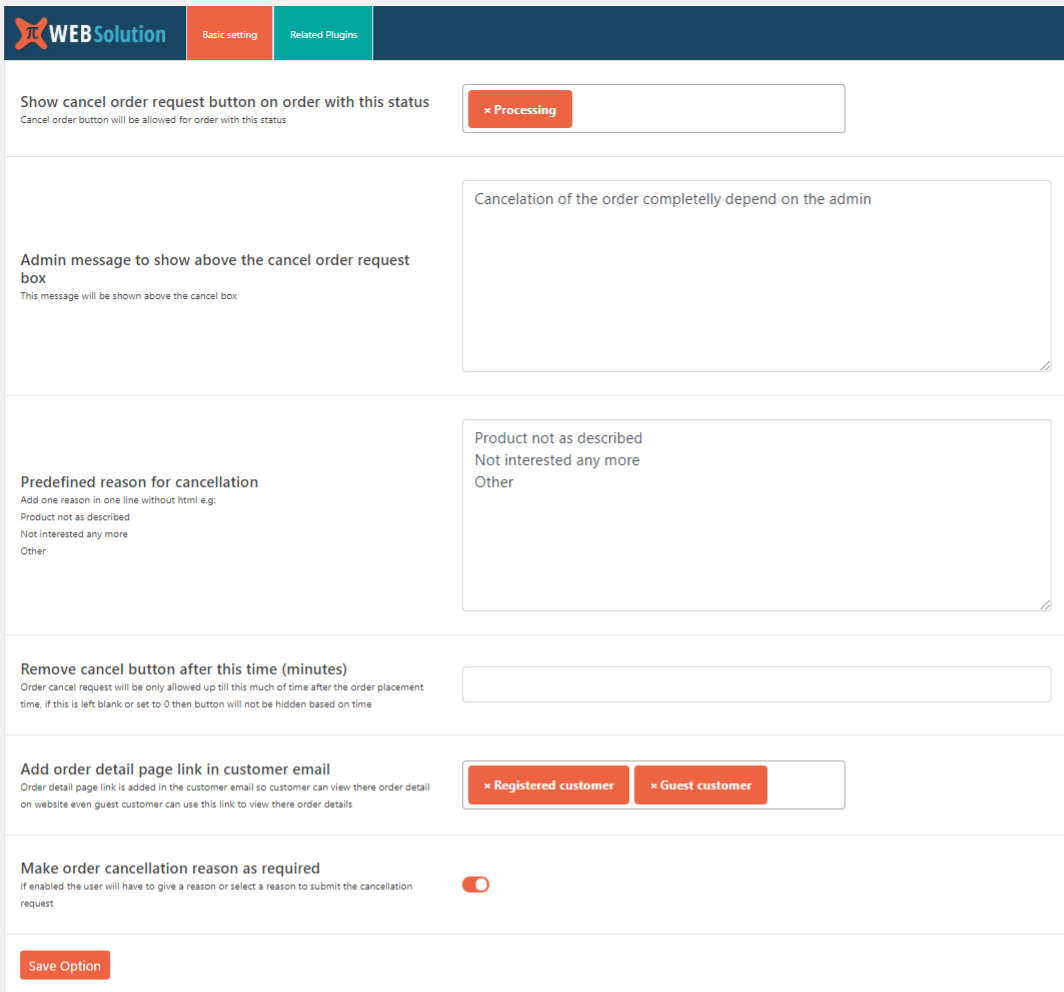
✅ You can enable order refund request button based on the order status this will replace the WooCommerce cancel order button
✅ If you want to replace the order cancellation button with this order cancellation request button then activate this button on order with status pending and failed
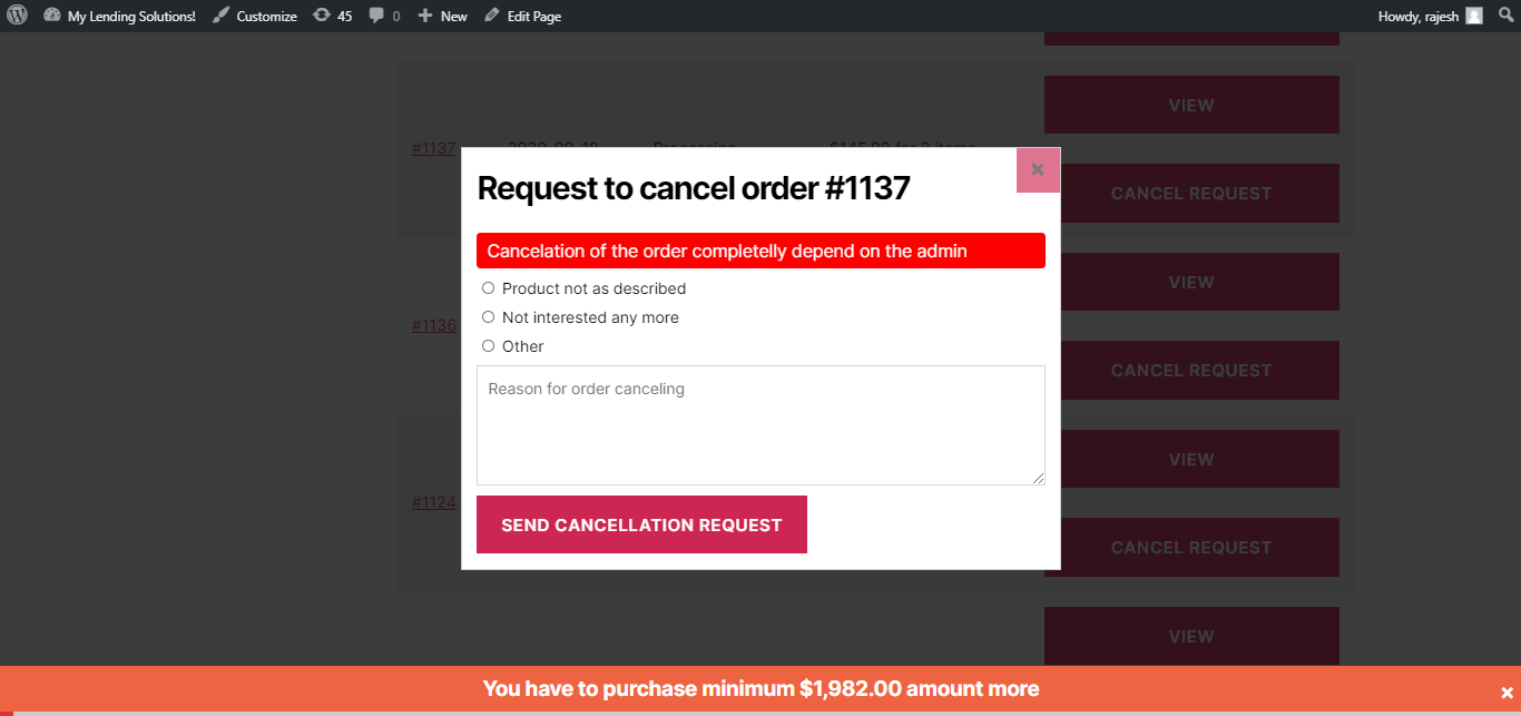
✅ User can add a reason why they want to cancel the order
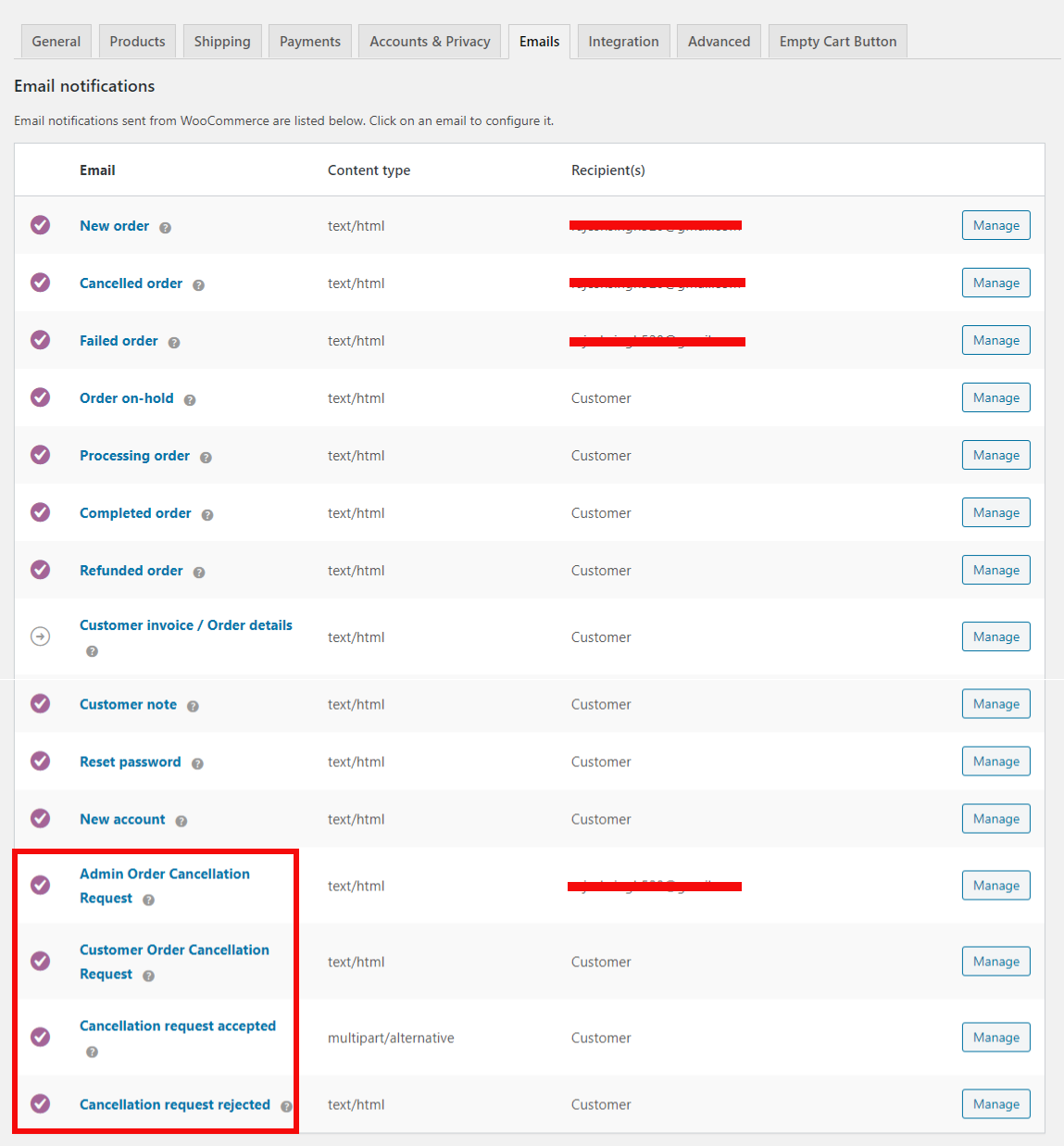
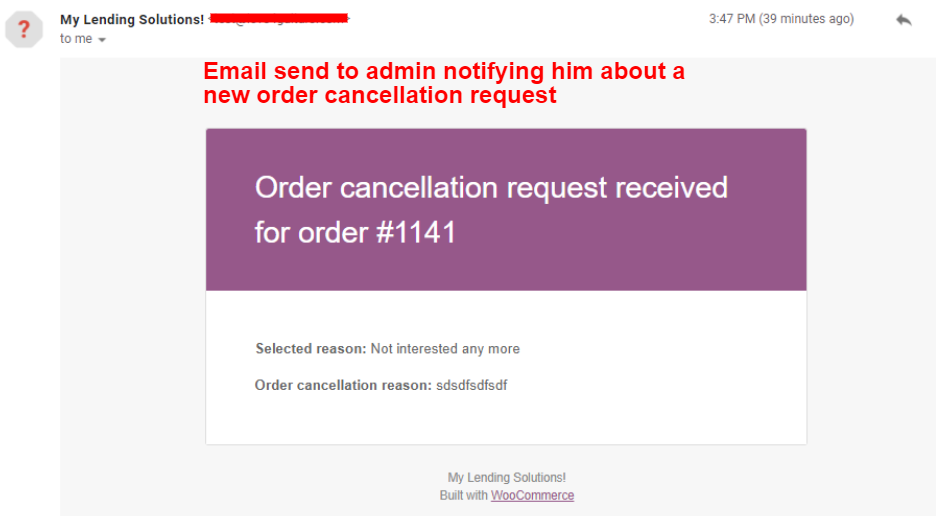
✅ Admin will receive a email with the order cancellation request and the reason for cancellation
✅ Display custom note to your customers when they try to send cancellation request.
✅ Make reason as a required field
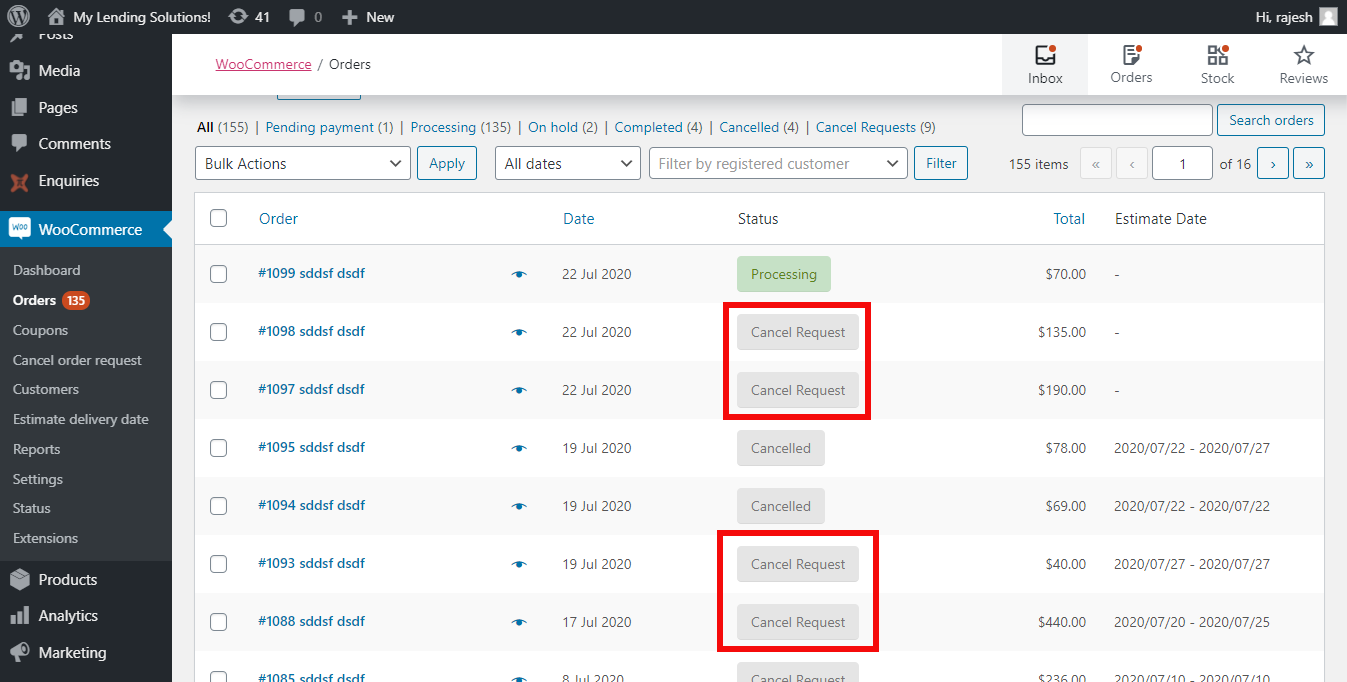
✅ Admin can either decide to cancel the order or move it back to processing state
✅ If Admin mark the order as cancel the user will be send a email stating there order cancellation request was accepted
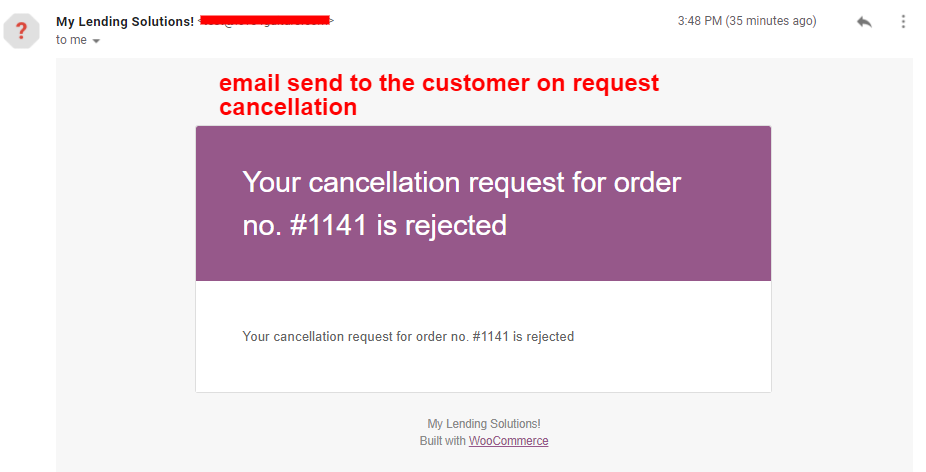
✅ If Admin moves the order status as processing or complete then the user will get an email stating there cancellation request was denied
✅ Hide cancellation request button after a certain period of time.
✅ Give list of cancellation reason for user to select from
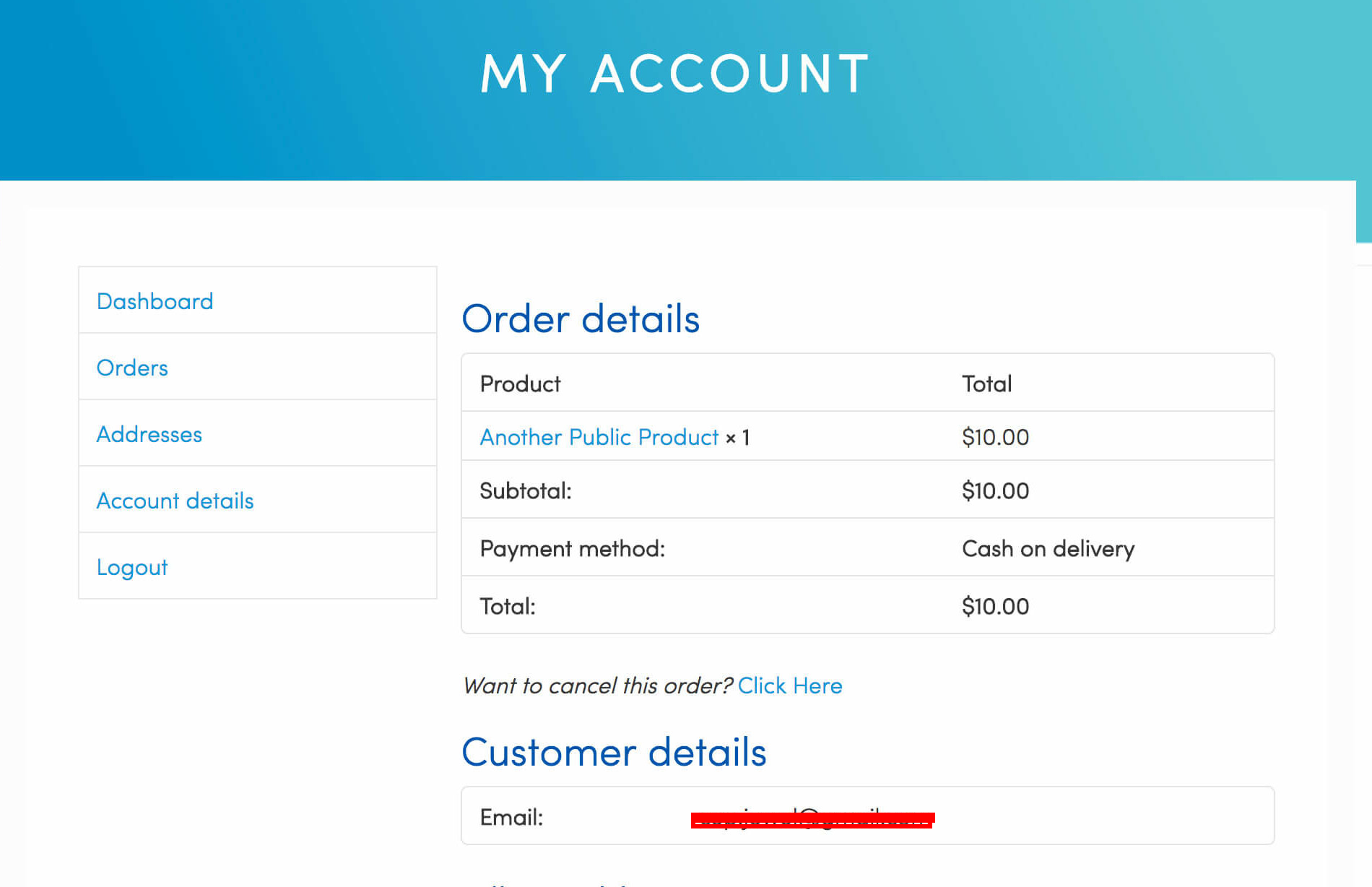
✅ View order detail link added in the email send to the customer, you have the option to add this link for Registered customer or Guest customer or both
✅ Guest customer can request order cancellation, from the link given in the order detail page (Thank your page)
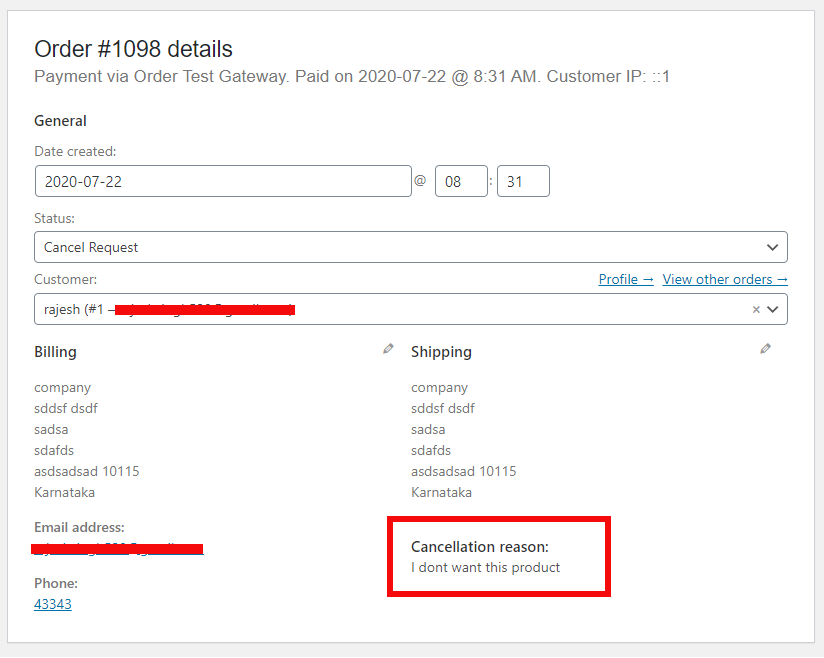
✅ Cancellation reason is auto added in the Order note
Repeat Order option
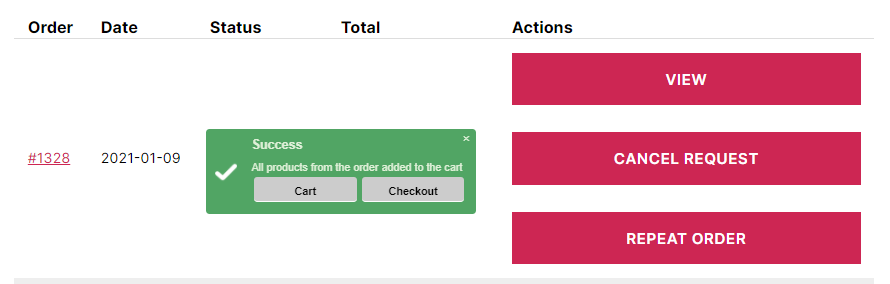
With our extension you can integrate and display the button “re-order”, “repeat order” on the overview page.
This allows your customer to place the same order easily without going through you site to find the same product again, which they purchased in the past.
✅ Enable repeat order button based on the order status or on all the order
✅ If the customer cart is empty it directly put the product in the customer cart
✅ If customer has some other product in cart, then they are given an option of either merging it with there cart or replacing there existing cart
✅ If the ordered product no longer exist there it gives them the name of the product that cant be added to the cart (remaining other products will be added)
✅ If the product variation has changed then it gives them message that they need to add that product manually
✅ Options to customize the text of the button and message shown
Get pro version
Buy Pro | Try pro version on test site
Pro version offers all the feature of the free version plus this extra features
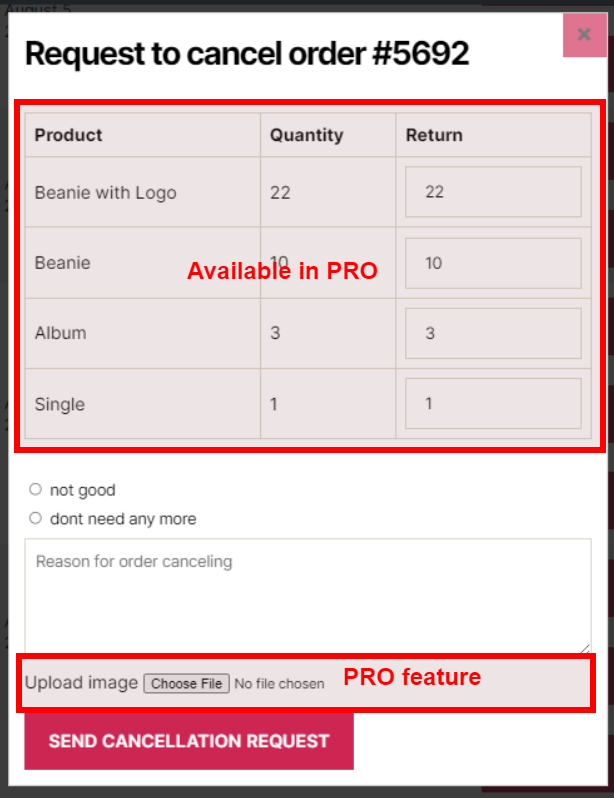
✅ Allows your customer to place partial order cancellation request: Say if they have ordered 2 product A & B and they only want to cancel product A then they can place a cancellation request for product A only.
✅ Disable cancellation option for specific product: Say you don’t want to allow cancellation of product A and you can mark product A as non cancellable, so user wont be able place cancellation request for such product.
✅ Allow user to upload image along with cancellation request
✅ Give option to Withdraw cancellation request
✅ Disable cancellation request option based on the Payment method
✅ Disable cancellation request option based on the Customer group
✅ Set default action on repeat order
✅ Redirect to cart or checkout page once repeat order product are added in cart
✅ Admin will get an email that will show the product and there quantity that user has requested for cancellation
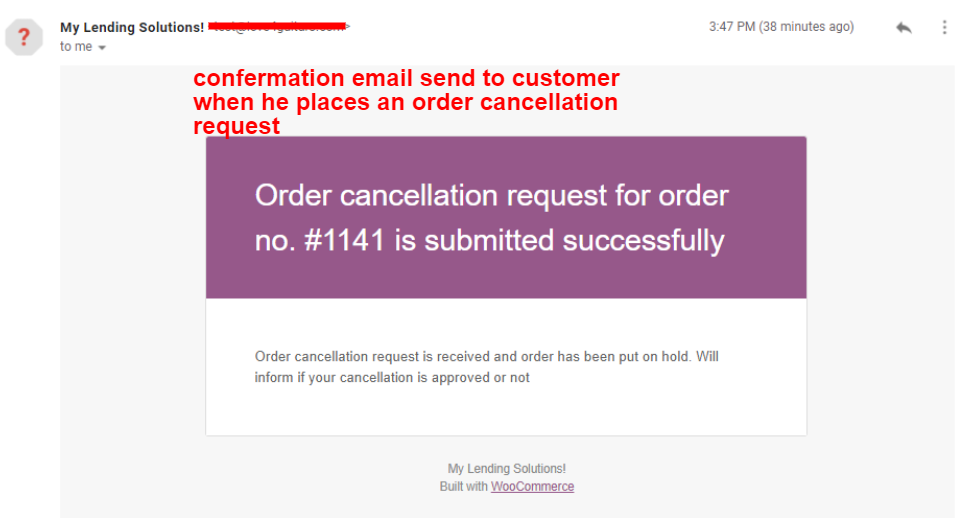
✅ Customer will also get an email static there cancellation request is submitted, it will also show the product quantity user has requested for cancellation.
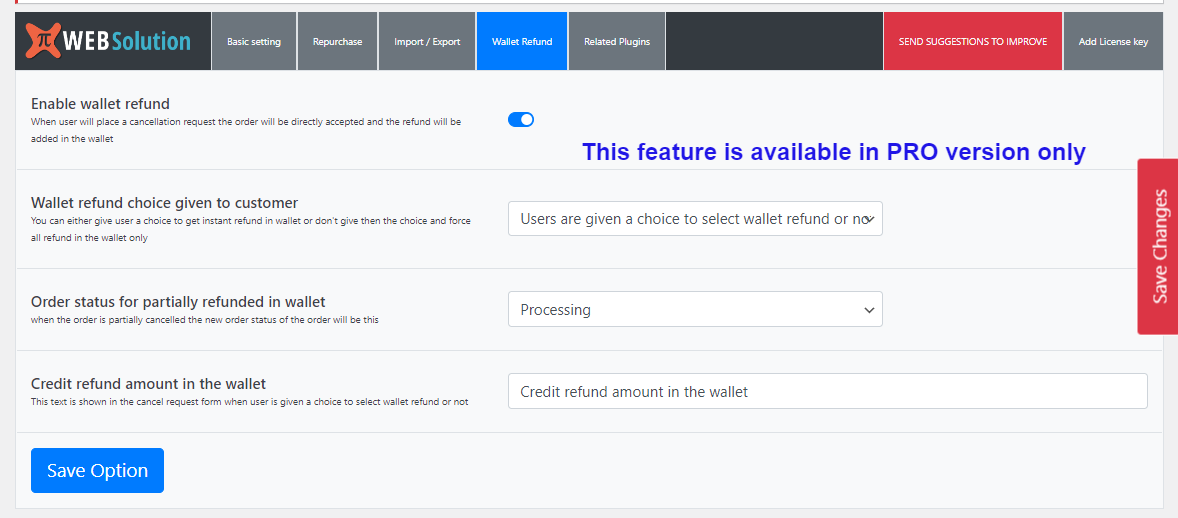
✅ Auto refund in TerraWallet
✅ Give option to customer to accept direct refund in there Wallet (TerraWallet)
Ảnh màn hình



Hỏi đáp
-
Yes, you can have order cancellation / refund button, Order cancellation button is shown for the order with status Failed, On-hold, so you make the request button to show for other order status
-
Yes, just select the processing status in the plugin setting and it will show for the order with status processing
-
How to allow customer to send reason for the order return along with the cancellation request
-
Yes this option is available in the plugin by default, when customer will click on the cancel order button he will be asked to enter a reason for order cancellation.
-
Where can I see the order return reason
-
Admin will receive the order cancellation reason in the email, and admin can see the reason in the order page as well
-
How admin will know above the order cancellation request
-
admin will receive a email and he can see the same in his dashboard
-
How to decline the order cancellation request
-
By change the status of the order from cancel request to processing or complete
-
How to accept the order cancellation request
-
By changing the order status to Cancel state we can mark the order as cancel
-
How customer will know his cancellation request was decline
-
when you will change the order status to complete or processing, then user will receive a email stating his order cancellation request was decline
-
How customer will know if his order cancellation request was accepted
-
He will receive a email stating his cancellation request for the order xyz was accepted
-
I want to change the wordings of the email
-
You can do that using the translation file, all the text are translation supported, we have added the language pot file
-
I want to show custom note to the customer when they want to cancel order
-
Yes you can specify special message, that will be displayed to customer when they click cancel order button
-
Yes you can do that, you can set the time in terms of minutes after that period of time after placing the order the order cancellation option will go away
-
I want to give a list of cancellation reasons to customer to select from
-
Yes you can do that, just add multiple reason with each reason in single line and it will be shown in the cancellation request form to the customer
-
There is Click to view order details link in the email send to the customer
-
this link is added by the plugin so customer can easily view there order detail outside the email
-
Can Guest customer send a order cancellation request
-
Yes, they can send cancellation request too.
-
From where does the guest customer send cancellation request
-
They have the cancellation request link on the thank you page, the link for the order detail page is also added in the email send to guest customer so they can go to this thank you page and access this cancellation request button
-
Don’t want customer to submit cancellation request with reason
-
There is option in the plugin to make the reason as required field, when you have reason selection option as well then user must wither select a reason or describe the reason
-
Yes you can enable the repeat order button on specific order status, or on all the orders
-
What will happen to the product that are in user cart when repeat order is clicked
-
If there cart is empty then it will directly put the product in the cart and show them success message. If they have product in there cart then it will show them an option to either merge the product in existing cart product or replace the existing cart product
-
What if there old order has some product that is out of stock or not sold any more
-
In that case the plugin will add all other product to the cart and inform the customer that certain product cant be added to the cart
-
Yes, you also have the option to disable order again button as well
-
Can user directly cancel order instead of waiting for the admin approval
-
At present there is not such configuration in the plugin, but you can add the below code in your theme functions.php file that will directly mark the order as cancel
add_filter(‘pisol_corw_cancel_request_new_status’,function($status){ return ‘cancelled’; } ); -
Cancelled order reason will be auto added in the Order note
-
Yes, plugin will auto add the order cancellation reason in the order note
-
Can I disable reason addition in Order note
-
Yes you can disable cancellation reason addition in order note by using the below filter function code
add_filter(‘pisol_corw_order_note_filter’, ‘__return_false’); -
Allow image upload option
-
Pro version allows user to upload one image file with the order cancellation reason
-
Don’t want to give order cancellation request option if payment is Cash on delivery (or some specific payment method)
-
This is available in Pro version it allows you to disable the cancellation request option for the orders whose payment was done through specific payment method
-
I want to disable the cancellation request option for specific group of customer
-
This is available in the Pro version, it allows you to disable the cancellation option based on the user role
-
No, Repeat Order / Repeat order will keep all your data inside your own WordPress. There is no data transmitted to us or a third party service.
-
Does it allow Partial cancellation of order
-
This is available in the PRO version, it allows you to cancel partial order. E.g. Say if customer ordered 2 unit of Product A and 2 unit of product B and now he don’t want product A and only want 1 unit of product B then have can place a cancellation request for the order.
-
How to issue the refund for partial cancelled order
-
You have to issue the refund using the WooCommerce refund method, it depend on the payment gateway used for payment, if payment gateway allow auto refund then it will be done auto once you process refund if it does not allow auto refund then you have to issue refund manually from payment gateway
-
Can it auto issue refund for cancellation request in Wallet
-
In pro version you have the option to auto issue refund in TerraWallet, if you have TerraWallet plugin installed and activated then you can enable this option and it will auto issue refund in TerraWallet.
-
Can I give option to customer to accept refund in there Wallet
-
In the pro version you can give option to customer to accept refund in there Wallet, if they accept then the refund will be issued in there Wallet (TerraWallet)
-
Which wallet plugins are supported
-
At present only TerraWallet is supported, if you have any other wallet plugin and you want to integrate it with this plugin then please contact us
-
Is it HPOS compatible
-
Yes the Free version and PRO version both are HPOS compatible
Đánh giá


Người đóng góp & Lập trình viên
“Cancel order request / Return order / Repeat Order / Reorder for WooCommerce” là mã nguồn mở. Những người sau đã đóng góp vào plugin này.
Những người đóng góp
Muốn tham gia phát triển?
Duyệt code, check out SVN repository, hoặc theo dõi nhật ký phát triển qua RSS.
Nhật ký thay đổi
1.3.3.37
- Tested for WC 8.7.0
1.3.3.32
- Tested for WP 6.4.3
1.3.3.31
- Tested for WC 8.5.2
1.3.3.22
- Tested for WC 8.2.0
1.3.3.21
- Tested for WP 6.3.1
1.3.3.20
- Order link in admin email will link to the order edit page in the backend
1.3.3.17
- Tested for WC 8.0.3
1.3.3.16
- Tested for WC 8.0.2
1.3.3.14
- Tested for WC 8.0.1
1.3.3.13
- Tested for WP 6.3.0
1.3.3.10
- HPOS compatible
1.3.3.6
- Tested for WP 6.2.2
1.3.3.3
- Tested for WC 7.6.1
1.3.3.1
- Admin order cancel email will be send when order status changes from Cancel request to Cancel state
1.3.3
- Tested for WP 6.2
1.3.1
- Email header showing link fixed
1.3.0
- Tested for WC 7.4.0
1.2.99
- Quick save option added in