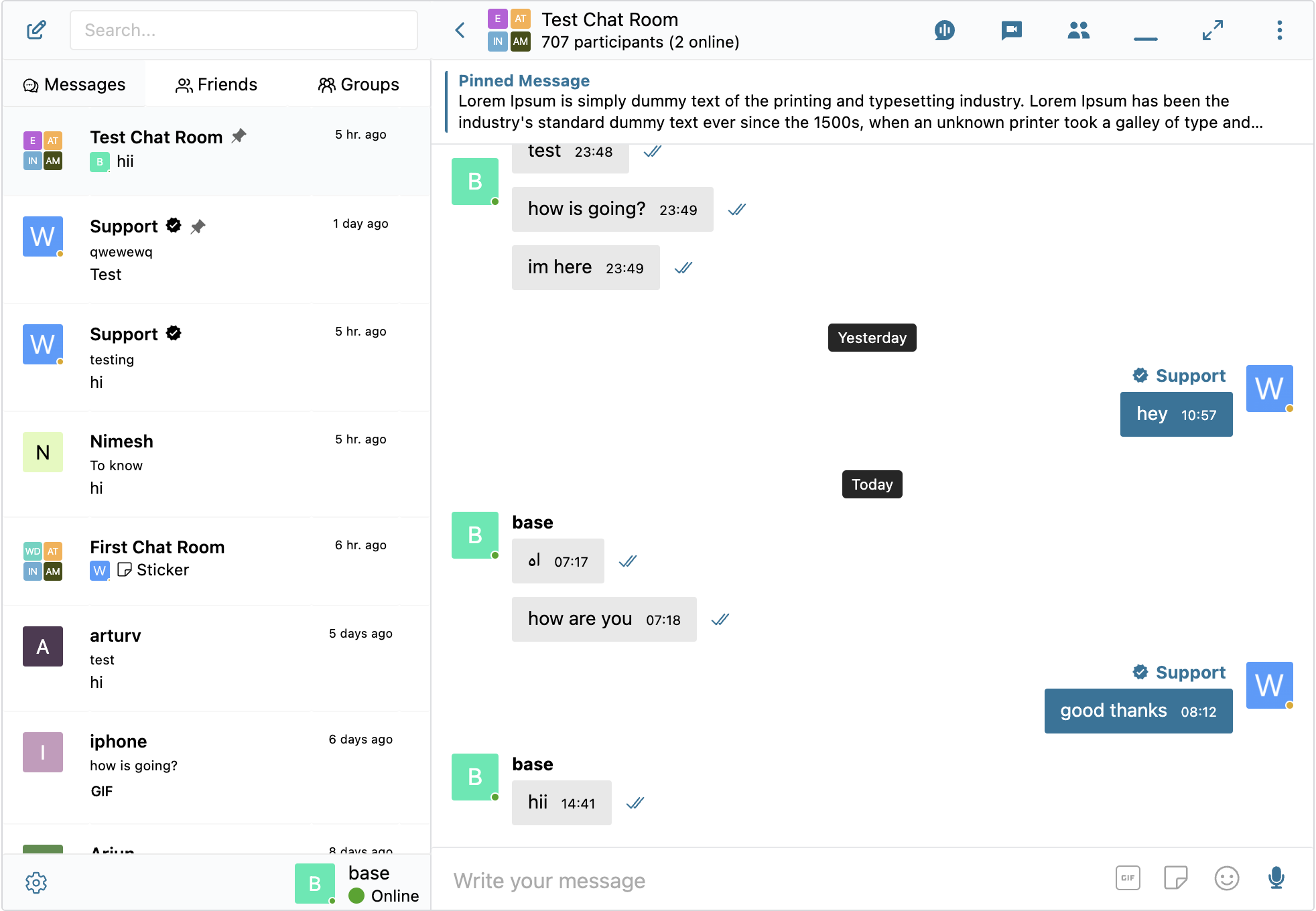
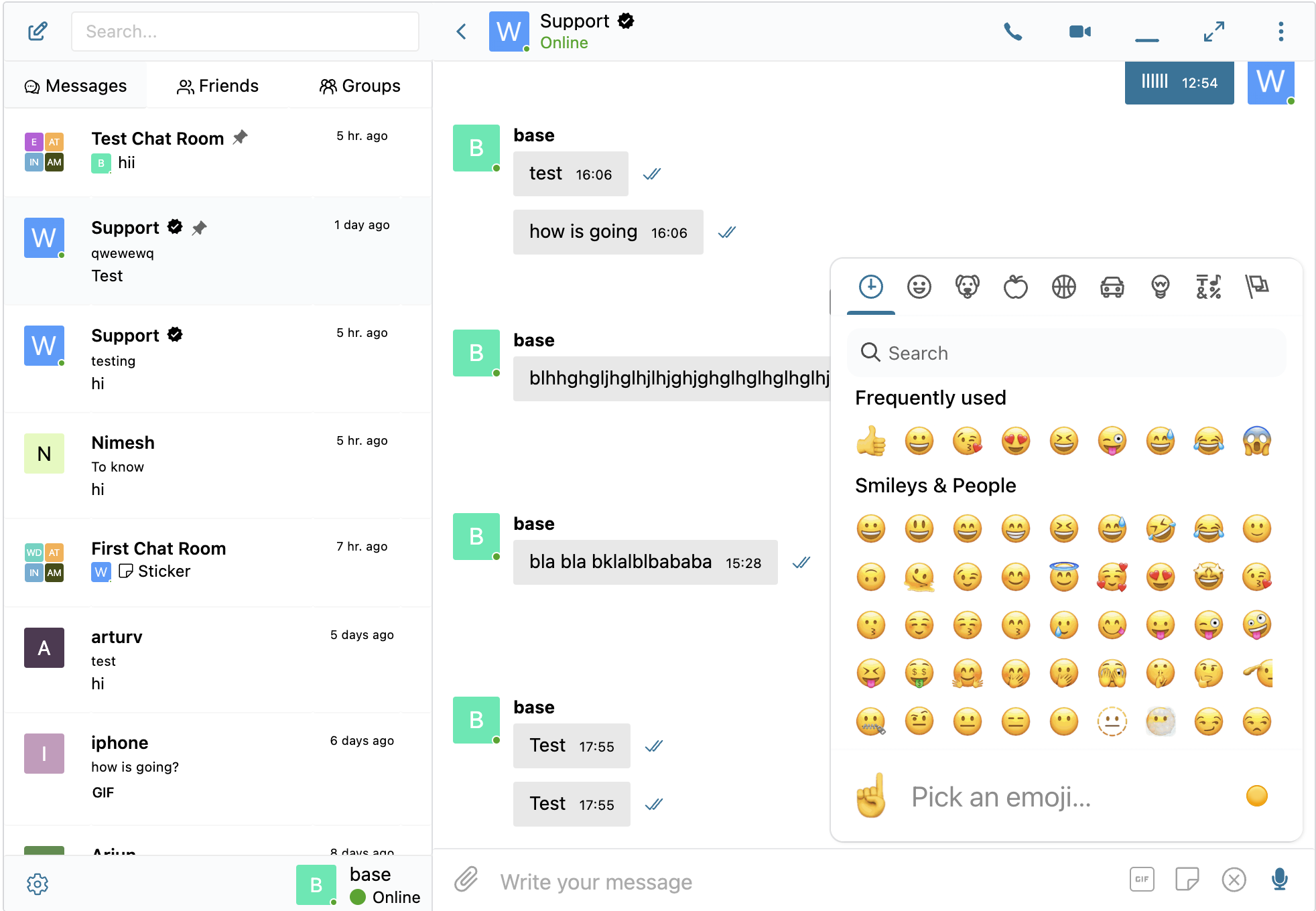
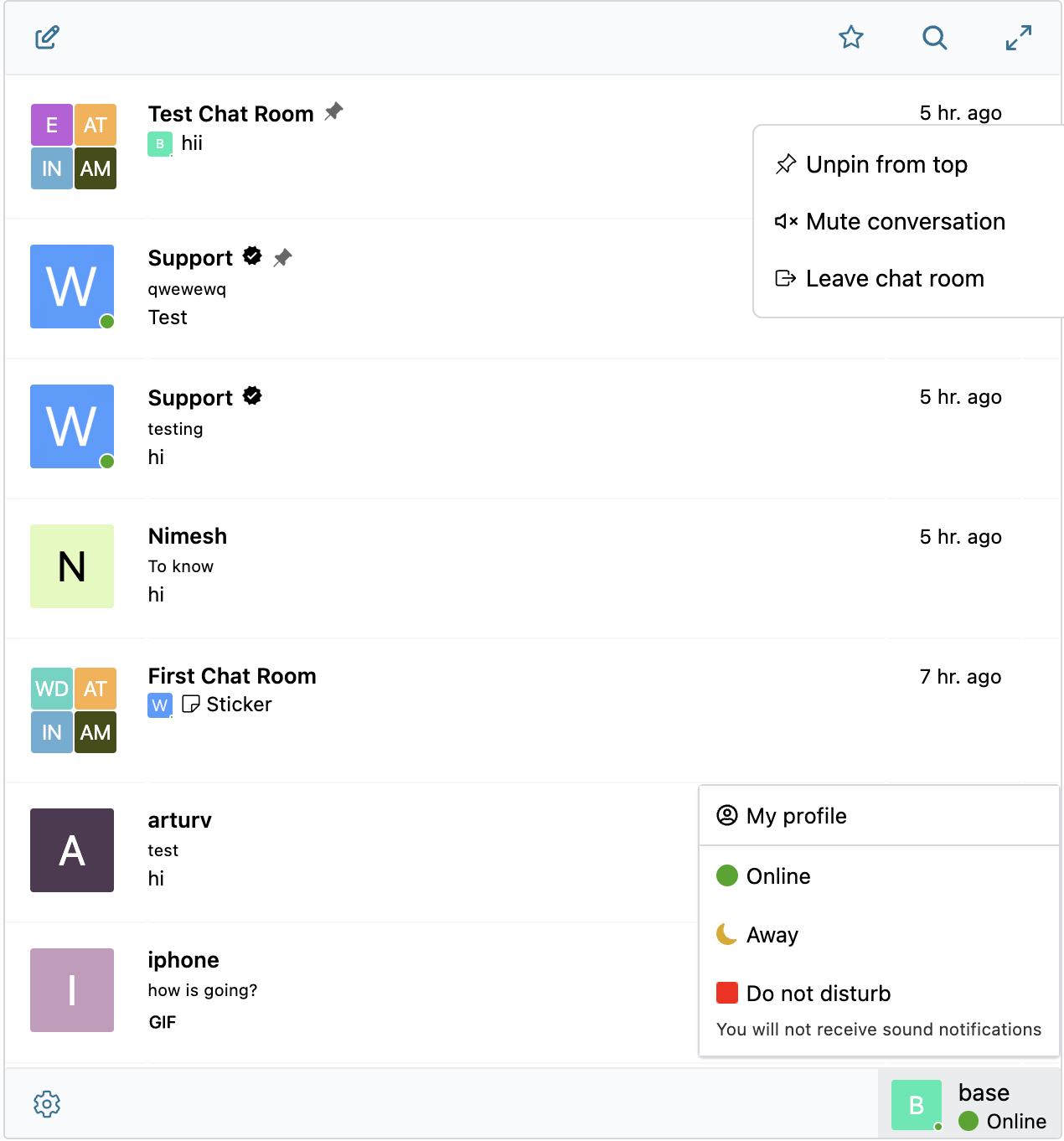
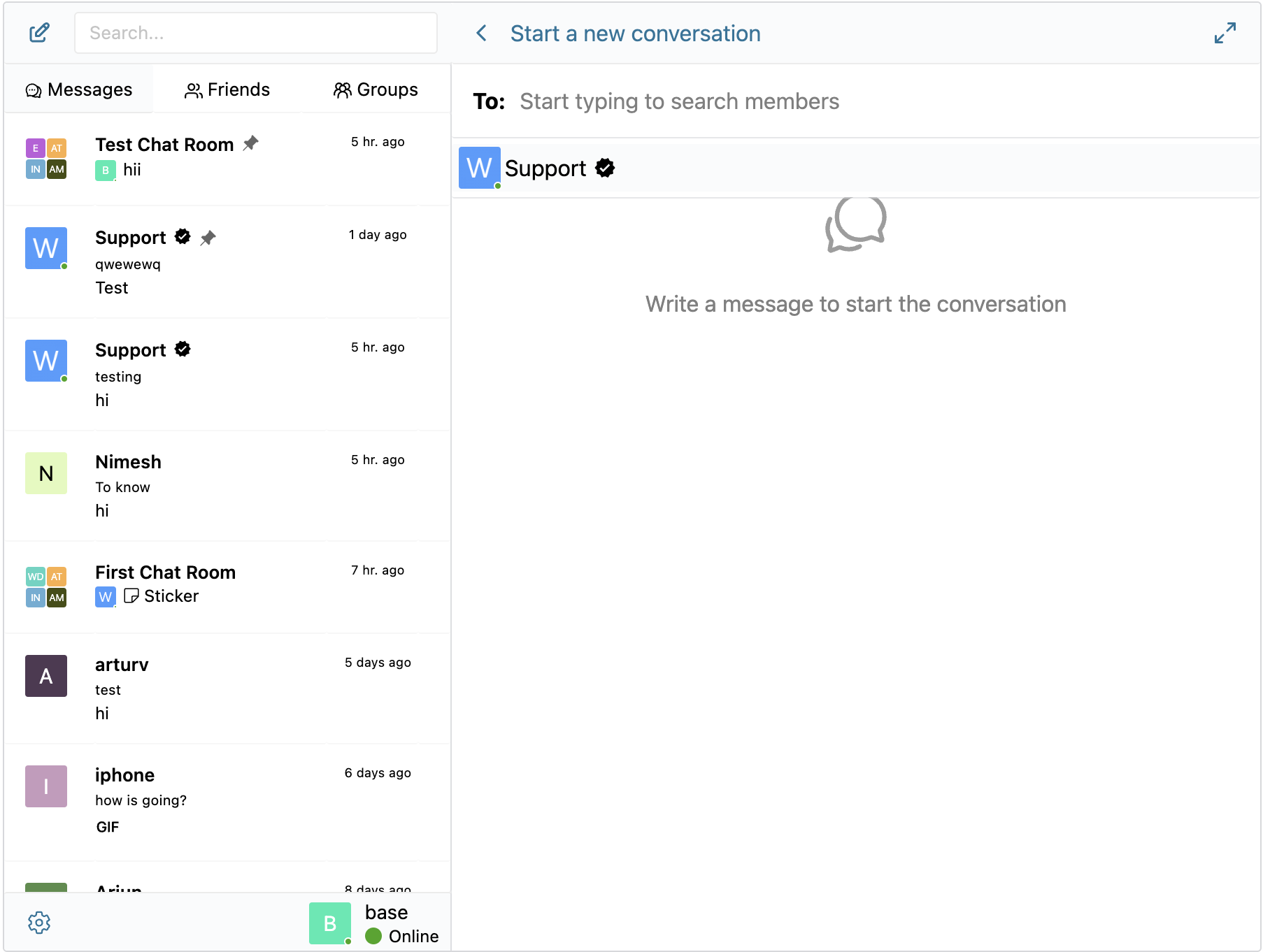
Mô tả
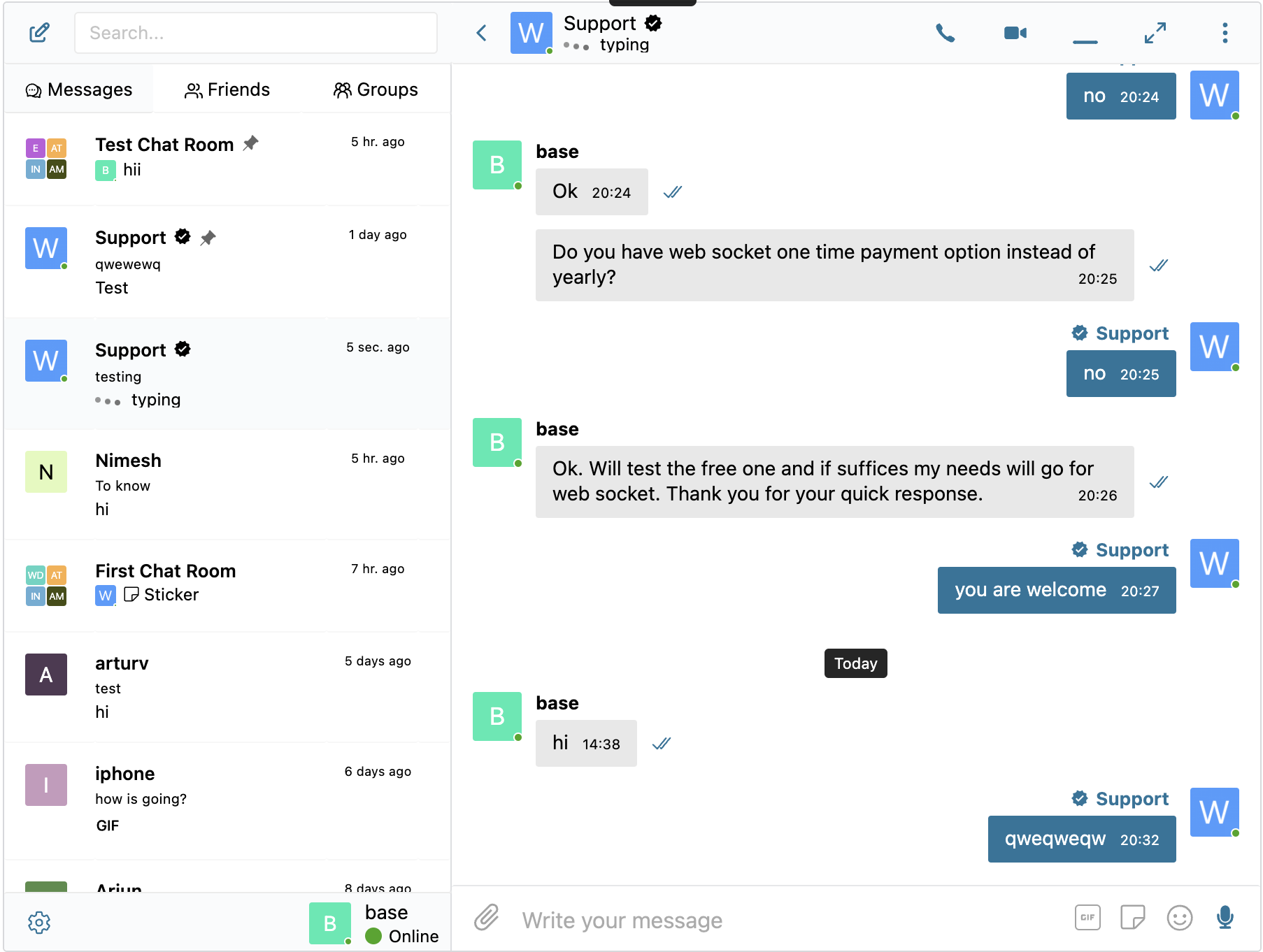
Better Messages là hệ thống nhắn tin riêng tư thời gian thực giàu tính năng nhất cho WordPress, với các tích hợp gốc cho BuddyPress, BuddyBoss Platform, Ultimate Member, PeepSo và bất kỳ trang web nào khác chạy bằng WordPress.
Biến trang WordPress của bạn thành nền tảng giao tiếp mạnh mẽ với tin nhắn riêng, phòng chat, cuộc gọi video và âm thanh, chat video nhóm, AI chat bot và ứng dụng di động gốc.
Cho dù bạn đang xây dựng cộng đồng riêng tư hay công khai, mạng xã hội, mạng nội bộ, trang web phòng chat, sàn giao dịch, trang web thành viên, nền tảng hẹn hò hay trang web nền kinh tế sáng tạo – Better Messages cung cấp các tính năng nhắn tin cấp doanh nghiệp với giao diện dễ sử dụng.
Dùng thử Better Messages:
- Demo trực tiếp — trang demo đầy đủ chức năng
- Documentation & Knowledge Base — setup guides, features, FAQ
- Tất cả tích hợp — mọi plugin và giao diện được hỗ trợ
- Bảng giá — so sánh phiên bản miễn phí và phiên bản WebSocket
- Blog & hướng dẫn — hướng dẫn, hướng dẫn từng bước, phân tích sâu về tích hợp
Dành cho nhà phát triển:
- Tài liệu tham khảo REST API — mọi endpoint và tham số
- PHP Hooks — hành động, bộ lọc, hàm trợ giúp
- JavaScript Hooks — sự kiện frontend và API tùy biến
- Nhật ký thay đổi — mọi bản phát hành và sửa lỗi
- Lộ trình — các tính năng sắp tới và bình chọn
Các trường hợp sử dụng phổ biến:
Better Messages được sử dụng rộng rãi để cung cấp tính năng nhắn tin cho:
- Cộng đồng riêng tư — nền tảng cộng đồng trả phí và chỉ dành cho thành viên, nhóm mastermind, mạng lưới cựu sinh viên, nhóm khóa học, vòng huấn luyện, nhắn tin giới hạn theo vai trò, chat nhóm, Bot chat AI cho việc giới thiệu và câu hỏi thường gặp, mã hóa đầu cuối cho các cuộc trò chuyện nhạy cảm
- Cộng đồng công khai và mạng xã hội — nền tảng xã hội mở, cộng đồng sở thích và đam mê, các trang web chạy bằng BuddyPress / BuddyBoss / PeepSo / FluentCommunity, nhắn tin riêng, hội thoại nhóm, phòng chat, widget mini chat đi theo người dùng khắp trang web
- Mạng nội bộ và trang web doanh nghiệp — giao tiếp nội bộ giữa nhân viên, kênh nhóm và phòng ban, quyền truy cập giới hạn theo vai trò WordPress, chia sẻ tệp, gọi thoại và gọi video cho các nhóm làm việc từ xa, gói tự lưu trữ cho các trang web có yêu cầu chủ quyền dữ liệu
- Trang web phòng chat — các trang web được xây dựng xung quanh phòng chat thời gian thực như tính năng chính, phòng công khai và riêng tư, thảo luận theo chủ đề, quyền truy cập của khách cho khách truy cập chưa đăng ký, truyền tải qua AJAX hoặc WebSocket
- Trang hẹn hò và mai mối — chat riêng 1-1, đính kèm ảnh và video, gọi thoại và gọi video, nút chat từ hồ sơ đến hồ sơ trên danh bạ thành viên, chat khách cho khách truy cập đang duyệt, mã hóa đầu cuối cho các cuộc trò chuyện riêng tư
- Nền kinh tế sáng tạo và nền tảng người hâm mộ — nhắn tin trả phí với tính phí theo tin nhắn và theo cuộc gọi qua GamiPress hoặc MyCRED, cuộc gọi video riêng tư, nhắn tin hàng loạt đến người hâm mộ, widget mini chat luôn bật
- Nền tảng DM cao cấp và kiếm tiền — tính phí theo tin nhắn trực tiếp hoặc theo cuộc gọi với giá theo vai trò, hiển thị số dư, nhắn tin giới hạn theo vai trò, Kiểm duyệt nội dung AI để lọc spam và các nỗ lực lừa đảo
- Nền tảng huấn luyện và cố vấn — DM giữa khách hàng và huấn luyện viên, cuộc gọi video theo lịch, tin nhắn thoại, chia sẻ tệp, phòng chat khóa học thông qua tích hợp LMS
- Cửa hàng trực tuyến (WooCommerce) — chat trước bán hàng trên trang sản phẩm, hỗ trợ đơn hàng sau mua, tin nhắn nhận biết ngữ cảnh giỏ hàng, hộp thư được nhúng trong Tài khoản của tôi
- Sàn giao dịch nhiều nhà cung cấp và rao vặt — chat giữa người mua và người bán trên mọi danh sách, luồng chat theo từng danh sách, chat khách cho khách truy cập chưa đăng ký
- Khóa học trực tuyến (LMS) — phòng chat khóa học, DM giữa giảng viên và học viên, hội thoại nhóm cho các khóa học theo nhóm
- Diễn đàn và cộng đồng Q&A — liên kết Tin nhắn riêng trên mọi câu trả lời, chat tiếp nối cho người tham gia chủ đề
- Trang bất động sản và danh sách — nhắn tin hỏi đáp với môi giới, luồng chat theo ngữ cảnh bất động sản, chat khách cho khách truy cập đang duyệt
- Sự kiện trực tiếp và hội thảo trực tuyến — phòng chat sảnh sự kiện, quyền truy cập của khách cho người tham dự chưa đăng ký, cuộc gọi thoại và video nhóm cho AMA, tin nhắn được ghim với chương trình sự kiện
- Nền tảng đặt chỗ và hẹn lịch — nhắn tin giữa khách và chủ trên danh sách và đặt chỗ, chia sẻ tệp tài liệu, gọi thoại và gọi video trước khi nhận phòng
- Cộng đồng Crypto và Web3 — phòng chat giới hạn bằng token thông qua plugin thành viên và vai trò WordPress, cuộc gọi nhóm AMA, bot kiến thức AI cho câu hỏi về whitepaper, ứng dụng di động để tương tác mọi lúc mọi nơi
Plugin “Better Messages” trước đây có tên là “BP Better Messages“.
Dịch Better Messages sang ngôn ngữ của bạn
Tính năng Nhắn tin Cốt lõi:
- Cuộc trò chuyện thời gian thực chạy bởi AJAX hoặc WebSocket
- Cuộc trò chuyện riêng 1-đối-1
- Cuộc trò chuyện nhóm với số người tham gia không giới hạn
- Phòng chat với hỗ trợ truy cập khách
- Tin nhắn cho BuddyPress Groups, PeepSo Groups, Ultimate Member Groups, FluentCommunity Groups
- Chủ đề cho cuộc trò chuyện
- Tìm kiếm trên tất cả tin nhắn
- Đánh dấu tin nhắn là yêu thích
- Ghim tin nhắn quan trọng lên đầu cuộc trò chuyện
- Ghim cuộc trò chuyện yêu thích lên đầu danh sách
- Lọc danh sách cuộc trò chuyện để chỉ hiển thị cuộc trò chuyện chưa đọc
- Trả lời tin nhắn cụ thể
- Chỉnh sửa tin nhắn đã gửi (với chỉ báo chỉnh sửa)
- Xóa tin nhắn
- Chuyển tiếp tin nhắn đến các cuộc trò chuyện khác
- Tắt tiếng thông báo cuộc trò chuyện
- Tự động lưu bản nháp tin nhắn với khả năng khôi phục
AI & Tự động hóa:
- AI Chat Bot được hỗ trợ bởi OpenAI, Anthropic (Claude) và Google Gemini
- AI Chat Bot trong cuộc trò chuyện nhóm với phản hồi dựa trên lượt đề cập
- Tóm tắt cuộc trò chuyện và bản tóm tắt theo lịch với AI
- Theo dõi sử dụng token với ước tính chi phí
- Chuyển đổi tin nhắn thoại thành văn bản được hỗ trợ bởi Better Messages Cloud AI hoặc OpenAI
- Khả năng tìm kiếm web cho AI bot
- Công cụ tìm kiếm tệp cho AI bot
- Tạo hình ảnh với AI
- Hỗ trợ tệp PDF cho cuộc trò chuyện AI
Phương tiện & Nội dung:
- Chia sẻ tệp với tải lên có thể tiếp tục và khả năng bảo vệ tệp khỏi truy cập trực tiếp (hình ảnh, video, tài liệu)
- Tối ưu hóa hình ảnh và video phía máy khách để tương thích đa trình duyệt và tiết kiệm dung lượng lưu trữ (chuyển đổi định dạng, kiểm soát chất lượng, loại bỏ metadata)
- Tin nhắn thoại (có sẵn như tiện ích bổ sung)
- Liên kết nhúng với hình thu nhỏ và mô tả
- oEmbed support for YouTube, Vimeo, Spotify, SoundCloud, Flickr and 20+ services
- Bộ chọn Emoji
- Gói nhãn dán tích hợp với kiểm soát truy cập theo vai trò và hỗ trợ đa ngôn ngữ
- Tích hợp GIF với nhà cung cấp GIPHY và Klipy
- Gợi ý nhãn dán khi nhập
- Hỗ trợ định dạng văn bản Markdown
Thông báo:
- Thông báo email cho tin nhắn chưa đọc (mẫu có thể tùy chỉnh)
- Hỗ trợ liên kết hủy đăng ký trong email
- Thông báo âm thanh cho tin nhắn mới
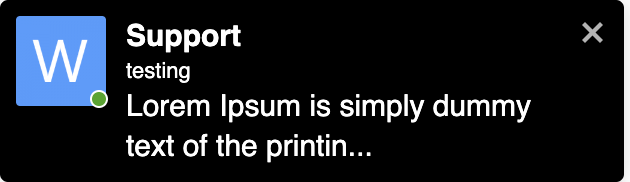
- Thông báo popup trên trang ở bất kỳ đâu trên website của bạn
Kiểm duyệt & Bảo mật:
- Kiểm duyệt nội dung AI với hai nhà cung cấp:
- Better Messages Moderation AI — được bao gồm trong giấy phép WebSocket mà không tốn thêm chi phí, không cần khóa API của bên thứ ba. Được hỗ trợ bởi Better Messages Cloud với các danh mục mở rộng, quy tắc tùy chỉnh và nhận thức ngữ cảnh cuộc trò chuyện
- OpenAI Moderation API — miễn phí sử dụng, yêu cầu khóa API OpenAI
- Quy tắc kiểm duyệt tùy chỉnh — xác định các quy tắc của riêng bạn bằng văn bản thuần túy
- Nhận thức ngữ cảnh cuộc trò chuyện — phát hiện các mẫu được phân tách trên nhiều tin nhắn
- Chọn giữa các hành động kiểm duyệt «Chỉ gắn cờ» (khuyến nghị) hoặc «Giữ để xem xét»
- Tin nhắn kiểm duyệt trước – xem xét tin nhắn trước khi gửi
- Tính năng báo cáo tin nhắn
- Bộ lọc từ ngữ xấu với danh sách đen có thể tùy chỉnh
- Tính năng chặn người dùng
- Kiểm soát truy cập dựa trên vai trò
- Danh sách trắng/đen người dùng để kiểm duyệt
Tính năng Tương tác:
- Phản ứng với tin nhắn
- Đề cập (@tên người dùng)
- Gửi tin nhắn hàng loạt từ WP Admin với lịch trình, tệp đính kèm và xử lý nền
- Cuộc trò chuyện đề xuất cho người dùng mới
- Nhúng các điểm truy cập cuộc trò chuyện ở bất kỳ đâu trên trang web của bạn mà không cần dùng shortcode
- Năm widget: Bạn bè, Nhóm, Người dùng, AI Bot, Phòng chat
- Hai kiểu hiển thị: Thanh cổ điển hoặc Bong bóng nổi (với đầu chat)
- Ba vị trí đặt: thanh dưới cùng, bảng bên, thanh tab di động
- Bộ chọn biểu tượng cho từng widget, hộp tìm kiếm, hạn chế theo vai trò và tùy chọn «Ẩn tab khi trống»
- Widget Người dùng với ba chế độ hiển thị (tất cả / theo vai trò / chọn thủ công) và sắp xếp theo hoạt động gần nhất hoặc ngày đăng ký
- Thứ tự tab có thể tùy chỉnh trong widget thu nhỏ, bảng bên và chế độ xem di động
Tùy chỉnh:
- Thiết kế hiện đại, hoàn toàn có thể tùy chỉnh
- Tùy chỉnh màu sắc dễ dàng qua WP Customizer
- Âm thanh thông báo tùy chỉnh
- Hỗ trợ bố cục RTL
- Giải pháp white label
- Hỗ trợ đầy đủ dịch thuật
- Tùy chọn tự động xóa tin nhắn cũ
Quyền riêng tư & GDPR:
- Trang cài đặt Quyền riêng tư & GDPR chuyên dụng
- Tất cả dữ liệu tin nhắn được lưu trữ trên máy chủ của bạn
- Kiểm duyệt AI (khi được bật) gửi nội dung tin nhắn để phân tích — Better Messages Cloud không lưu trữ bất kỳ dữ liệu nào, hãy xem chính sách dữ liệu của OpenAI nếu sử dụng nhà cung cấp OpenAI
- Hỗ trợ xuất và xóa dữ liệu cá nhân WordPress (Công cụ Xuất/Xóa dữ liệu cá nhân)
- Văn bản chính sách quyền riêng tư được đề xuất, tự điều chỉnh dựa trên các tính năng đã bật
- Tùy chọn hình ảnh emoji tự lưu trữ — không có yêu cầu CDN bên ngoài
- Nhúng video thân thiện với quyền riêng tư — YouTube, Vimeo chỉ tải sau khi người dùng nhấp
- Không đặt cookie, không có tập lệnh phân tích hoặc theo dõi
- Tài liệu Quyền riêng tư & GDPR
Đây không phải là danh sách đầy đủ các tính năng – Better Messages có nhiều tính năng và tùy chọn nhỏ khác không được liệt kê ở đây. Chúng tôi liên tục bổ sung các tính năng mới và cải tiến dựa trên phản hồi của người dùng.
Plugin & giao diện tương thích — 35+ tích hợp gốc:
Better Messages hoạt động trên bất kỳ trang WordPress nào ngay khi cài đặt. Nếu trang của bạn đã chạy plugin cộng đồng, LMS, sàn giao dịch hoặc danh bạ, Better Messages kết nối trực tiếp với nó — kế thừa thành viên, hồ sơ, nhóm, khóa học, danh sách và bài viết để các giao diện chat xuất hiện ở đúng vị trí mà không cần thiết lập.
Nền tảng cộng đồng & thành viên — thay thế messenger tích hợp sẵn và kế thừa thành viên, hồ sơ, bạn bè và nhóm:
- BuddyPress
- BuddyBoss Platform — including BuddyBoss Theme and ReadyLaunch
- PeepSo
- Ultimate Member
- FluentCommunity — including Spaces and Courses
- SureDash
- ProfileGrid
- UsersWP
- WP User Manager
Hệ thống quản lý học tập (LMS) — phòng chat khóa học, nhắn tin với giảng viên và hội thoại giữa các học viên:
- LearnDash — including Instructor Role add-on
- LearnPress
- Tutor LMS
- MasterStudy LMS
- FluentCommunity Courses
Thương mại điện tử — WooCommerce — chat trước bán hàng và hỗ trợ đơn hàng cho cửa hàng trực tuyến:
- WooCommerce — Các nút liên hệ trên trang sản phẩm, giỏ hàng, thanh toán và đơn hàng. Nội dung giỏ hàng được tự động đăng vào hội thoại dưới dạng tin nhắn phong phú để nhân viên hỗ trợ của bạn ngay lập tức thấy được khách hàng đang xem gì, trang đơn hàng đăng thẻ ngữ cảnh đơn hàng có cấu trúc. URL sản phẩm thuần dán vào bất kỳ chat nào được mở rộng thành thẻ sản phẩm phong phú. Hộp thư nhúng nằm bên trong WooCommerce Tài khoản của tôi. Tương thích HPOS, tương thích giao diện khối, hoạt động với thanh toán dạng khách. Có sẵn trong cả phiên bản miễn phí và phiên bản WebSocket — phiên bản WebSocket mở chat dưới dạng lớp phủ mini-widget bật lên thay vì điều hướng đi nơi khác.
Sàn giao dịch & nhiều nhà cung cấp — chat giữa người mua và nhà cung cấp trên nền WooCommerce, với việc chọn tham gia theo từng nhà cung cấp và các nút liên hệ trên cửa hàng nhà cung cấp, trang sản phẩm và chi tiết đơn hàng:
Danh sách, danh bạ & rao vặt — các nút liên hệ trên mọi danh sách, với luồng chat theo từng danh sách:
- HivePress
- Directorist
- GeoDirectory
- Classified Listing
- Motors – Car Dealer, Classifieds & Listing
- WP Job Manager
Giao diện bất động sản — nhắn tin với môi giới và hỏi đáp trên danh sách bất động sản:
Diễn đàn — liên kết Tin nhắn riêng trên mọi câu trả lời:
- wpForo
- bbPress
Gamification, điểm & truy cập trả phí — tính phí theo tin nhắn hoặc cuộc gọi với giá theo vai trò và hiển thị số dư:
Tự động hóa & trình xây dựng trang:
- Uncanny Automator — triggers and actions for chat events
- AutomatorWP — triggers and actions for chat events
- Crocoblock JetEngine Profile Builder — profile and chat shortcodes for JetEngine listings
Push & PWA:
- OneSignal — web push notifications
- Progressify PWA — install-to-home-screen prompts on the messenger
Trình xây dựng Shortcode đa năng — thêm chat vào bất kỳ thứ gì khác:
Không thấy plugin hoặc giao diện của bạn trong danh sách? Better Messages cung cấp Trình xây dựng Shortcode trực quan tại WP Admin Better Messages Shortcodes cho phép bạn đặt Nút Chat Trực Tiếp lên bất kỳ loại bài viết tùy chỉnh, danh bạ, danh sách sàn giao dịch, hồ sơ môi giới hoặc khối trình xây dựng trang nào — mà không cần viết PHP. Trỏ nó vào một bài viết mẫu, chọn cách xác định người dùng đích (tác giả bài viết, ID người dùng được lưu trong postmeta hoặc một hộp thư cố định), đặt chiến lược luồng và nhãn, rồi sao chép shortcode được tạo ra. Cùng một shortcode sau đó sẽ hoạt động cho mọi bài viết có cùng dạng, với phân luồng tự động theo từng bài viết và biểu ngữ tùy chọn trong chat. Dán nó vào Gutenberg, Elementor, Bricks, Divi hoặc trực tiếp vào mẫu giao diện.
Hãy thoải mái báo cáo bất kỳ sự không tương thích nào hoặc yêu cầu thêm tích hợp — điều đó rất quan trọng và giúp cải thiện Better Messages!
Phiên bản WebSocket:
Phiên bản WebSocket là tùy chọn trả phí, bạn có thể lấy khóa bản quyền trên trang web của chúng tôi.
Chúng tôi sử dụng máy chủ chuyên dụng của mình để triển khai giao tiếp WebSocket giữa trang web của bạn và người dùng. Máy chủ của chúng tôi hoàn toàn riêng tư và không lưu trữ hoặc theo dõi bất kỳ dữ liệu riêng tư nào — tất cả tin nhắn vẫn còn trong cơ sở dữ liệu của bạn.
Hiệu suất & Độ tin cậy:
- Giảm đáng kể tải trên máy chủ của bạn (giảm tới 200 lần số yêu cầu)
- Gửi tin nhắn tức thời theo thời gian thực
- Hoạt động với bất kỳ hosting nào bao gồm shared hosting
- Không giới hạn kết nối đồng thời hoặc người dùng hoạt động hàng tháng
Cuộc gọi Video & Âm thanh:
- Cuộc gọi video HD (1-đối-1)
- Cuộc gọi âm thanh HD (1-đối-1)
- Chat video nhóm (lên đến 32 người tham gia)
- Chat âm thanh nhóm (lên đến 50 người tham gia)
- Chia sẻ màn hình trong cuộc gọi và chat nhóm
Ứng dụng Di động (Alpha):
- iOS Mobile App (build your own branded app) – Alpha
- Ứng dụng Android (xây dựng ứng dụng thương hiệu riêng) – Alpha
- Thông báo đẩy cho cuộc gọi và tin nhắn
- Thông báo VoIP cho cuộc gọi đến
Lưu ý: Ứng dụng di động hiện đang ở giai đoạn alpha. Chức năng cốt lõi hoạt động, nhưng một số tính năng có thể bị hạn chế hoặc đang được phát triển.
Tính năng thời gian thực:
- Trạng thái gửi tin nhắn (gửi, đã gửi, đã xem)
- Chỉ báo hoạt động đang nhập, ghi âm giọng nói và tải tệp lên
- Chỉ báo trạng thái Trực tuyến/Ngoại tuyến
- Trạng thái người dùng (Trực tuyến, Vắng mặt, Không làm phiền)
- Mini Chat – cửa sổ chat ở bất kỳ đâu trên trang của bạn
- Widget Cuộc trò chuyện thu nhỏ – liệt kê và tiếp tục các luồng gần đây từ bất kỳ trang nào
- Bộ lọc chỉ trực tuyến và sắp xếp ưu tiên người trực tuyến cho widget thu nhỏ Người dùng
Better Messages Cloud AI:
- Dịch tin nhắn tự động trong cuộc trò chuyện 1-1 — 53 ngôn ngữ, tự động nhận diện
- Kiểm duyệt nội dung AI — 23 danh mục, quy tắc tùy chỉnh, nhận biết ngữ cảnh hội thoại
- Chuyển đổi tin nhắn thoại thành văn bản — hỗ trợ 99+ ngôn ngữ với tự động nhận diện
- Không cần khóa API bên thứ ba — đã bao gồm trong giấy phép WebSocket miễn phí
Bảo mật & Mã hóa:
- Mã hóa đầu cuối tùy chọn (E2EE) — có thể được bật ở cấp trang web và theo từng hội thoại, tin nhắn và tệp được mã hóa trong trình duyệt của người dùng bằng AES-256-GCM, máy chủ không bao giờ thấy văn bản thuần
- Mã hóa trình duyệt cục bộ (AES256) cho lưu trữ tin nhắn ngoại tuyến
- Thông báo đẩy Web Push (hoạt động ngay cả khi trình duyệt đóng)
- Tất cả dữ liệu được mã hóa trong quá trình truyền, vì vậy chúng tôi không thể đọc trên máy chủ của mình
Hỗ trợ:
- Hỗ trợ email ưu tiên
- Cập nhật thường xuyên và tính năng mới
Tại sao WebSocket là bước ngoặt?
Lấy khóa bản quyền phiên bản WebSocket | Điều khoản sử dụng
Bố cục RTL được tích hợp sẵn trong plugin.
Bạn có thể dịch plugin sang ngôn ngữ của bạn với LocoTranslate hoặc tham gia dịch plugin.
Ảnh màn hình


Khối
Plugin này cung cấp 2 khối.
- Chat Room Embed a Better Messages chat room
- User Inbox Personal user inbox, where user can access all conversations which he is participating in
Cài đặt
- Tải các tệp plugin lên thư mục
/wp-content/plugins/bp-better-messages, hoặc cài đặt plugin trực tiếp thông qua màn hình plugin của WordPress. - Kích hoạt plugin thông qua màn hình ‘Plugin’ trong WordPress
- Sử dụng Cài đặt -> Better Messages để cấu hình plugin
Hỏi đáp
-
Better Messages có miễn phí không?
-
Có — hãy cài đặt phiên bản miễn phí từ WordPress.org. Phiên bản này hỗ trợ trò chuyện riêng tư và nhóm, phòng chat, chia sẻ tệp, xem trước oEmbed, thông báo email gộp thông minh, phân quyền theo vai trò, guest chat và bộ tính năng tiêu chuẩn của messenger. Phiên bản WebSocket là phiên bản trả phí và mở khóa gửi tin tức thì, cuộc gọi thoại / video 1-1 và nhóm, AI Chat Bots, AI Content Moderation, AI Message Translation, Voice Message Transcription, web push và mã hóa đầu cuối.
-
Better Messages tích hợp với những plugin WordPress nào?
-
35+ tích hợp gốc trên các nền tảng cộng đồng (BuddyPress, BuddyBoss Platform, PeepSo, Ultimate Member, FluentCommunity, SureDash, ProfileGrid, UsersWP, WP User Manager), LMS (LearnDash, LearnPress, Tutor LMS, MasterStudy LMS), thương mại điện tử (WooCommerce — chat trước bán hàng và hỗ trợ đơn hàng với các nút liên hệ trên trang sản phẩm, giỏ hàng, thanh toán và đơn hàng), sàn giao dịch nhiều nhà cung cấp (Dokan, WCFM, WC Vendors, MultiVendorX), danh sách và danh bạ (HivePress, Directorist, GeoDirectory, Classified Listing, Motors, WP Job Manager), giao diện bất động sản (Houzez, RealHomes), diễn đàn (wpForo, bbPress), gamification (GamiPress, MyCRED), tự động hóa (Uncanny Automator, AutomatorWP), trình xây dựng trang (Crocoblock JetEngine) và push / PWA (OneSignal, Progressify). Nếu plugin của bạn không được liệt kê, Trình xây dựng Shortcode trực quan tích hợp sẵn cho phép bạn thêm Nút Chat Trực Tiếp vào bất kỳ loại bài viết tùy chỉnh nào mà không cần viết PHP. Xem danh sách đầy đủ các tích hợp.
-
Plugin có hỗ trợ trò chuyện nhóm không?
-
Có — chat nhóm đầy đủ với lịch sử dùng chung, đề cập (mentions), biểu cảm, tải tệp lên, trả lời, sửa / xóa / chuyển tiếp và cuộc gọi thoại / video nhóm (phiên bản WebSocket). Các nhóm chat có thể được ghép tự động với các nhóm BuddyPress / BuddyBoss / PeepSo / Ultimate Member / FluentCommunity, với các thành viên tham gia và rời khỏi chat đồng bộ theo nhóm cộng đồng nguồn.
-
Khách chưa đăng ký có thể trò chuyện không?
-
Có — Guest Chat cho phép khách chưa đăng ký tham gia các phòng trò chuyện, nhắn tin cho người bán trên marketplace, đặt câu hỏi trong các listing thư mục hoặc trò chuyện với bộ phận hỗ trợ của website. Khách nhập tên hiển thị (và tùy chọn nhập email), sau đó tham gia với tư cách người dùng khách. Lịch sử trò chuyện của khách được giữ lại nếu sau này họ đăng ký tài khoản.
-
Plugin có hỗ trợ cuộc gọi thoại và video trên WordPress không?
-
Có (phiên bản WebSocket) — cuộc gọi thoại / video 1-1 và nhóm diễn ra ngay trong luồng messenger, không phải là tích hợp Zoom / Whereby riêng biệt. Dịch vụ chuyển tiếp phương tiện được lưu trữ bao gồm trong giấy phép WebSocket, không cần tài khoản Twilio riêng, không cần đăng ký Daily / Whereby, không cần gói nhà phát triển Zoom. Cuộc gọi ở chế độ toàn màn hình trên di động và hình trong hình trên máy tính.
-
Better Messages có tương thích GDPR không?
-
Có. Toàn bộ dữ liệu tin nhắn chỉ được lưu trong cơ sở dữ liệu WordPress của bạn. Bộ chuyển tiếp đám mây WebSocket không thấy được nội dung tin nhắn — nó định tuyến các sự kiện đã được mã hóa nhưng không đọc, lưu trữ hay kiểm tra những gì đi qua. Better Messages cũng tích hợp với các công cụ Xuất và Xóa Dữ liệu Cá nhân tích hợp sẵn trong WordPress. Với các website có yêu cầu chủ quyền dữ liệu nghiêm ngặt hơn (Điều 9 GDPR, gần với HIPAA, các tải dữ liệu được quản lý), có sẵn gói self-hosted — hãy liên hệ bộ phận hỗ trợ.
-
Plugin có các tính năng AI không?
-
Có (phiên bản WebSocket, tiện ích bổ sung AI). Bot chat AI (OpenAI, Anthropic Claude, Google Gemini) hoạt động như những người tham gia đầy đủ trong bất kỳ luồng nào, với prompt hệ thống tùy chỉnh và tính phí điểm theo từng bot qua GamiPress / MyCRED. Better Messages Cloud AI cung cấp Kiểm duyệt nội dung AI (23+ danh mục bao gồm spam, lừa đảo, doxxing, chia sẻ liên hệ), Dịch tin nhắn AI (53 ngôn ngữ với tự động phát hiện) và Phiên âm tin nhắn thoại (99+ ngôn ngữ) — tất cả đều bao gồm trong giấy phép WebSocket, không cần khóa API bên thứ ba.
-
Plugin có ứng dụng gốc iOS và Android không?
-
Có — Better Messages cung cấp ứng dụng di động gốc cho iOS và Android được xây dựng trên Capacitor, hỗ trợ thông báo push, gửi tin trong thời gian thực, cuộc gọi thoại / video và đầy đủ tính năng messenger ngang bằng với phiên bản web. Đối với các website muốn có ứng dụng mang thương hiệu riêng trên App Store / Play Store dưới tài khoản nhà phát triển của họ, có dịch vụ tái xây dựng white-label.
-
Tôi có thể dịch giao diện messenger sang ngôn ngữ của mình không?
-
Có — Better Messages có thể được dịch đầy đủ qua các công cụ dịch chuẩn của WordPress (Loco Translate, WPML, Polylang) bằng text domain
bp-better-messages. Đi kèm hơn 30 bản dịch từ cộng đồng. Bạn có thể đóng góp hoặc cải thiện bản dịch tại translate.wordpress.org. -
Plugin có hỗ trợ mã hóa đầu cuối không?
-
Có (phiên bản WebSocket). Mã hóa đầu cuối được bật theo từng luồng — tin nhắn và tệp đính kèm được mã hóa trong trình duyệt của người gửi bằng AES-256-GCM trước khi truyền, vẫn được mã hóa khi lưu trong cơ sở dữ liệu và chỉ giải mã trong trình duyệt của người nhận. Máy chủ chỉ lưu trữ văn bản mã hóa, không quản trị viên, kỹ sư máy chủ hoặc kẻ tấn công có quyền truy cập cơ sở dữ liệu nào có thể đọc nội dung tin nhắn của một luồng E2E.
-
Tôi có thể tìm tài liệu chi tiết ở đâu?
-
Tài liệu đầy đủ, hướng dẫn tích hợp, tham chiếu REST API, tham chiếu hooks, video hướng dẫn và hơn 80 bài viết blog có tại www.better-messages.com.
Đánh giá
Người đóng góp & Lập trình viên
“Better Messages – Phòng chat, Chat nhóm, Tin nhắn riêng & Bot chat AI” là mã nguồn mở. Những người sau đã đóng góp vào plugin này.
Những người đóng góp“Better Messages – Phòng chat, Chat nhóm, Tin nhắn riêng & Bot chat AI” đã được dịch qua 31 ngôn ngữ. Cảm ơn những người tham gia dịch vì đóng góp của họ.
Dịch “Better Messages – Phòng chat, Chat nhóm, Tin nhắn riêng & Bot chat AI” sang ngôn ngữ của bạn.
Muốn tham gia phát triển?
Duyệt code, check out SVN repository, hoặc theo dõi nhật ký phát triển qua RSS.
Nhật ký thay đổi
2.15.13
- Added Automatic Message Cleanup for chat rooms
- Added Participants List Order setting at Settings Messaging Group Conversation Settings
- Better Messages Administration moderation area now showing message timestamps in the site timezone from Settings General
- Fixed user badge icons (e.g. PeepSo VIP icons) showing as HTML code instead of images in WP Admin user lists
- Fixed encrypted conversations staying locked forever after a participant reset their encryption keys — the conversation key is now reliably re-shared as soon as any other participant visits the site or unlocks their encryption keys
- Other minor bugfixes and improvements
2.15.9 – 2.15.12
- Migration to new Roadmap
- Added Shortcode Builder — visual admin tool at Settings Shortcodes that configures the
[better_messages_live_chat_button]shortcode without code. - Added initial BuddyBoss ReadyLaunch theme integration
- Added new BuddyBoss settings group at Better Messages Settings Integrations BuddyPress — separate Full-page messenger, Full Width, Page Title, and Hide Mini Widget on Messages Page toggles for the ReadyLaunch theme and the classic BuddyBoss Theme
- Fixed FluentCommunity integration script throwing
Cannot read properties of nullon non-FluentCommunity pages - Hide the messenger Minimize button on the FluentCommunity
/messagesroute — the mini widgets are hidden there, so minimize had no surface to restore from - Fixed image download from the lightbox opening a stuck Quick Look preview when Better Messages is used in an iPhone PWA — now uses the native iOS share sheet
- Fixed guest authentication being silently dropped after long tab-idle periods in some websites
- Fixed BuddyBoss user-dropdown My Messages item not showing the unread counter on sites where the BuddyBoss Theme renders the user dropdown from a WordPress nav menu instead of the standard admin-bar nodes
- Fixed MultiVendorX vendor dashboard “Messages” sidebar link missing on some sites
- Fixed in-thread message Delivered tick rendering white in dark mode
- Added Settings Integrations WooCommerce MultiVendorX toggle “Hide Messages tab when vendor disables live chat” — off by default
- Fixed the “Sound Notification Control” setting not hiding the sound mute toggle from user settings when disabled
- Fixed the Guest Messages Page rendering the raw
[bp-better-messages]placeholder instead of the messenger when no main Messages Location page is set - Fixed user avatars and names not loading for not-yet-registered guests in chat rooms and the mini widget
- Other minor bugfixes and improvements
2.15.8
- Fixed pages with the slug
messagesreturning 404 on sites that use WooCommerce as the Messages Location - Fixed the compact-sidebar hover tooltip lingering on the conversation screen after tapping an avatar on mobile
- Added Guest Messages Page setting
- Added per-thread participant override mechanism — addons can display a participant under a different name, avatar and profile URL inside one specific thread without touching their real WordPress identity elsewhere. Same WP user can wear different identities in different threads at the same time. See the developer guide for the reusable pattern
- Added initial Houzez Real Estate Theme integration
- Added initial RealHomes Real Estate Theme integration
- Other minor bugfixes and improvements
2.15.7
- Added Send Message, Audio Call and Video Call buttons to the PeepSo user hovercard
- Added emoji search translations — admin can download per-locale annotations so emoji picker search works in 30+ languages (e.g. German “gesicht” finds 😀)
- Optimized emoji and stickers data delivery
- Fixed guest users seeing their own name and avatar in one-on-one conversation headers, mini chat heads, and thread list previews instead of the other participant in some cases
- Fixed MasterStudy LMS account mobile bottom menu overlapping the chat on the Messages page in full-screen mobile view
- Other minor bugfixes and improvements
2.15.6
- Added JavaScript filter slots in the guest authentication screen —
better_messages_auth_required_top,better_messages_auth_required_between, andbetter_messages_auth_required_bottom— for injecting custom HTML into the pre-chat popup, mini-widget banner, and full messages page wall - Added live unread counter badge to the BuddyBoss Theme profile dropdown Messages item
- Added Audio Call and Video Call buttons to the members directory and group member rows for both BuddyPress (Nouveau theme) and BuddyBoss Platform
- Added
better_messages_group_call_join_custom_errorPHP filter for blocking group audio/video call join with a custom error message, mirroring the existingbetter_messages_call_join_custom_errorfilter for 1-to-1 calls - Settings Integrations tab label and section titles now read “BuddyBoss” instead of “BuddyPress” when the BuddyBoss Platform is active
- Improved the bbPress reply Private Message link layout in BuddyBoss Theme
- Added initial Motors – Car Dealer, Classifieds & Listing integration
- Added initial Classified Listing integration
- Other minor bugfixes and improvements
2.15.5
- Added per-role filter for the auto-remove inactive chat room participants feature, so an admin can target guests or other specific roles only and leave members untouched
- Fixed new chat room participants could be remove if auto-removal option is enabled for users who did not wrote any message in the chat room
- Fixed online participant count in the chat rooms list not updating in real time when a user joined or was added to a room
- Fixed some group chats threads could reappear after the admin deleted them
- Other minor bugfixes and improvements
2.15.3
- Added System Messages
- Added per-role restrictions for group calls — Settings Group Calls Group Call Restrictions lets admins block specific WordPress roles from starting and / or joining group audio and video calls
- Group calls are now available to guest visitors
- Added possibility to auto-remove inactive chat room participants
- Added possibility to enable group audio/video calls button in mini chats
- Added support for LearnDash Instructor Role add-on
- Added shortcodes for every Send Message / Message Instructor button in the GeoDirectory, Directorist, LearnDash, LearnPress, Tutor LMS and MasterStudy LMS integrations, so they are possible to use with page builder. Check Integrations tab in plugin settings to find appropriate shortcode
- Reorganized Settings General tab — added a Quick Actions dashboard with shortcuts to the Chat Rooms, AI Chat Bots and Administration screens and added easy access to detected integrations
- End to end encryption is moved to Messaging settings tab
- Fixed PHP 8.5 deprecation notices
- Fixed sticker images pointing to the previous site URL after a domain migration
- Fixed guest visitors being redirected to wp-login after starting a chat from a WooCommerce
2.15.2
- Added initial MasterStudy LMS integration
- Added initial Directorist integration
- Added initial GeoDirectory integration
- Remake database displaying in plugin settings which make it easier to fix database if something not migrated properly
- LMS course chats are now their own thread type in database
- Added “Email Notifications” and “Push Notifications” toggles for LMS course chats under Settings Integrations LMS Shared Course Settings
- Other minor bugfixes and improvements
2.15.1
- Added initial LearnPress LMS integration
- Added initial Tutor LMS integration
- Added initial LearnDash LMS integration
- Added MultiVendorX 5.0+ integration alongside the existing < 5.0 support
- Older MultiVendorX 4.x sites are unaffected — the previous integration continues to load on those installations
- Added FluentCommunity Courses integration
- Added a dedicated Courses widget to the Mini Widgets which will be showing user enrolled courses in LMS
- Added “Maximum Message Length” setting (Settings Messaging) — cap the number of characters allowed in each message
- Other minor bugfixes and improvements
2.15.0
- Added three new widgets: Users (browse and message any site member, with optional online-only filtering, online-first ordering, sort by last activity or registration date, and three display modes — all / by role / hand-picked), AI Bots (start or continue conversations with configured AI chat bots), and Chat Rooms (browse public chat rooms with optional online-count badge)
- Redesigned the Settings Mini Widgets page into per-widget sub-tabs, with each widget exposing its own icon picker, search-box toggle, role restrictions matrix (mini bar / side panel / mobile bar), and widget-specific options
- Added “Hide Tab When Empty” toggle per widget — hides the Friends / Groups / AI Bots / Chat Rooms / Users tab entirely when the current user has nothing to show, instead of rendering an empty list
- Added AI Chat Bot welcome message — bots can greet users with a configurable opening message and placeholder
- Added dynamic placeholders which allows to dynamically change ai chat bots system prompts and welcome messages
- Renamed
better_messages_open_ai_bot_instructionfilter tobetter_messages_ai_bot_instructionsince it applies to all AI providers, and added new$thread_idand$message_idarguments so callbacks can read the conversation context and the triggering user message — the old name remains available as a deprecated alias - Added per-message edit time limit — restrict how long users can edit their own messages after sending
- Fixed fatal error when uploading attachments at the bulk messages screen
- Fixed
hideParticipantschat room setting being ignored when the attachments browser was enabled - Fixed stale sticker suggestions remaining visible in the composer after a sticker was sent
- Fixed AI Chat Bots admin layout breaking on older PHP versions and removed a misleading missing-key error
- Fixed sticker pack “Add language” button appearing when no remaining locales were available
- Fixed reply form not being blocked for deleted conversations when PeepSo friendship filter was active
- Fixed Private Message button still showing in chat room user list and message context menu when “Hide New Conversation Button” was enabled
- Improved performance of reported-messages admin screen for sites with millions of messages — queries now scale cleanly instead of relying on transient caches
- Other minor bugfixes and improvements
2.14.16
- Chuyển nhà cung cấp nhãn dán Stipop sang chế độ cũ do tăng giá đáng kể kể từ khi tích hợp ban đầu
- Added built-in sticker packs system – create and manage your own sticker packs, with role-based access control and per-locale support
- Thêm 8 gói nhãn dán được tạo sẵn có thể cài đặt từ cài đặt plugin
- Thêm gợi ý nhãn dán khi nhập — nhãn dán được gợi ý khi bạn nhập dựa trên từ khóa nếu được bật trong cài đặt plugin
- Xây dựng lại tích hợp GIF thành hệ thống đa nhà cung cấp với hỗ trợ GIPHY và Klipy — chọn nhà cung cấp ưa thích trong Cài đặt Tích hợp
- Sửa lỗi emoji dán vào bị chuyển đổi thành hình ảnh emoji WordPress trong trình soạn thảo trả lời
- Other minor bugfixes and improvements
2.14.14
- Added WooCommerce integration — adds contact buttons on product, cart, checkout, and order pages with configurable placement and recipient
- Added Product Page contact button with 4 placement options (above/below summary, above/below add-to-cart) — works in both classic and block themes
- Added Order Page contact button on My Account View Order
- Added Pre-purchase Help Button on cart and checkout pages
- Added automatic cart snapshot — when a customer starts a chat from cart or checkout, the contents of their cart are auto-posted as a rich message in the conversation.
- Added rich product cards in chat — plain WooCommerce product URLs pasted in any chat message are auto-expanded into rich cards with image, title, and price
- Fixed bug where saving plugin settings could wipe registered rewrite endpoints (WooCommerce, BuddyPress, Better Messages) until permalinks were manually re-saved
- Removed hardcoded logo width and height in the email notifications template
- Other minor bugfixes and improvements
2.14.13
- Added new “Floating Bubble” display style for mini widgets — replaces the classic bottom tab bar with a circular button that expands into a chat panel on click
- Added “Bubble Chat Heads” option — shows recently closed conversations as avatar bubbles stacked above the floating bubble button (similar to Messenger chat heads), with hover tooltips showing thread name, time, and last message preview
- Added Bubble Icon picker in admin settings
- Added customizer controls for bubble button and chat head sizes and roundness
- Added smooth open/close/transition animations for mini widgets, bubble panel, and chat heads (can be disabled in admin settings)
- Fixed bug where photos uploaded from iOS could appear rotated in chat — caused by buggy EXIF orientation handling in iOS Safari’s createImageBitmap
- Fixed bug where the “Select Logo” button on the Email template settings page did nothing because the WordPress media library was not enqueued
- Other minor bugfixes and improvements
2.14.11 – 2.14.12
- Added Better Messages Translation AI — automatic message translation for 1-to-1 conversations
- Added Better Messages Transcription AI — voice message transcriptions
- Added Test Callback URL button to the Settings page in the WebSocket version, which allows testing the callback URL for the Better Messages Cloud AI
- Initial integration with WordPress Abilities API, which allows using MCP and AI
- Fixed bug with AI Chat Bots not allowing to select model if no global api key setting
- Fixed bug with attachments being sent to previously opened conversation when using “Send now” button in the file uploader popup
- Fixed bug where disabling End-to-End Encryption would lock users out of previously encrypted conversations and prevent starting new ones with the same participants when the Single Conversation Per Recipient option is enabled
- Other minor bugfixes and improvements
2.14.8 – 2.14.10
- Initial release of Better Messages Cloud AI
- Added Better Messages Moderation AI — included with WebSocket license at no additional cost, no third-party API keys required.
- Cloud-powered content moderation with extended categories, custom rules, and conversation context awareness
- Added AI moderation provider selection: choose between OpenAI Moderation API and Better Messages Moderation AI
- Added custom moderation rules — define your own rules in plain text (e.g. block contact sharing, promotions)
- Added conversation context for AI moderation — detect patterns like phone numbers split across multiple messages
- Added 10 new moderation categories for Better Messages AI: spam, scam/phishing, minor safety, contact sharing, profanity, impersonation, doxxing, drugs/alcohol, threats, commercial promotion
- Translations now loaded as cacheable external file instead of inline scripts to make it more efficient
- Added ability to open and close chat rooms
- Added chat room management actions: duplicate, clear messages, remove all participants
- Fixed PeepSo Notifications Popup overlapping Better Messages Popup
- Fixed PeepSo Vip Icons displaying incorrectly in administration panel
- Reworked reactions selector displaying as they became a bit jumpy, especially on mobile devices
- Improved database reset detection and connection timeout for settings changes
- Added FluentCommunity Spaces integration for groups widgets (mini widgets, side panel tabs, mobile tabs)
- It’s now possible to find users by email in admin user search
- Fixed PHP warning for undefined ‘lang’ key in mobile device registration
- Improved SharedWorker reconnect, plugin updates no longer require page reload
- Updated Freemius SDK to latest version
- Other minor bugfixes and improvements
2.14.7
- Added new Privacy & GDPR settings page with compliance overview and privacy controls
- Added self-hosted emoji sprites option — download emoji images to your server instead of loading from external CDN
- Added Privacy-friendly oEmbeds — YouTube, Vimeo and other video embeds load only after user clicks
- Added WordPress personal data export and erasure support (Tools Export/Erase Personal Data)
- Added suggested privacy policy text that adapts based on enabled features (Settings Privacy)
- Added option to delete file attachments when user requests data erasure
- Added option to enable or disable Emoji Picker button
- Added option to enable or disable automatic text emoticon to emoji conversion
- Improved caching — scripts and resources that don’t change between updates are now cached independently by the browser
- Scripts and resources are now loaded on demand only when the feature is actually used
- Added filter hooks for custom AI provider registration
- AI Chat Bots will not be auto-removed from Group Conversations when members list syncing
- Show “Voice message” fallback text when voice messages addon is disabled
- Fixed mentions popup not closing when no matches found
- Fixed voice message uploads returning 404 when file attachments disabled
- Fixed E2E encrypted file uploads in new conversations
- Fixed group member sync running for groups with chat disabled
- Improved email template customization — preview now reflects all settings accurately
- Fixed custom HTML email template not saving properly
- Other minor bugfixes and improvements
2.14.2 – 2.14.6
- Added option to randomize filenames on upload to prevent Web Application Firewalls from blocking file uploads in some web hosts
- Added double confirmation for message auto deleting setting to prevent accidental data loss
- Improved integrations subtabs sorting — active plugins now appear first
- Improved AI Digests with better context awareness and error logging
- Improved video and image transcoding to prevent GIF animation loss
- Fixed chat room moderators not recognized in group video call permissions (join, start, admin controls)
- Fixed async chunk loading issues caused by browser caching after plugin updates
- Fixed reactions selector overflowing bottom of viewport
- Fixed image/video optimization output formats not saved to settings and not validated on upload
- Fixed stale E2E encryption status when sending messages after switching threads
- Fixed Ultimate Member directory message button missing target user ID
- Fixed Chat Room block “Create new” link pointing to old post editor
- Fixed messages location warning showing incorrectly for integration plugins
- Fixed mentions with HTML badges (e.g. PeepSo verified icons) rendering as raw HTML instead of images
- Fixed CSS issue for SVG icons in FluentCommunity Groups
- Fixed Fluent Community mobile bottom menu not returning after closing keyboard on Chrome iOS with native button
- Improved Fluent Community mobile bottom menu icon now navigating back to messages list when not at it
- Other minor bugfixes, improvements and optimizations
2.14.0 – 2.14.1
- Completely rebuilt Settings page in WP Admin to make it more compact and easier to navigate while adding new features
- Reworked GamiPress and myCRED addons into unified Points System with per-role pricing and balance display directly in Better Messages interface
- AI Chat Bots: Added support for adding chat bots to group conversations and ability to respond when they are mentioned
- AI Chat Bots: Added support for Anthropic (Claude) and Google Gemini providers alongside OpenAI
- AI Chat Bots: Added conversation summarization and scheduled digests features for Group Conversations
- AI Chat Bots: Added token usage tracking with cost estimation and ability to charge with MyCRED or GamiPress points
- AI Chat Bots: Bots now appear as online users and show typing indicators while generating responses in WebSocket Version
- AI Chat Bots: Added dedicated admin page for bot management
- Added activity indicators for voice recording and file uploading in addition to typing indicator in WebSocket Version
- Added Voice Messages settings tab with max recording duration, auto-delete, voice transcription and role restrictions
- Added new Chat Rooms administration page in WP Admin
- Added ability to force notification for tagged users even if muted the conversation
- Added online users sidebar panel in Chat Rooms with toggle button
- Added ability mute and unmute participant microphones in group video calls
- Added ability to send voice messages when creating a new conversation
- Added ability to customize order of tabs in mini widgets, side panel and mobile view
- Added compatibility with the new Progressify plugin (wordpress.org version) alongside the legacy CodeCanyon version
- Tested with WordPress 7.0 Beta
2.13.0 – 2.13.1
- Added optional End-to-End Encryption (E2EE) for private and group conversations (WebSocket version only)
- Can be enabled at the website level and optionally per conversation
- Messages encrypted in user browsers — server never sees plaintext
- AES-256-GCM encryption for messages and file attachments
- Password-protected key backup for multi-device access
- Key recovery if the user forgets an encryption password
- Automatic key distribution for new conversation participants
- Added client-side image and video optimization for cross-browser compatibility and saving storage space
- Automatic image conversion to WebP, AVIF, or JPEG before upload
- Configurable image quality and max resolution
- Metadata stripping for privacy
- HEIC/HEIF automatic conversion for cross-browser compatibility
- Video format conversion to MP4 for universal playback
- Added Compact Mode for Side Conversations List with auto and always compact options
- Renamed “Combined View” to “Side Conversations List”
- Fixed “Enable PeepSo Header at Messages Page” was not working after some updates
- Other minor bugfixes, improvements and optimizations
2.12.9
- Added optional feature to enable messages forwarding
- Reworked bulk messaging
- Moved bulk messaging to a dedicated WP Admin screen
- Added ability to attach files to bulk messages
- Moved bulk messaging sending to a background process instead of frontend processing
- Added ability to schedule bulk messages for later
- Added ability to pause, resume and cancel bulk jobs
- Added follow-up messaging to send additional messages into existing bulk conversations
- Added activity filter to target users active within or inactive for a specified number of days
- Added ability to send bulk messages as another user
- Added ability to send bulk messages to specific users
- Added ability to send bulk messages to group members (BuddyPress, PeepSo, Ultimate Member)
- Added send rate (batch size) control
- Added test/preview for bulk messages before sending
- Added initial integration with SureDash
- Removed jQuery dependency from inline scripts
- Fixed empty chat rooms to be properly shown in user inbox when user auto added to it
- Added Thread ID indication and View in inbox button to Chat Rooms settings page in WP Admin
- Other minor bugfixes, improvements and optimizations
2.12.5 – 2.12.6
- Added option to filter conversations list to show only unread conversations
- Migrated WC Vendors and WCFM Add-ons to the core plugin. WCFM and WC Vendors Add-ons are now deprecated and will be removed, please deactivate them in your website if you are using them.
- Updated OneSignal Integration code to support the latest OneSignal API changes
- Mentions search now supports searching usernames with whitespace
- Other minor bugfixes, improvements and optimizations
2.12.2 – 2.12.4
- Completely reworked Voice Recorder Add-on UX
- Added Attachments browser feature which allows browsing all uploaded files in the conversation information panel
- Added message draft autosave feature — unsent messages are automatically saved and restored when returning to a conversation, with a draft indicator shown in the conversations list
- Added voice message transcription powered by OpenAI (requires OpenAI API key)
- Added protect files with proxy feature to protect uploaded files from direct access with support for X-Sendfile, X-Accel-Redirect and LiteSpeed optimized serving
- Added resumable file uploads for improved reliability on slow or unstable connections
- Added option to switch between file upload method (Standard POST Upload or TUS (Resumable Upload)) as some hosting blocks TUS uploads with WAF
- Improved upload directory structure with per-thread unique subfolders to improve security and keep original filenames
- Other minor bugfixes and improvements
2.12.0 – 2.12.1
- Added AI Content Moderation powered by OpenAI Moderation API
- Group Video & Audio Calls improvements:
- Added moderator controls: lock room, mute all participants, broadcast mode
- Added Promote to Speaker / Demote to Viewer controls in broadcast mode
- Added Raise Hand / Lower Hand feature for viewers in broadcast mode
- Added Lower All Hands button for moderators
- Added option to restrict who can start group calls (anyone or moderators only)
- Added default call mode setting (Participatory or Broadcast) in conversation settings
- Added group call settings section in conversation information panel
- Added visual speaker highlighting during group calls
- Improved microphone and camera device switching reliability
- Replaced browser database engine with new lightweight custom solution for better performance and stability
- Browser database and WebSocket connection is now shared across browser tabs via SharedWorker, improving performance and real-time sync
- AI Moderation supports two modes: Hold for Review (messages require admin approval) and Flag Only (messages are sent but marked for admin review)
- AI Moderation includes configurable sensitivity threshold, content category selection, and role-based bypass
- AI Moderation supports image moderation in addition to text content
- AI Flagged messages appear in the moderation panel alongside user-reported messages
- Improved moderation notification emails with detailed reason information (AI moderation, first-time sender, blacklisted user)
- AI Chat Bots: Added support for OpenAI reasoning models (o-series, GPT-5)
- AI Chat Bots: Added Temperature, Max Output Tokens, and Reasoning Effort settings
- Added Chat Room block for WordPress Block Editor (Gutenberg) with full screen auto-open option
- Added option to hide participants count in chat room header
- Improved rendering performance of the messages list, reducing unnecessary updates when receiving new messages
- Improved auto-recovery when browser database is unexpectedly deleted
- Fixed calls not starting in some cases
- Fixed group video call crash when container has zero dimensions during initialization
- Fixed AI Chat Bot error “You cannot send messages to this user”
- Fixed scrollbar thumb direction in some browsers
- Compatibility update for WordPress 6.2+ by replacing deprecated
get_page_by_title()usage during activation - Other minor bugfixes and improvements
2.11.0 – 2.11.1
- Added ability to customize the email template for unread messages notifications in WP Admin
- Added ability to add unsubscribe link to email notifications
- Added ability to send test email notifications message from plugin settings page
- Added Pre-Moderated Messages feature, which allows moderating messages before they are delivered to recipients
- Added ability to pre-moderate messages when the user did not have messages at website yet
- Added ability to enable moderation of new conversation by user role in plugin settings
- Added ability to enable moderation of new replies by user role in plugin settings
- Added ability to whitelist users from moderation in the administration screen
- Added ability to blacklist users, which enables force moderation of messages from them
- Added ability to set email list which will receive notifications about new messages for moderated or new message reports
- Added options for admins to bypass words blacklist
- Added initial support for new Dokan Vendor Dashboard UI
- Removed Customizations tab from settings page, settings from that page moved to Messaging tab
- Other minor bugfixes and improvements